Peachfin Themes now sells e-commerce and storefront templates for Astro, starting with Joinery and Fitting Room. Each costs $67 USD as a one-time purchase. Both are wired for checkout: Stripe Payment Links and other hosted checkout links work on a fully static site, while an optional Stripe Checkout cart runs on your own server with your own Stripe secret key.
Two ways to present a catalog
Joinery is for small shops and independent brands that want to show the story or process behind their products, from home goods and art to food, stationery, beauty products and gear. The home page pairs workshop photographs with new work, then presents categories and a commission block. Product pages list materials, finishes and lead times. The shop sorts pieces into In Stock, Made to Order and Seconds in the demo, and a Workshop page and workshop diary give the process its own space. You can replace those categories and entries with your own.
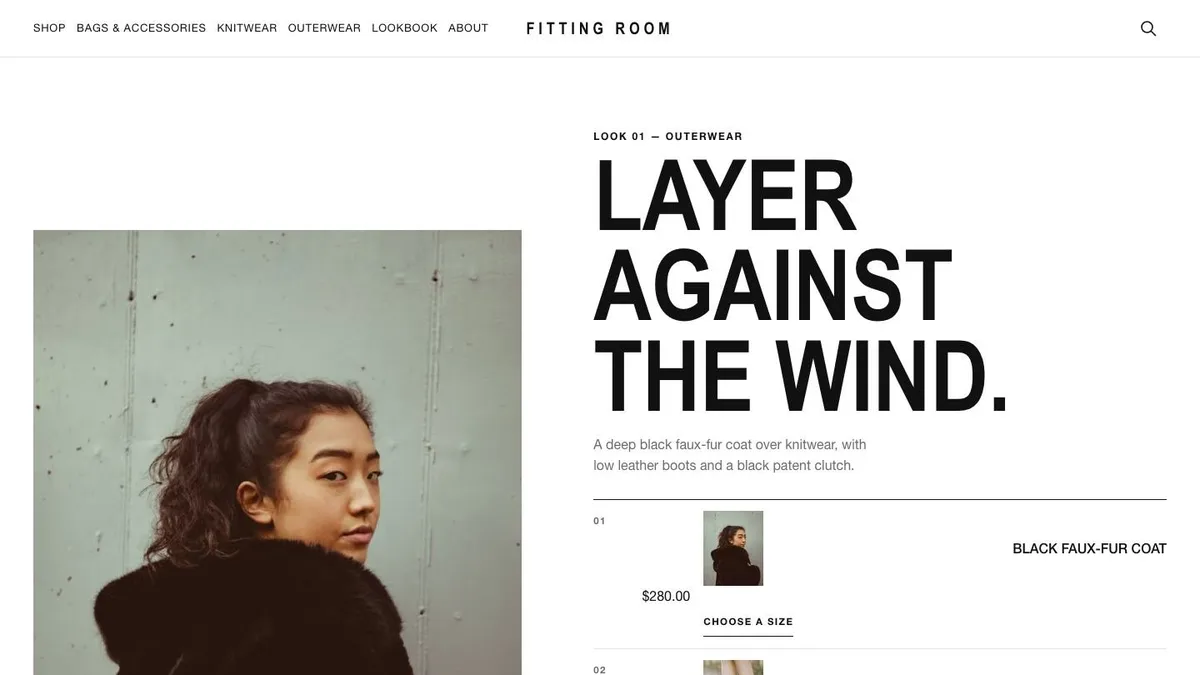
Fitting Room is for brands that sell by collection or season, including fashion, beauty, jewelry, eyewear, shoes, home goods and lifestyle products. Its home page pairs tall lookbook photographs with headlines and numbered lists of pieces, including prices and buy or size links. A large category index follows the looks. Customers can browse individual looks, filter and sort the shop, or choose a size on a product page. The design uses black, white and signal red, condensed uppercase headlines and numbered product keys, with a journal alongside the catalog.
You can find both in the Astro store templates collection. The demos contain fictional shops and products; the shipping, returns and privacy pages are samples that need your own text.
Connect checkout to your payment provider
By default, a product or variant has a checkoutUrl field. Paste a hosted checkout link from Stripe Payment Links, Lemon Squeezy, Polar or Shopify into that field, and its Buy button opens the provider’s page. The site can stay on static hosting. You create the products and prices with the provider, keep amounts and currencies aligned, and configure taxes, shipping, stock limits, confirmation emails or download delivery, refunds and the success page.
If you enable the cart, products without checkout links get an Add to cart button. A server route creates a Stripe Checkout Session using prices from your content or an existing Stripe Price ID. This requires a server adapter and your own key stored in the host’s environment.
The cart was tested with the Node adapter, @astrojs/node 11.1.6. On October 2, 2026, a full Stripe test-mode payment through Joinery on localhost paid the server-side prices; bad quantities, unknown products, a foreign origin and a client-sent price were refused. Fitting Room uses the same code. Cloudflare, Vercel and Netlify are documented adapter options, but they were not tested. The cart does not track stock or store orders; Stripe tells you about paid orders.
Edit files or use EmDash
You can edit products, categories, posts and pages as Markdown files; Fitting Room also has look files. Shop settings, colors and font stacks live in src/site.config.ts. The optional EmDash source moves content into a database and renders pages on request through Node. The EmDash edition is tested with EmDash 1.2.0.
Both version 1.1.0 downloads include source, setup references, a license and CC0 photographs. Payment through Stripe on peachfinthemes.com gives you the ZIP on the order page and in the order email. Each purchase includes 6 months of support and updates and download access for at least 90 days; keep your copy.
Follow the setup guide to install either template, add products and configure checkout.