Updated 14 October 2026.
A doula website should explain the support you offer, the area you serve and how a family can arrange a first conversation. Visitors need to understand the package, the person providing it and the practical boundaries of the service.
Website templates for doulas work well when they leave room for both a personal introduction and clear service information. First Person suits an individual practitioner. Local Business gives more prominence to phone details, hours and location, which can suit a local practice or team.
What a doula website needs
- Distinct packages. Describe the birth, postpartum or other support you actually provide. Explain included visits, time commitments, fees and optional additions.
- A non-medical-care disclaimer. State the non-medical nature and boundaries of your doula services. Check your own local rules for the wording and descriptions appropriate to your practice.
- A personal introduction. Include a current portrait and accurate training, experience and credentials, with an explanation of your approach.
- Service area and availability. Name the places you cover and explain how families should ask about dates. Distinguish inquiry hours from any support arrangements agreed with existing clients.
- A consultation route. Provide a clear booking link, email address or phone number, and explain what the first conversation involves.
Write package descriptions around practical expectations. If a package includes preparatory meetings or follow-up visits, explain their purpose and duration. Keep any arrangements that vary by family clearly identified as matters to discuss during the consultation.
Website template picks for doulas
First Person
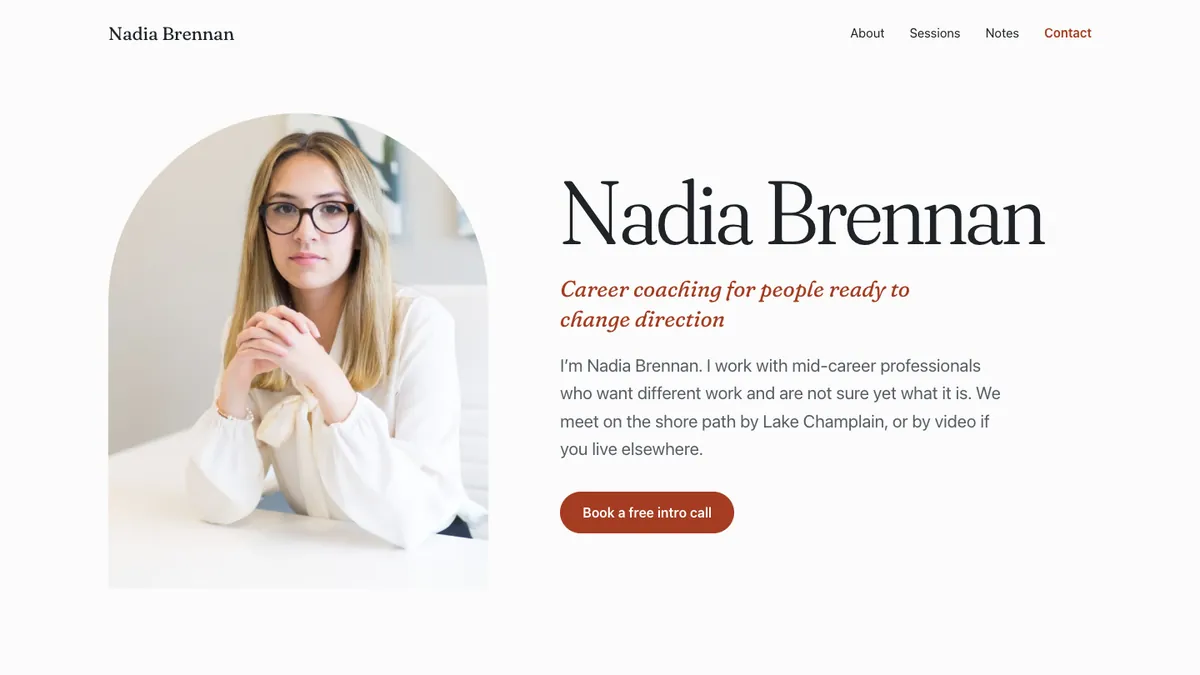
First Person opens with your name and portrait, then introduces your story, credentials, services and contact details. The home sections can be switched off individually, so you can begin with a small site and add Notes when you have useful articles to publish.
The Sessions and fees page lists every service with a description, price and length, followed by questions and answers. Rename it to match your packages and use the questions for travel, consultation and support arrangements. The separate About page provides more space for your background, while a configurable legal line can carry your approved non-medical-care wording across the site.

First Person costs $47 USD one time. Explore the live demo.
Local Business
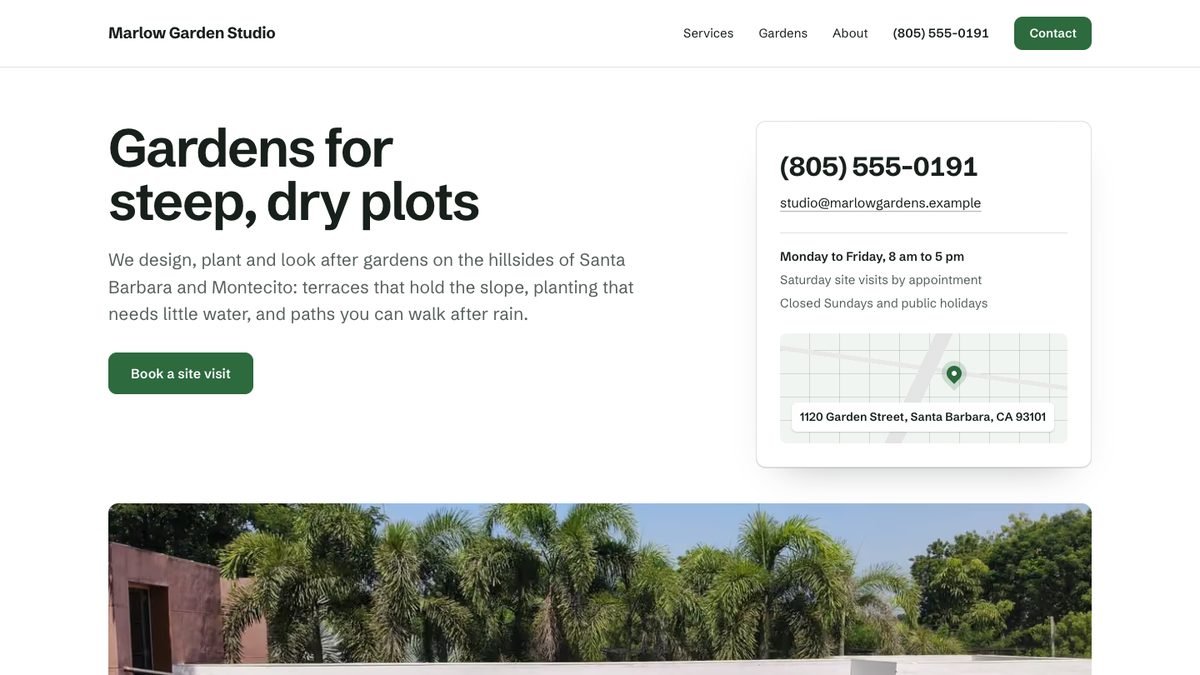
Local Business makes contact information prominent. The phone number appears in the header, becoming a Call button on phones, and the opening visit card includes email, hours and an address. Its home page continues with services, an About section, optional quotes, recent work and a contact band.
The Services and prices page has a featured service, a priced list and questions. This can suit a practice offering several kinds of local support. Adapt the address and hours to your real arrangements, and hide work photographs or other sections that do not fit your practice. The main button can link to a consultation booking page.
Local Business costs $47 USD one time. Explore the live demo.
Why Astro and EmDash
These Astro themes create plain web pages with little browser scripting. The Markdown edition resizes photographs during the build, helping keep pages light. Clear titles, descriptions and a sitemap on indexable builds support search visibility. Your service descriptions and location details still need to be accurate and useful; the theme cannot promise search positions.
Longer text lives in plain Markdown files. This edition has no site database to attack, and the included pages work without accumulating plugins. You still maintain the project, hosting access and any connected services.
Optional EmDash adds a visual CMS dashboard for supported pages and articles. In both themes, packages, prices, contact details and several design settings remain in the configuration file. Ask whoever sets up the site to show you both editing routes so routine changes are clear.
You keep your content and the licensed site files without a monthly builder subscription. Cloudflare offers free allowances that can make hosting inexpensive, provided the site stays within the relevant limits. EmDash registry plugins require a paid Cloudflare plan. Any Node host meeting the documented runtime and persistent-storage requirements is another option. Our hosting guide explains what needs to persist when the CMS is enabled.
You don’t have to set it up yourself
Claude Code or OpenAI Codex can follow the included README, GETTING-STARTED and EMDASH documents to install the theme, add your details, enable EmDash and deploy to Cloudflare or a Node host. Give it approved package descriptions and disclaimer wording. Review the result before it goes live, including every statement about support, availability and credentials.
Follow README, GETTING-STARTED and EMDASH to set up First Person for my doula practice. Add my approved packages, service area, disclaimer and consultation link. Enable EmDash and prepare a hosted preview for my review.The Astro Pass costs $99 USD once for all 40 Astro themes, unlimited personal, commercial and client sites, and six months of email support. Hosting, domains and tools are separate costs.
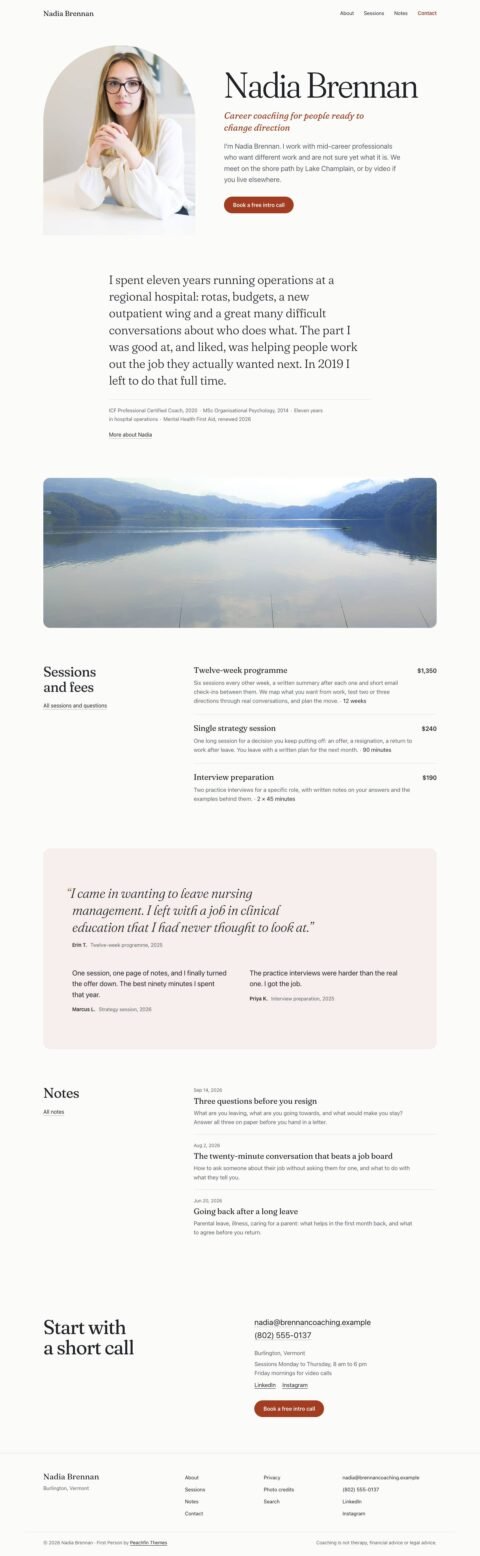 First PersonPractitioner sites with session fees and credentials
 Local BusinessLocal business sites with hours and services
Frequently asked questions
Which template suits a solo doula?
First Person suits a solo doula who wants a personal introduction, credentials, package descriptions and a consultation link. Its Sessions and fees page can be relabeled for your services.
Where can I put a non-medical-care disclaimer?
First Person and Local Business include a configurable legal line at the foot of every page. You can also explain your service boundaries in page content. Check your own local rules.
Can families book through the website?
Both themes can link to an external booking page. You configure that service separately; the theme itself does not confirm consultations or manage your availability.
Choose First Person to introduce your practice, explain your packages and give families a clear route to a consultation.
Peachfin is not affiliated with Astro, EmDash, Cloudflare, Anthropic or OpenAI.