EmDash plugin
Comment Spam Protection
Checks every new comment against rules you set and shows why it was approved, held for review or marked as spam. It runs on your site, with no outside service or API key.
Pro from $29 a year.
Free
What the free plugin does
Every check runs on your site. The plugin makes no network requests and needs no account or API key. The default rules work as soon as it is installed.
- 01
Your own rules
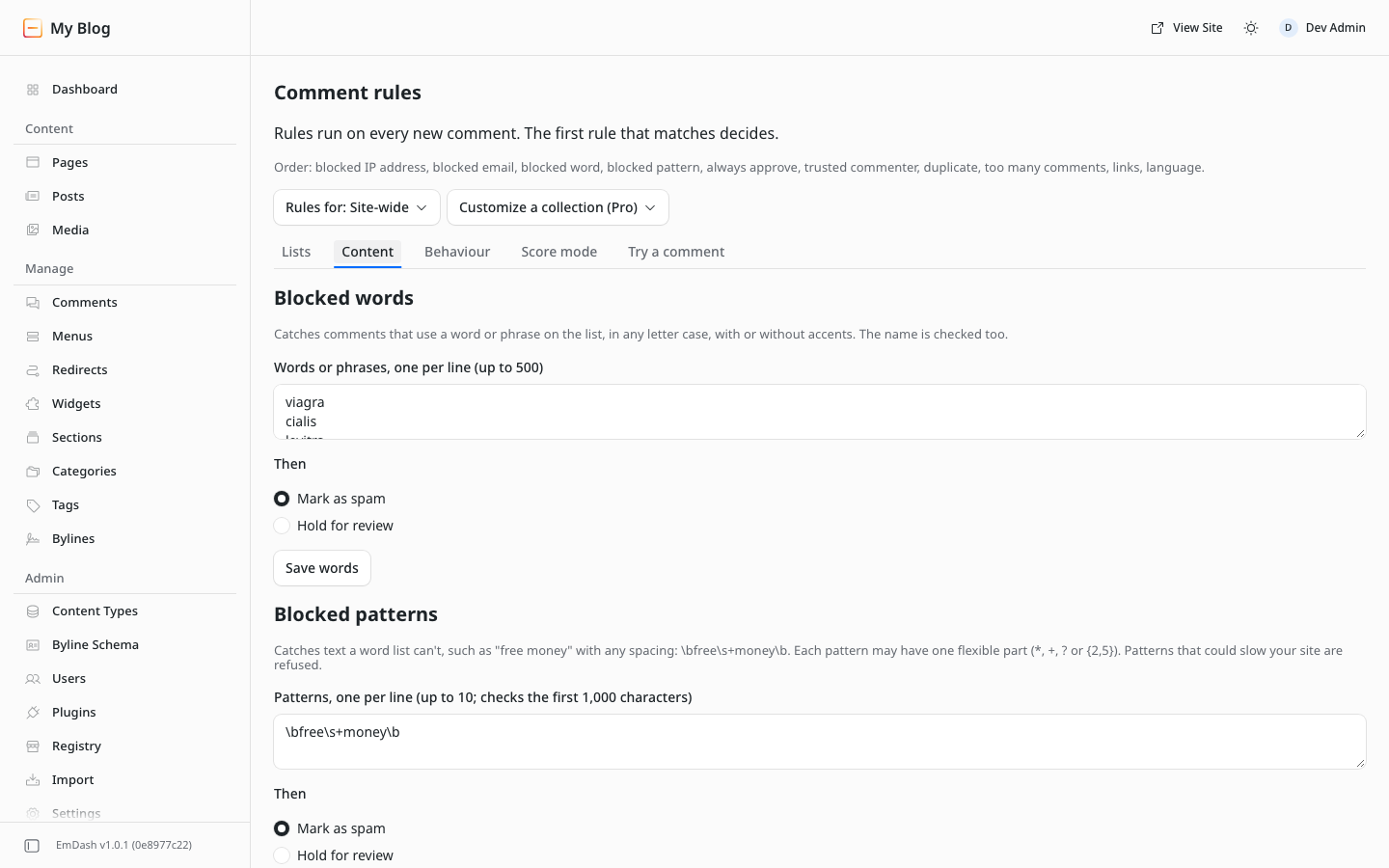
Blocked words and patterns, a link limit, a language check, and blocked or always-approved emails and domains.
- 02
Duplicates and bursts
Hold the same text posted again, or too many comments from one IP address or email.
- 03
A reason for each decision
Comment activity shows which rule decided. Block an IP address, email or domain from a comment.
Install
- In your EmDash admin, open Registry and search for Comment Spam Protection. Approve the permissions.
- If comments are off, open the collection under Content Types and turn on Enable comments.
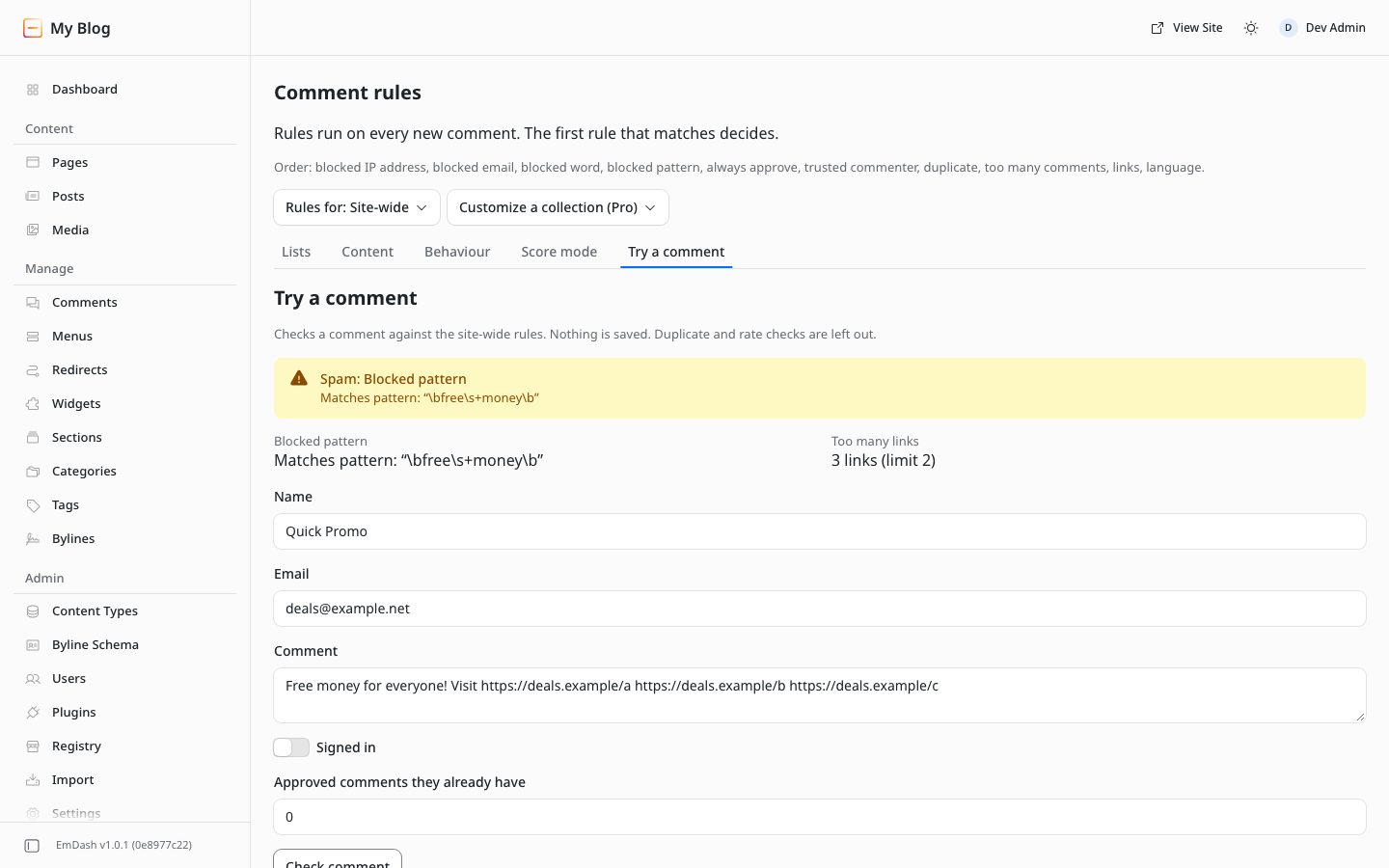
- Open Comment rules to add words or patterns, and Try a comment to test them. New comments appear under Comment activity.
Requires EmDash 1.0 or later with the plugin sandbox (on Cloudflare: Workers Paid with a Worker Loader binding).
Pro
Free and Pro
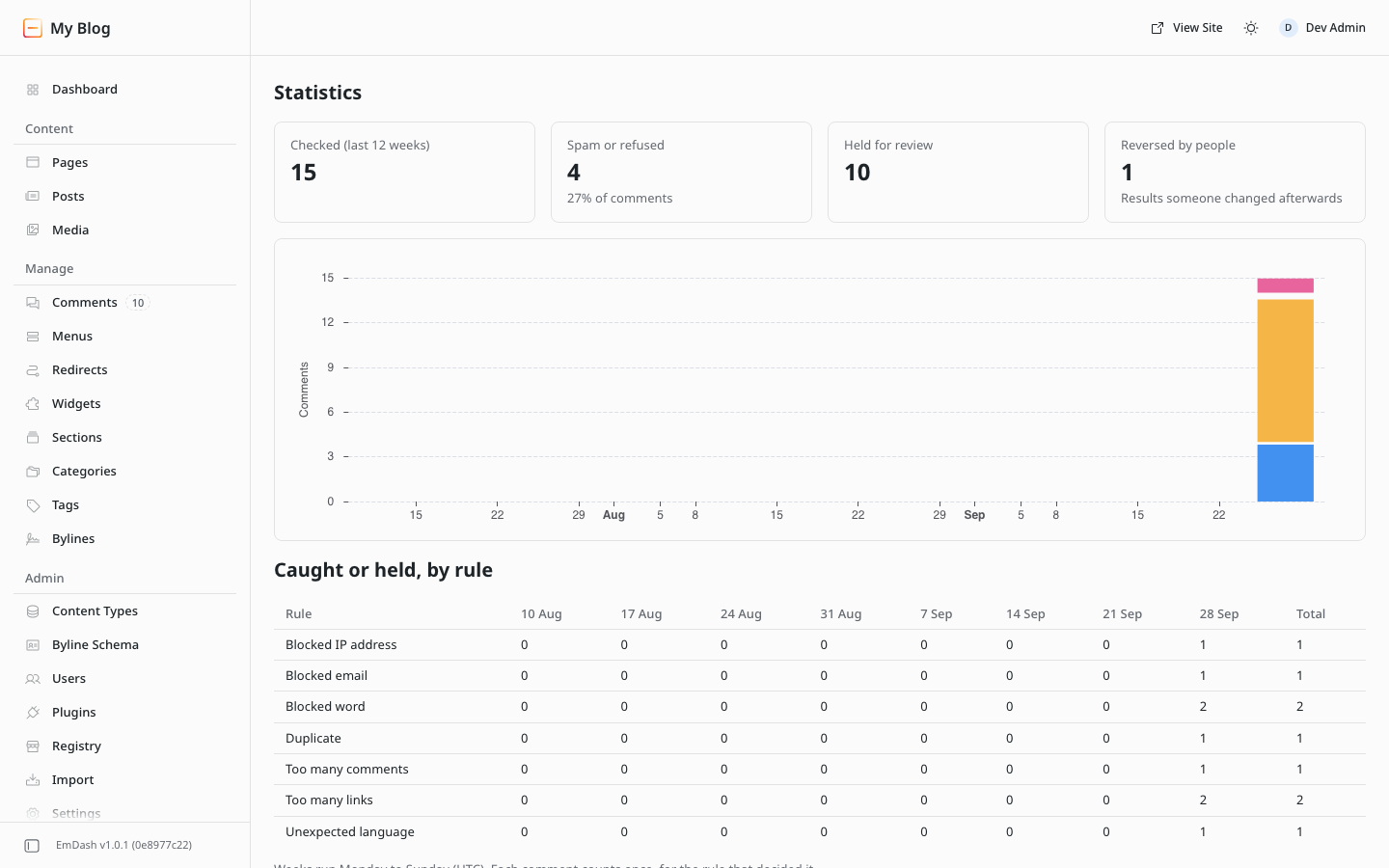
Pro adds score mode, rules per collection, re-checking old comments, CSV, statistics and a weekly email. It is the same plugin, unlocked with a license key.
| Feature | Free | Pro |
|---|---|---|
| Blocked words, phrases and patterns | Included | Included |
| Link limit and language check | Included | Included |
| Duplicates and too many comments from one person | Included | Included |
| Blocked and always-approved emails and domains | Included | Included |
| Blocked IP addresses, added from a comment | Included | Included |
| Trusted commenters | Included | Included |
| Comment activity with reasons, and Try a comment | Included | Included |
| Refuse clear spam outright | Included | Included |
| Score mode: matching rules add points, you set the thresholds | Not included | Included |
| Different rules for each collection | Not included | Included |
| Re-check old comments, with a dry run first | Not included | Included |
| CSV import and export | Not included | Included |
| Statistics per week and per rule | Not included | Included |
| Weekly email to administrators | Not included | Included |
Pro pricing
Yearly license, priced by number of sites.
1 site
$29/year
- All Pro features
- Key by email after checkout
- Saved Pro settings keep working after expiry
5 sites
$59/year
- All Pro features
- Key by email after checkout
- Saved Pro settings keep working after expiry
Unlimited sites
$99/year
- All Pro features
- Key by email after checkout
- Saved Pro settings keep working after expiry
Prices in USD. Payment by Stripe.
How licensing works
- Install the free plugin from the EmDash registry.
- Buy Pro, then enter your domain on the order page or under My account → EmDash licenses. Your key appears.
- Paste the key in EmDash under Comment Spam Protection → Settings → License.
Keys are checked on your site; the plugin never contacts our servers. Keys always work on localhost and *.test. If a license expires, the Pro settings you saved keep working; you renew to change them.
Questions
Does it send comments anywhere?
No. Every check runs on your site, and the plugin makes no network requests. License keys are checked on your site too.
What happens to spam?
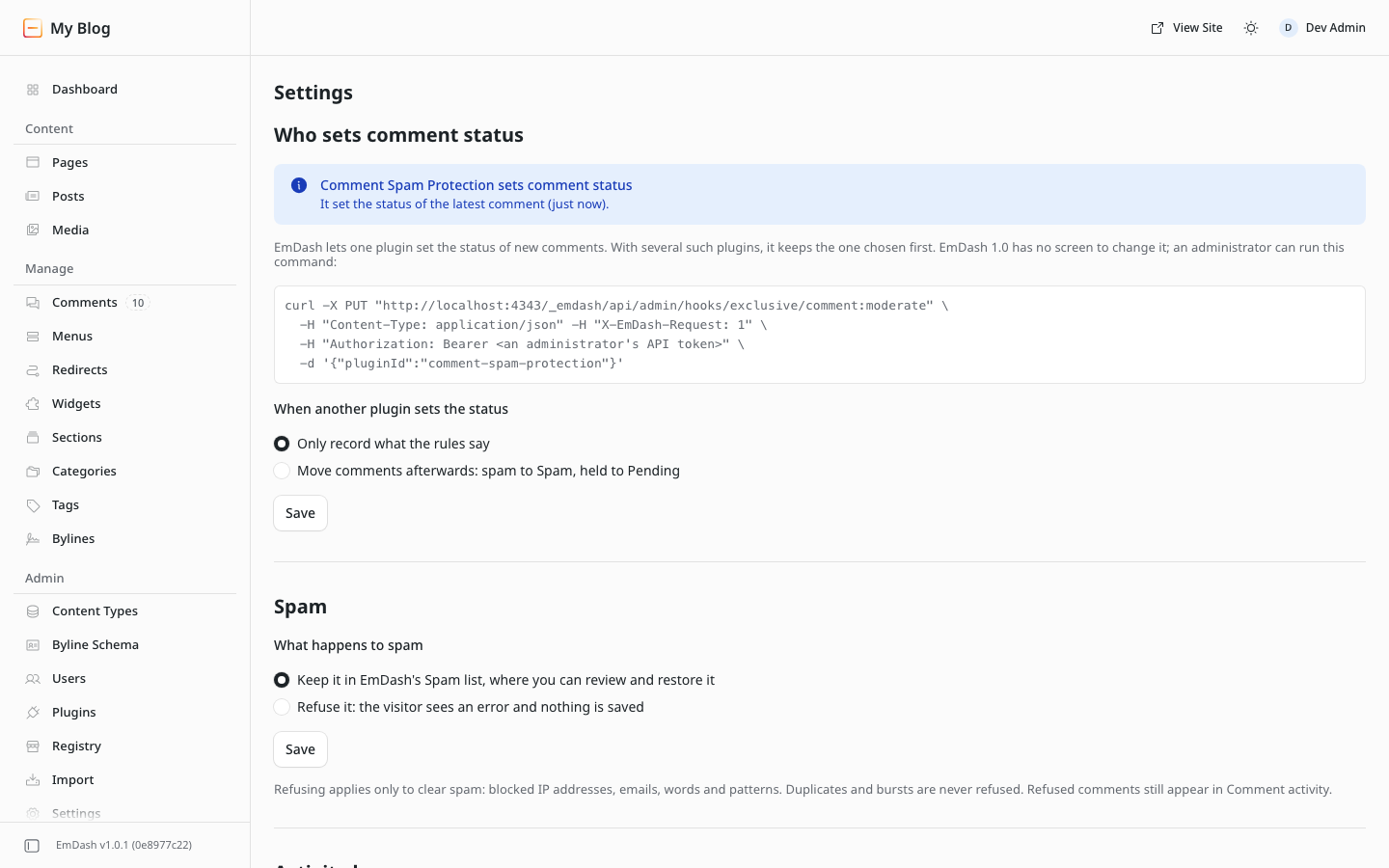
By default it is saved with the status Spam, so you can review and restore it in EmDash’s Comments screen. In Settings you can refuse clear spam instead: the visitor sees an error and nothing is saved. Refused comments are still listed in Comment activity.
Can I block an IP address?
Yes: on Comment activity, open a comment’s Actions menu and choose Block this IP address. EmDash never shows plugins the address itself, only a scrambled code for it, so addresses can’t be typed in.
What is a pattern?
A way to catch text a word list can’t, such as “free money” with any number of spaces. Patterns that could slow your site are refused when you save them.
I already use another moderation plugin.
EmDash lets one plugin set the status of new comments. Comment Spam Protection then adds its result and reasons to each comment for that plugin and records them. It can also move spam afterwards.
What does it store?
Comment activity keeps the commenter’s name and email, a 300-character excerpt, a scrambled code for the IP address (never the address itself) and the reasons, for 90 days by default.
What does it need?
EmDash 1.0 or later with the plugin sandbox, on Cloudflare (Workers Paid with a Worker Loader binding) or Node, and comments turned on for a collection.
Can I move a license to another site?
Yes. Change the domain under My account → EmDash licenses.
Refunds?
See our refund policy.
Support?
Email hello@peachfinthemes.com.