Peachfin Watermark Maker (WordPress Plugin)
Add watermarks to your images in WordPress.
Add text, a PNG logo, or both. Preview your changes and save a watermarked copy. Your original stays unchanged.
Pro includes one year of updates. No automatic renewal.
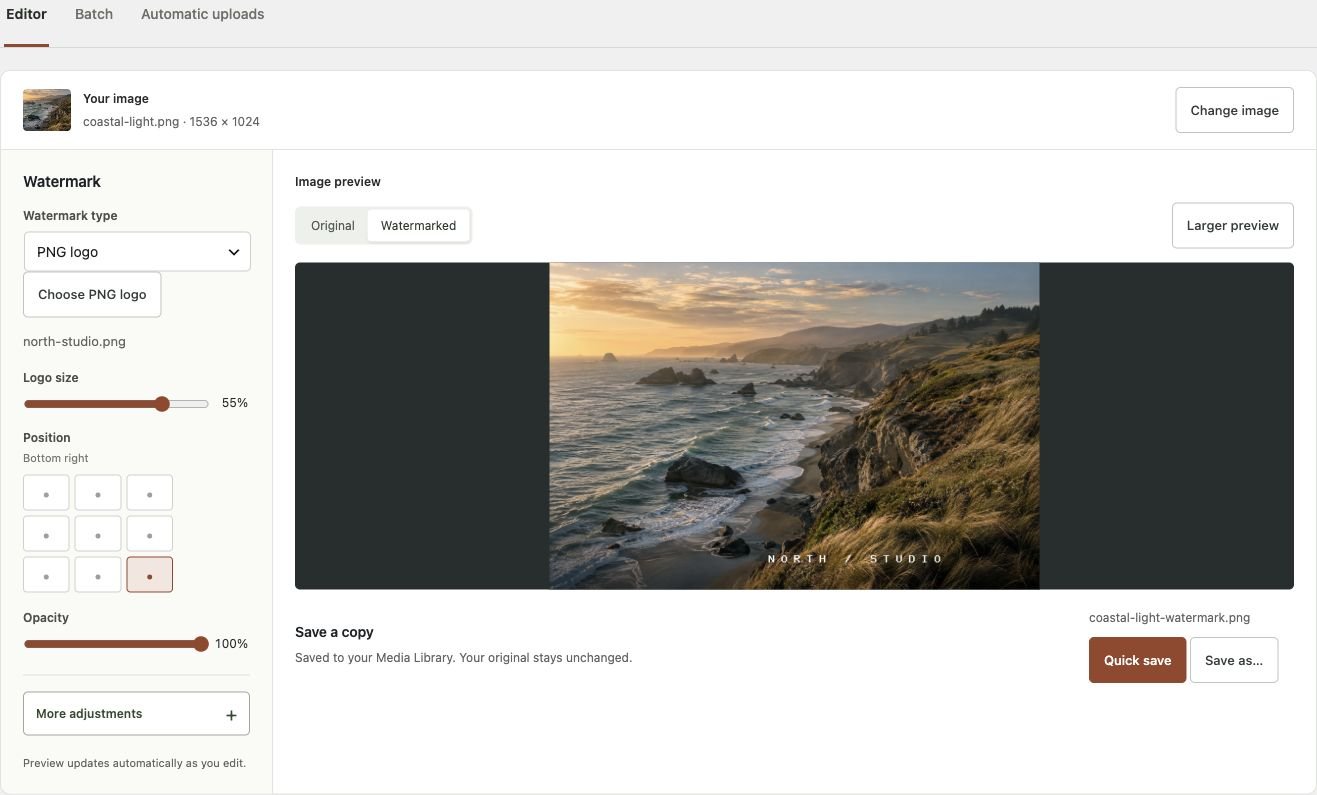
See a watermark on an image

How it works
Choose an image
Select a JPEG, PNG, or WebP from your Media Library.
Add your watermark
Choose your text or logo. Adjust the font, size, position, and opacity.
Save a copy
Save it to the Media Library. Select the new copy when adding it to a post.
What you get with Pro
Saved templates
Save watermarks for different clients or projects.
Background batches
Process up to 500 images. Close the tab, pause a batch, or retry failed images.
More watermark layers
Add up to four extra text or logo layers, or repeat a proof mark across the image.
Upload rules
Choose which new uploads get a copy by format, size, uploader role, or post type.
Choose your plan
All Pro plans include the same features and one year of updates. Renew manually; the plugin keeps working if you don’t renew.
Compare Free and Pro features
| Feature | Free | Pro |
|---|---|---|
| Text and PNG logos, ten fonts, preview, separate copies | Yes | Yes |
| Basic batches of up to 50 images | Yes | Yes |
| Automatic copies for new uploads | Yes | Yes |
| Saved templates, extra layers, repeated proof marks | — | Yes |
| Background batches of up to 500 images and CSV reports | — | Yes |
| License-key activation and WordPress updates for one year | — | Yes |
| Conditional upload rules and exclusions | — | Yes |
Install the plugin
- Download Free and upload it through WordPress → Plugins → Add New.
- Activate it, then open Media → Peachfin Watermark Maker.
- For Pro, buy a plan and install the Pro ZIP alongside Free.
- Activate your purchase key under Media → Pro updates.
For Pro updates, open Media → Pro updates and activate the license key from your Peachfin account. New releases appear in WordPress → Plugins.
Free 0.2.7 · Pro 0.2.8 · WordPress 6.6+ · PHP 8.1+
Questions
Does it change my originals or existing posts?
No. It creates new copies. Existing posts and original image URLs stay unchanged. A watermark does not prevent downloading or copying.
How do automatic uploads and background batches run?
They use WordPress’s scheduler. Your site needs visits or a working server cron. Automatic copies are off until you enable them.
Which images are supported?
Local JPEG, static PNG, and static WebP files up to 24 megapixels, 8,000 pixels per side, and 20 MB. PNG logos can be up to 4 megapixels. Animated images, SVG, and files stored only on external services are not supported.
Use sRGB images. EXIF and ICC metadata is not kept. Text needs working GD FreeType or Imagick support on your host.
Are images sent to another service?
No. Your WordPress server processes them. The plugin has no tracking or external image service. Pro license activation sends your key and site URL to Peachfin Themes for updates.
Do I need WooCommerce?
No. WooCommerce handles purchases on our store. Your site only needs Free and, if purchased, the Pro add-on.