EmDash plugin
Auto Unpublish Posts
Pick a date, and the post unpublishes, moves to the trash or changes its tags. Free to install. Pro adds rules and bulk scheduling.
Pro from $49 a year.
Free
What the free plugin does
It schedules changes to any entry in any collection, runs them on time and logs each run. It makes no network requests.
- 01
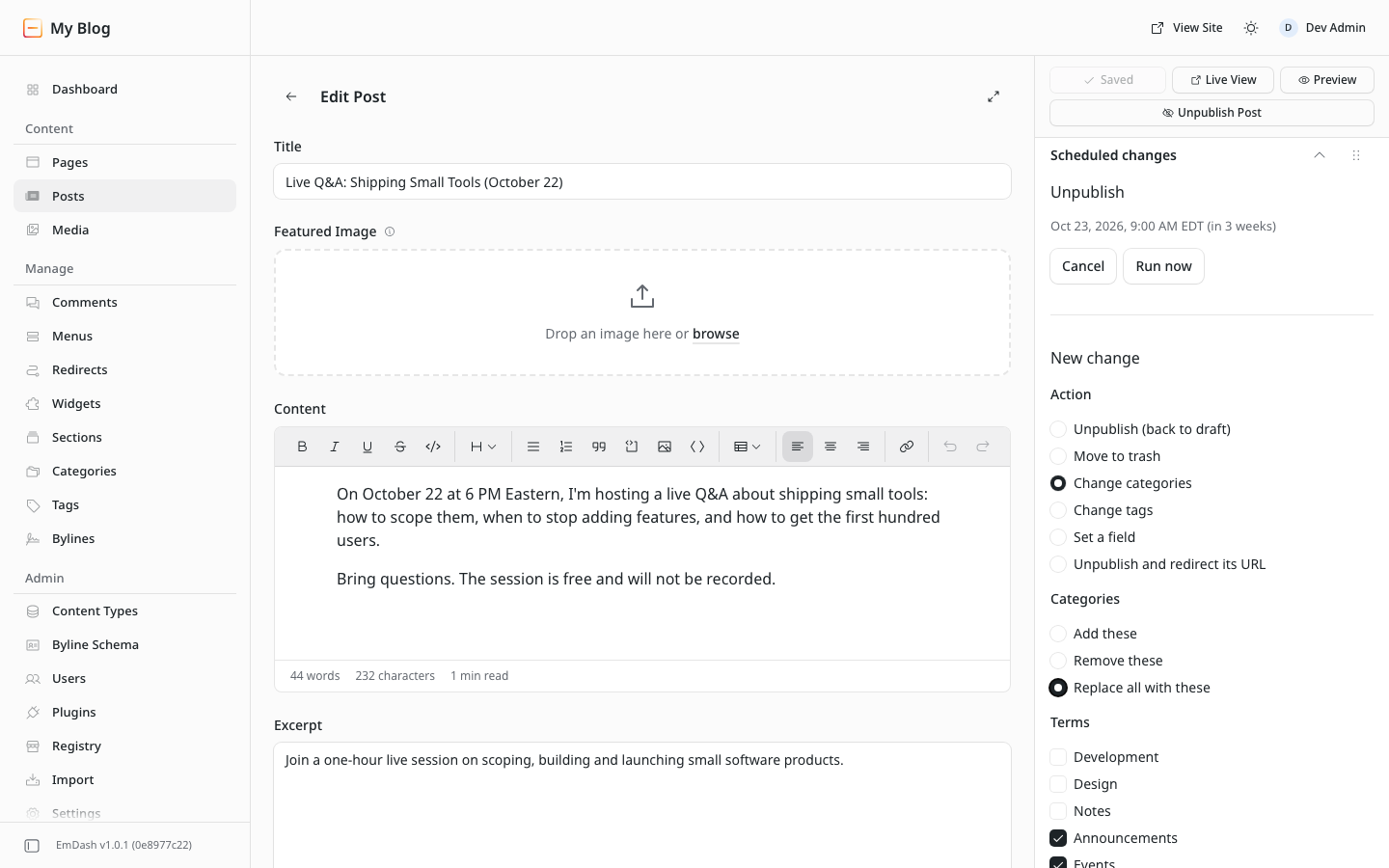
Schedule from the editor
Choose an action and a date in the post sidebar, then confirm.
- 02
Collection defaults
Unpublish every new post a set time after it goes live.
- 03
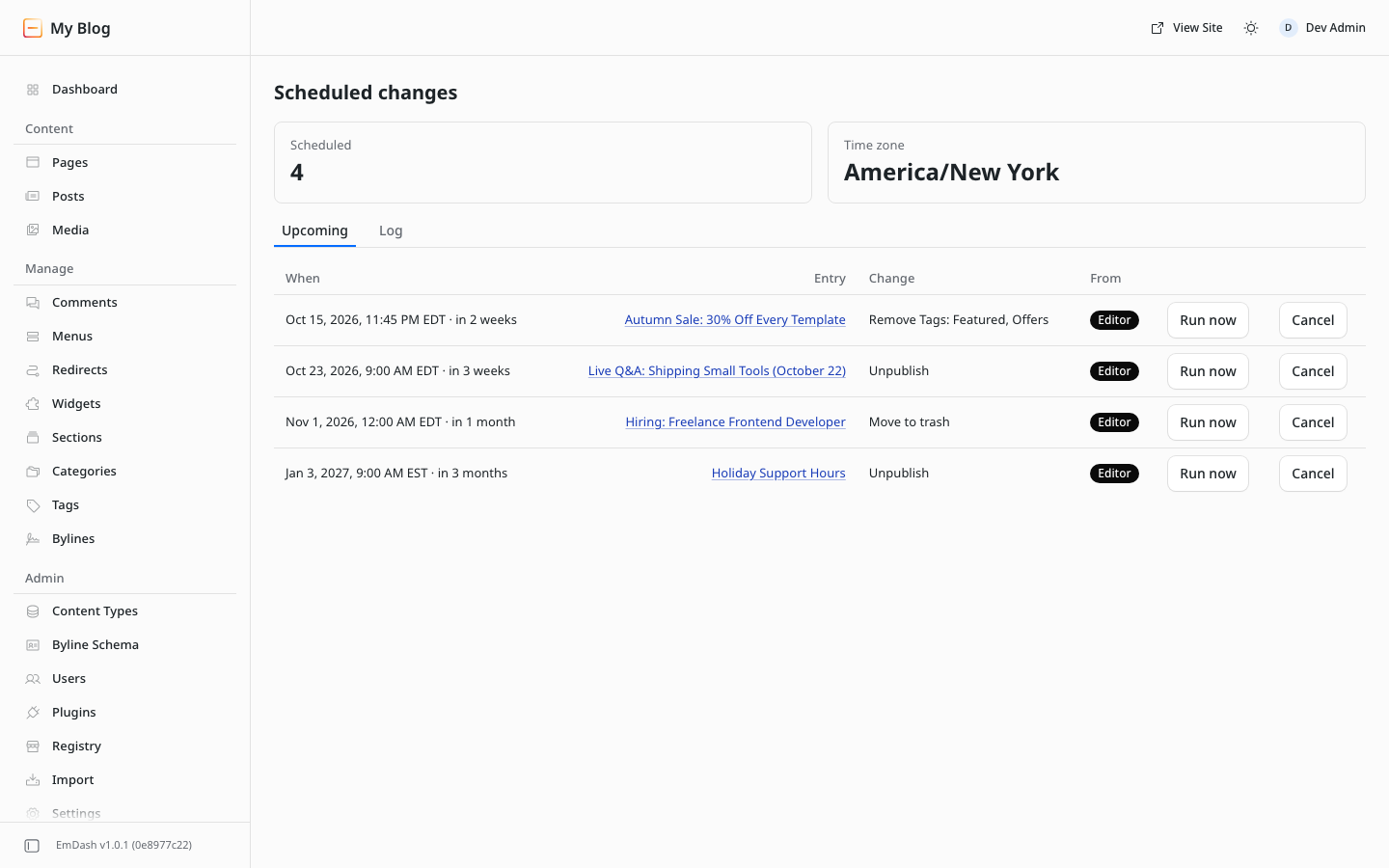
One list of upcoming changes
Run a change early, cancel it or check the log.
Install
- In your EmDash admin, open Registry and search for Auto Unpublish Posts.
- Approve the permissions.
- Open a saved post. The Scheduled changes panel is in the sidebar.
Requires EmDash 1.0 or later with the plugin sandbox (Cloudflare or Node).
Pro
Free and Pro
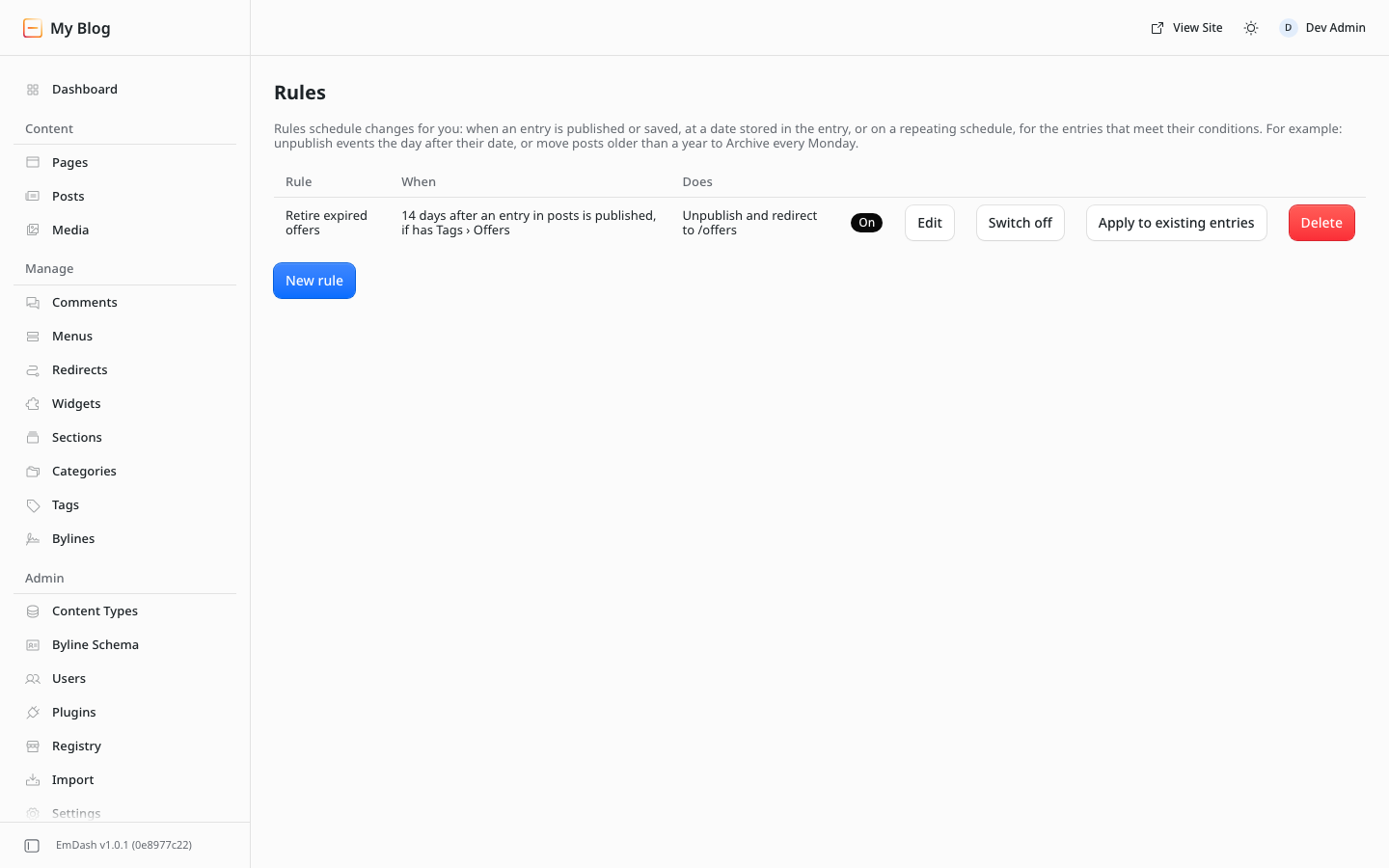
Pro adds rules that schedule changes automatically, bulk scheduling, CSV import and export, and the full log. It is the same plugin, unlocked with a license key.
| Feature | Free | Pro |
|---|---|---|
| Schedule from any entry | Included | Included |
| Unpublish, trash, change terms | Included | Included |
| Upcoming list, run now, cancel | Included | Included |
| Run log and email alerts | Included | Included |
| Collection defaults | Included | Included |
| Agent tools: list, schedule, cancel | Included | Included |
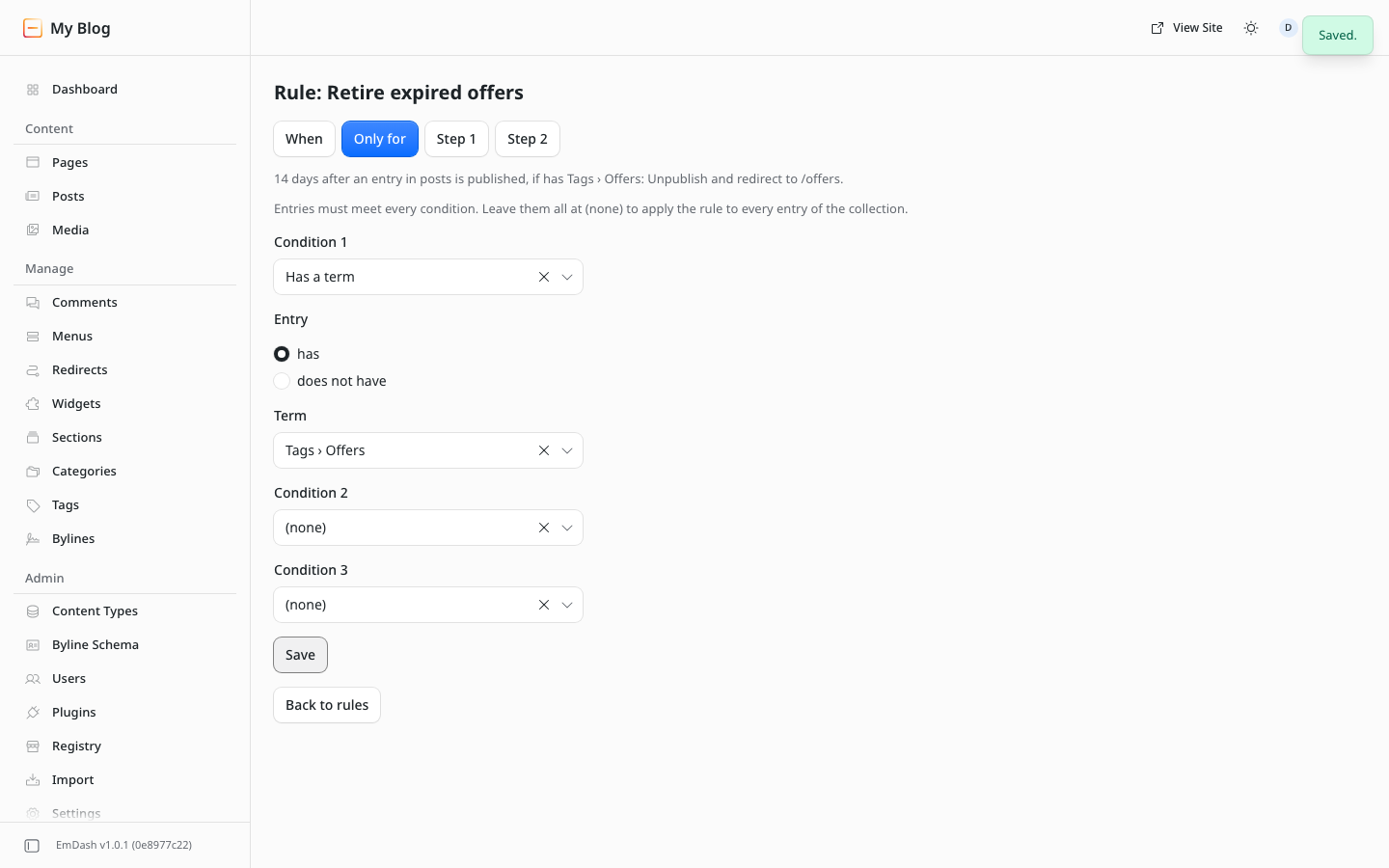
| Rules with conditions and if/else steps | Not included | Included |
| Set a field, redirect, email | Not included | Included |
| Bulk scheduling | Not included | Included |
| CSV import and export | Not included | Included |
| Full searchable log | Not included | Included |
| Agent tools: batches, log, rules | Not included | Included |
Pro pricing
Yearly license, priced by number of sites.
1 site
$49/year
- All Pro features
- Key by email after checkout
- Existing rules keep running after expiry
Most popular
5 sites
$99/year
- All Pro features
- Key by email after checkout
- Existing rules keep running after expiry
Unlimited sites
$149/year
- All Pro features
- Key by email after checkout
- Existing rules keep running after expiry
Prices in USD. Payment by Stripe.
How licensing works
- Install the free plugin from the EmDash registry.
- Buy Pro, then enter your domain on the order page or under My account → EmDash licenses. Your key appears.
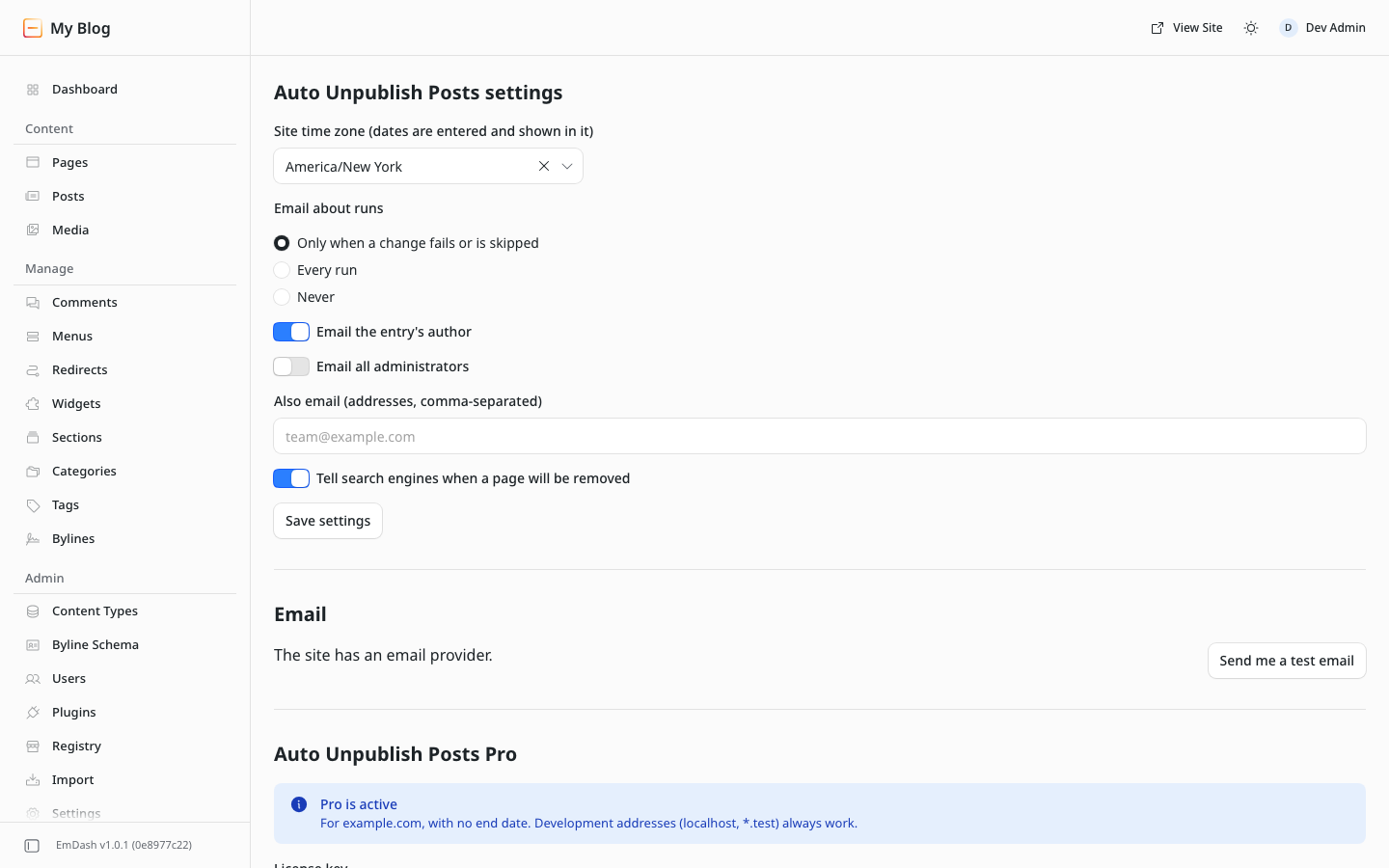
- Paste the key in EmDash under Settings → Auto Unpublish Posts Pro.
Keys are checked offline; the plugin never contacts our servers. Keys always work on localhost and *.test. If a license expires, existing rules and schedules keep running; you renew to create or edit them.
Questions
What does it need?
EmDash 1.0 or later with the plugin sandbox, on Cloudflare (Workers Paid with a Worker Loader binding) or Node.
What can it access?
Your content, categories and tags, redirects, user emails (to notify authors) and your site’s email provider. No network access.
Can I move a license to another site?
Yes. Change the domain under My account → EmDash licenses.
Refunds?
See our refund policy.
Support?
Email hello@peachfinthemes.com.