VIEWMARKDOWN FOR WORDPRESS
A quieter place to write in WordPress.
Write Markdown, preview as you go, and publish through WordPress. A focused editor that keeps your content on your own site.
Try the plugin (WordPress.org) ↗See how it works
Free · No account or API key · WordPress 6.6+ / PHP 7.4+
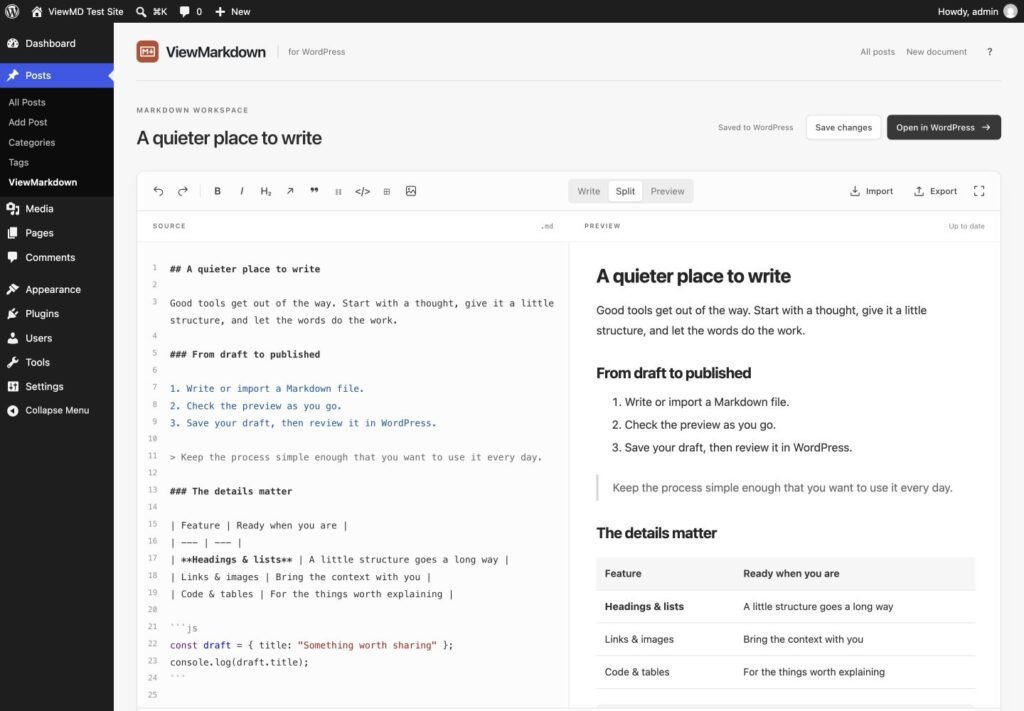
FROM DRAFT TO POST
Your words.
Your WordPress site.
- 01
Write or bring a draft
Start a new post or import a UTF-8 Markdown file. Format headings, lists, tables, links, images, and code without leaving your keyboard.
- 02
Check it as you go
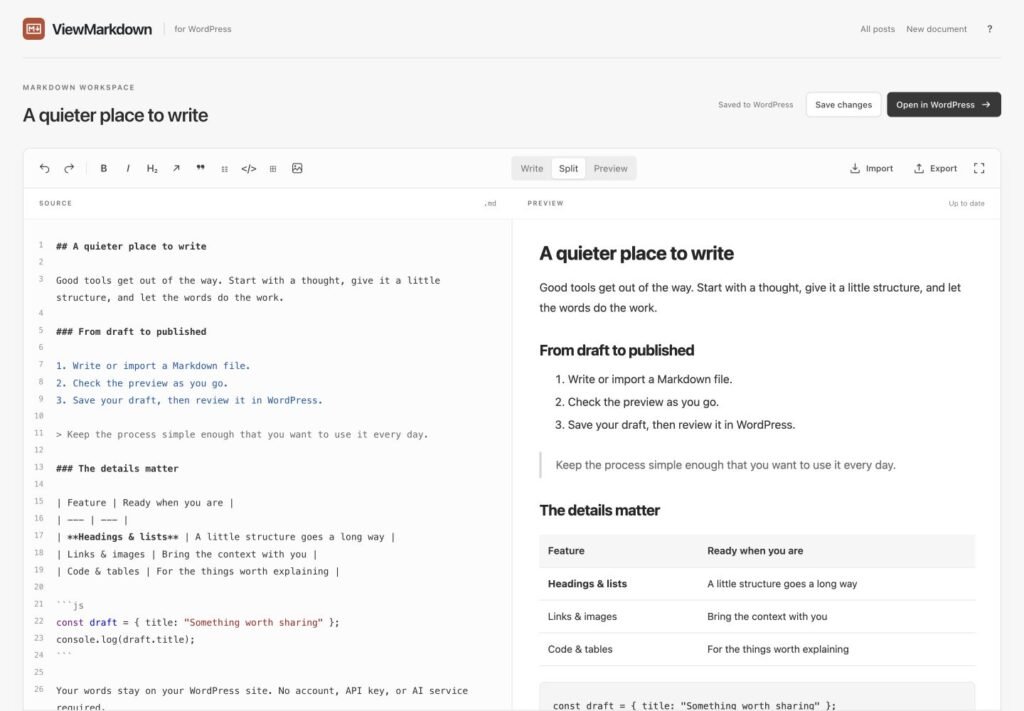
See your Markdown rendered by the same parser used when saving. Switch between source, split view, and preview.
- 03
Publish the WordPress way
Save your draft, then open WordPress to choose categories, set a featured image, schedule, or publish.
ROOM TO THINK
Less around
your writing.
Hide the admin chrome. Keep your source and preview together, or give either one the whole workspace.
Keyboard shortcuts, file import and export, and your WordPress Media Library are close at hand.
TRY IT ON YOUR SITE
Start with
a test post.
Free on WordPress.org
- In your WordPress dashboard, open Plugins → Add New Plugin and search for “ViewMarkdown”.
- Select Install Now, then Activate.
- Open Posts → ViewMarkdown. Write a short test post or choose Try a sample.
- Save the draft, then select Review & publish to check the result in WordPress.
Start on a staging site and keep a backup. Review the saved post in your theme before publishing.
A FEW USEFUL DETAILS
Before you install
Is the plugin free?
Yes. This release is free and open source under GPLv2 or later. There is no account, subscription, API key, or AI service required.
Can I edit existing Gutenberg posts?
This release is for new Markdown posts and posts already written with ViewMarkdown. It protects existing non-Markdown content from conversion. It does not convert arbitrary blocks back to Markdown.
What happens if I deactivate it?
Saved posts contain normal HTML in a standard Custom HTML block. They remain readable without the plugin, and the original Markdown stays in post metadata. The plugin’s table, quote, and code styles stop loading; your theme supplies the styling.
Where does my writing go?
Preview and save requests go to your own WordPress server. The plugin has no telemetry or AI connection. Unsaved recovery copies stay in the current browser tab. Images load from the URLs you put in the document, which may contact external image hosts.
Is the preview exactly how my post will look?
The preview shows the saved Markdown structure in a neutral style. Your WordPress theme controls the published appearance. Always review a draft in your theme before publishing.
What are the current limits?
WordPress posts only; Markdown files up to 256 KB. Raw HTML and shortcodes display as text. This release does not support task-list checkboxes, Mermaid, math, front-matter metadata, or two-way file sync.
Prefer to write in the browser?
ViewMarkdown is a free online Markdown editor and converter: preview, edit, and convert Markdown to Word, PDF, and HTML.