EmDash plugin
Instant Indexer
Instant Indexer notifies participating search engines when public pages are added, changed or removed. Each engine decides what to crawl.
MIT licensed. No account, license key or telemetry.
How it works
What it sends, and when
Changes
The plugin queues included public entries on publish, live edit, unpublish, trash and restore. A slug change queues both URLs. Edits usually send 30 to 90 seconds later, once per URL in that window. Requests contain up to 1,000 URLs.
Drafts, unpublished scheduled entries, previews and noindex pages are excluded. Known addresses get a removal notice after a noindex change. Queued pages are not rechecked; earlier notices may precede noindex or unpublish notices.
Sending starts off. Changes while off are not queued. Turning off cancels Submit all. Waiting URLs drop at the next send or hourly cleanup, even if sending has been turned back on.
Setup and records
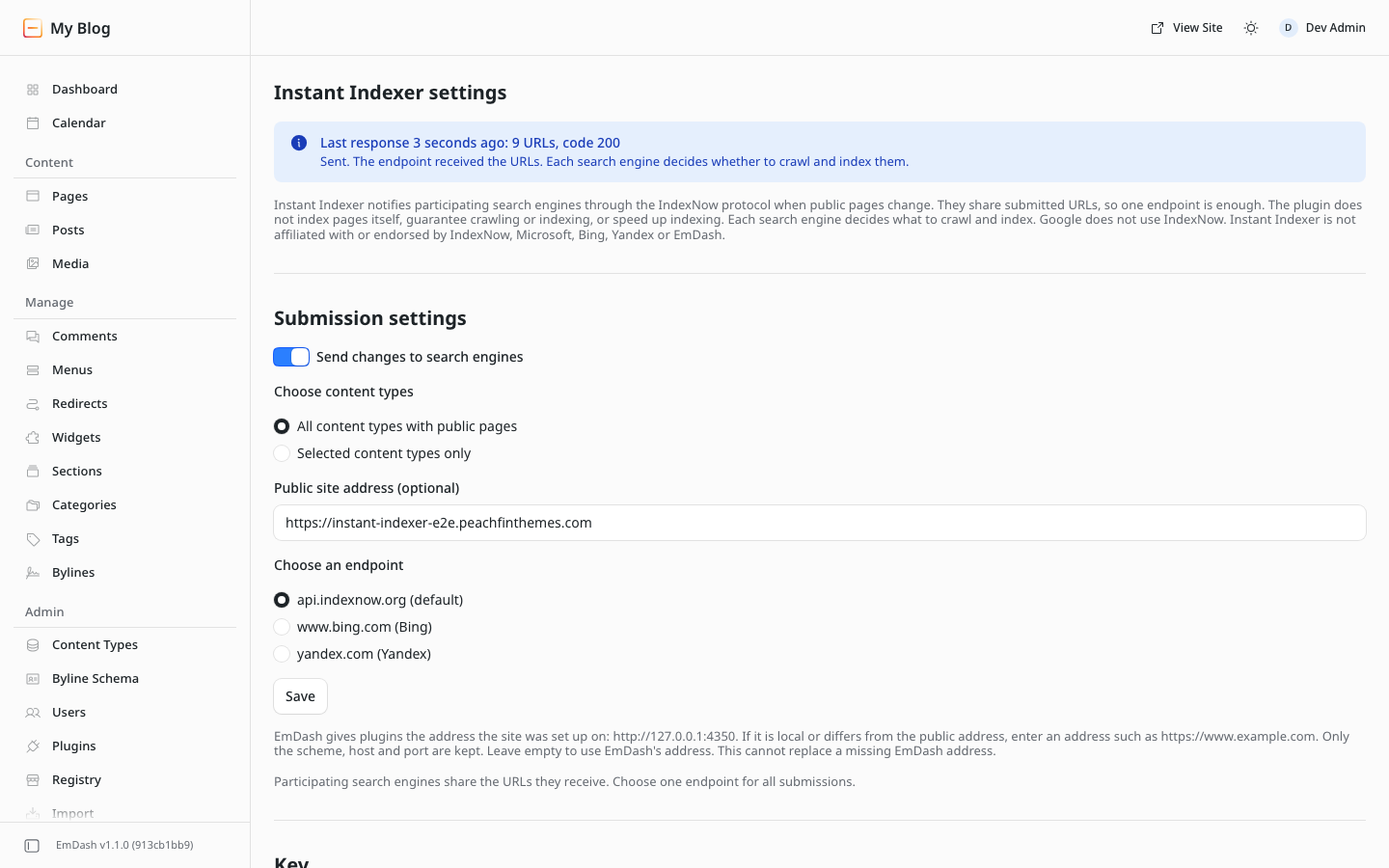
Choose content types and an endpoint in settings. A root key file at https://<site>/<key>.txt containing only the generated key is required. A redirect from that root path to the plugin’s key route is an alternative; some search engines may not follow it.
After setup, test with the home page URL. A 200 response confirms key verification; 202 means waiting for a key check. Enable sending and use Submit all to queue existing public pages and remember their addresses for removals.
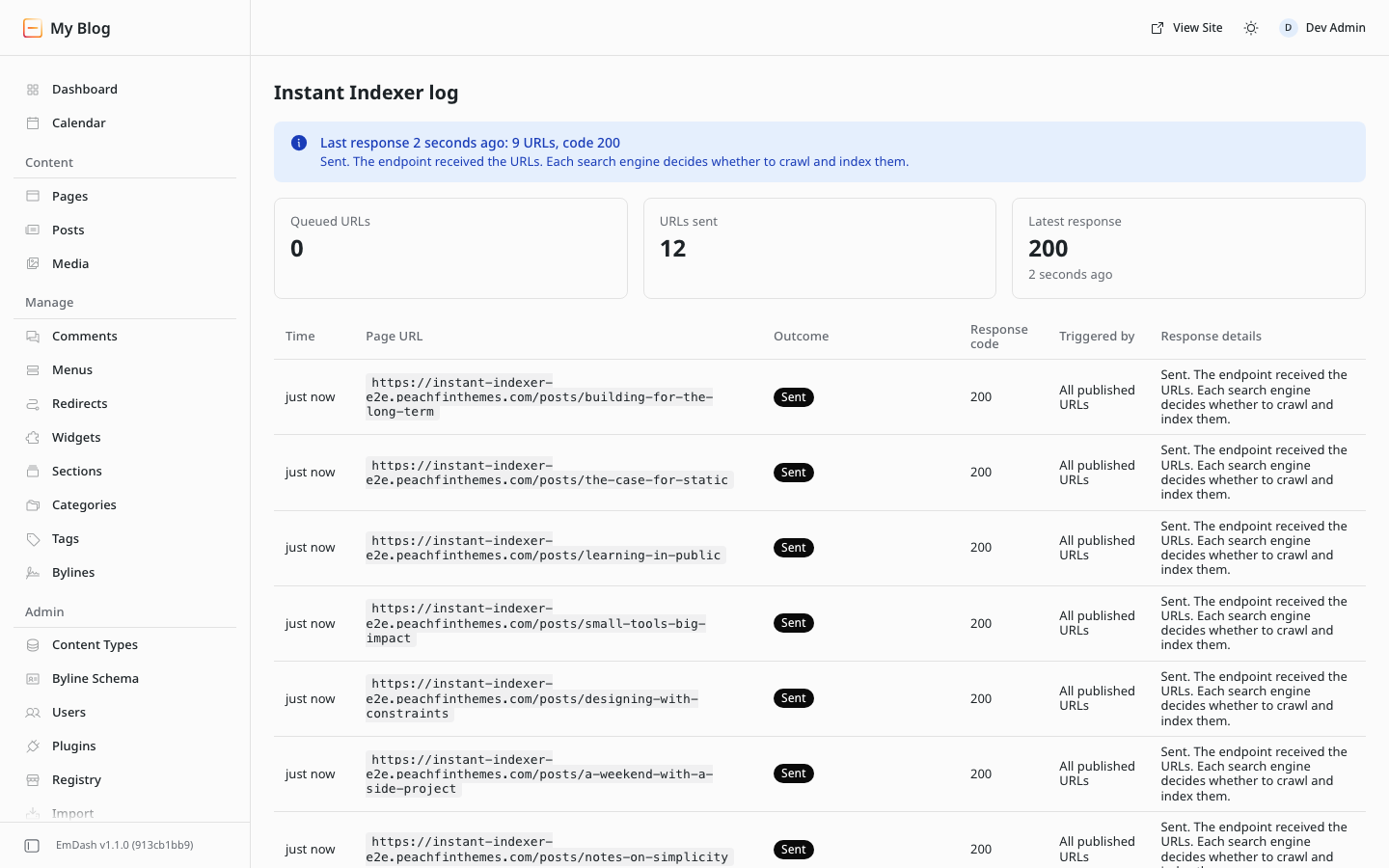
Editors and administrators can read the submissions log. Administrators manage settings and submissions. The dashboard shows waiting and sent URL counts and the last response.
The plugin is MIT licensed and has no account, license key or telemetry.
Instant Indexer is an independent plugin by Peachfin Themes and is not affiliated with or endorsed by the operators of IndexNow or any search engine.
Installation
Install and set up
Requirements
Use EmDash 1.1 or later with a sandbox runner (Cloudflare: Workers Paid and Worker Loader binding; Node: workerd). Tested with EmDash 1.2.0.
Install
- Install Instant Indexer (
@peachfinthemes.com/instant-indexer) from the plugin registry. - Approve content and schema read access and network access. The Security section lists the allowed hosts.
- Instant Indexer settings: EmDash 1.1: setup address. 1.2: configured address, then Site URL, then setup. Fix setup on 1.1; on 1.2, use configuration or Site URL via Change domain in Settings > General (https; http only for localhost). Restart Node; on Workers, redeploy or await new isolates. Public site address (optional) overrides scheme, host and port. It cannot replace a missing EmDash address; nothing is sent.
- Add the root key file described below.
- Turn on Send changes to search engines and save. Changes while sending is off are not queued.
- Choose Test connection. A 200 response confirms key verification. A 202 response means waiting for a key check. If it persists, check that the root file contains the saved key and is publicly readable.
- Run Submit all published URLs now to queue existing public pages and remember their addresses for removals.
Turning sending off cancels Submit all. Restart it after enabling sending. Waiting URLs drop at the next send or hourly cleanup, even if sending has been turned back on.
Root key file
Installation creates a random key. Add <key>.txt to the site’s public/ folder containing only that key, then deploy. It must be readable at https://<site>/<key>.txt.
Alternatively, redirect /<key>.txt to /_emdash/api/plugins/instant-indexer/key on the same site. Some search engines may not follow redirects. The root key path is required in either case.
After changing the key, update the root file or redirect and retest.
Local and test addresses are refused. Keep sending off on public staging copies.
FAQ
Questions
What does it send?
Instant Indexer uses the IndexNow protocol to notify participating search engines when public pages change. Each engine decides what to crawl. Not every search engine participates.
How does testing work?
Test connection sends one request with the home page URL and never retries it. A 200 response confirms key verification. A 202 response means waiting for a key check. If it persists, check that the root key file is publicly readable and contains the saved key. A 429 or server error pauses sending. Tests are refused during a pause.
Why is a root key file required?
The key must be available at https://<site>/<key>.txt to cover normal pages. The file must contain only the saved key. A redirect from that path to the plugin’s key route is an alternative, though some search engines may not follow it. For a 422 response, check the root file and that page URLs use the same host.
When should I use Submit all?
Run it after enabling sending to queue existing pages and remember addresses for later removals. Unknown URLs cannot be reported as removals. Excluded content types are skipped. Turning sending off cancels the run; restart after turning it on. Waiting URLs drop at the next send or hourly cleanup, even if sending has been turned back on.
What happens when sending fails?
Responses 400, 403 and 422 drop the batch. Fix the cause, then use Submit all published URLs now to queue existing pages again. For 429, server errors and network errors, queued URLs retry with increasing waits. Retry-After is honored up to 7 days. Retries stop after 8 failed attempts per queued row. A new edit queues the URL again.
Support
Help with Instant Indexer
Email hello@peachfinthemes.com with your EmDash version, your hosting (Cloudflare or Node) and the last response shown on the Instant Indexer dashboard.