Field Manual

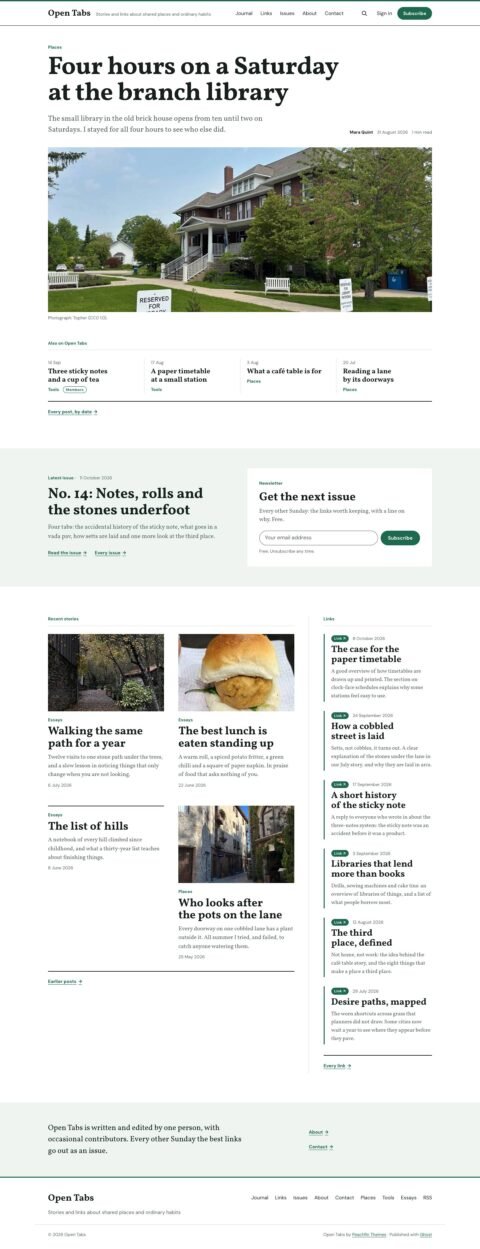
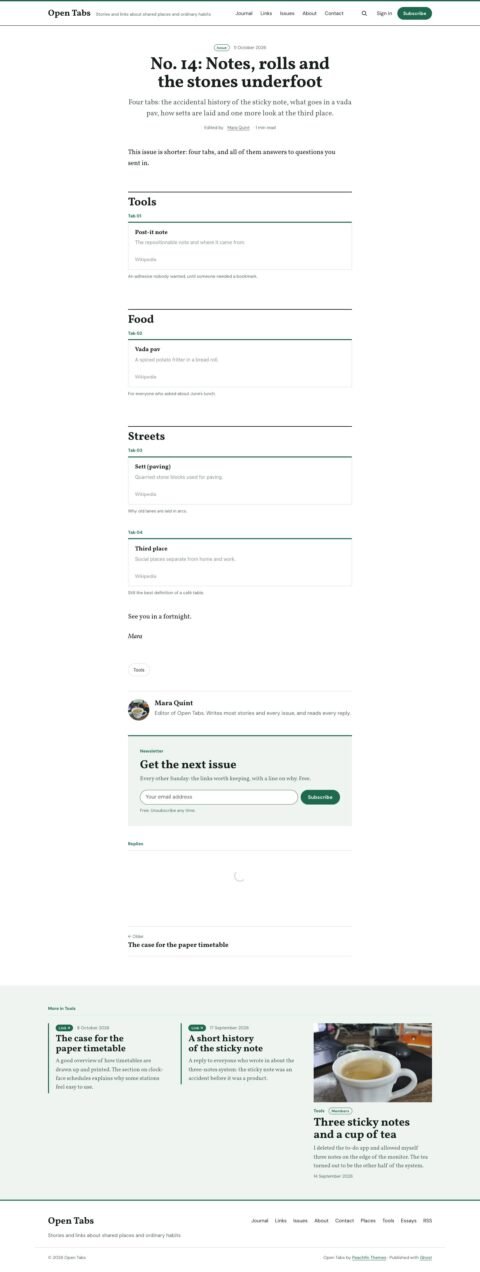
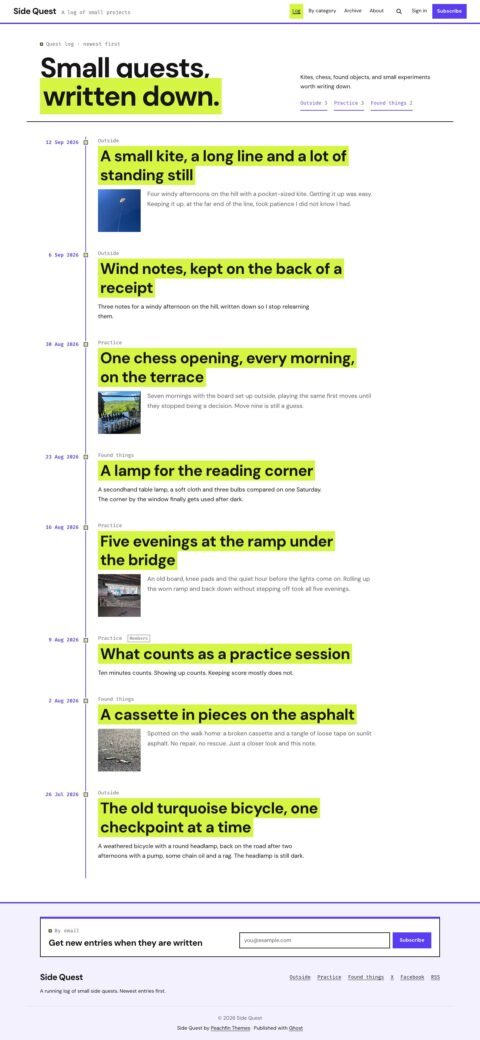
Field Manual is a Ghost theme with chapter lists, numbered guide steps and series navigation. It suits teachers, course creators, documentation teams, gardening publications, cooking writers and repair guides.

$47 USD

Buy now

Secure payment via Stripe

Best for
Teachers, course creators, documentation teams, gardening publications, cooking writers and repair guides
Platform
Ghost
Status
On sale
Price
$47 USD
Version
1.0.0
License
Ghost edition: Peachfin Themes Ghost License, included as LICENSE
Demo photography is licensed separately from theme code

Page inventory

Home
Home
Guides
Post
Article
Post
Field note
Post
Standard pages
Detail
Library
Archive
Section pages
Archive
Author pages
Archive
404
Utility
Error
Utility

Design controls

Palette and accents
Choose Daylight, Graphite, Blueprint or Follow system, with signal orange accents or your site accent color.
Home layout
Choose Guides by section or Latest guides, and edit the introduction and Start here label.
Home panels
Show or hide Start here, the section rail, field notes and the newsletter panel.
Guide navigation
Toggle numbered steps, the contents list and series navigation beside guides.
Guide presentation
Choose Wide, Inset or Hidden covers, and show or hide author boxes and related guides.
Newsletter and credit
Edit the newsletter heading and text, and show or hide the theme credit.

Features

  • Sections built from Ghost tags, with guides numbered in reading order.
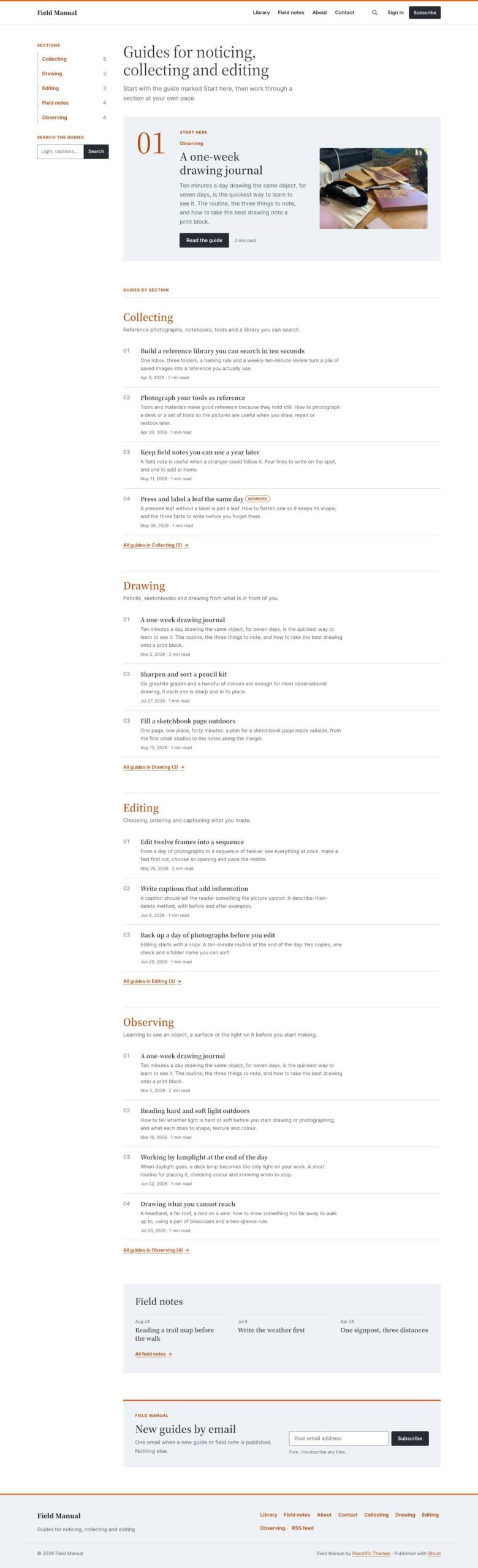
  • “Start here” panel featuring the newest featured guide.
  • Section rail with guide counts and a box that opens Ghost’s built-in search.
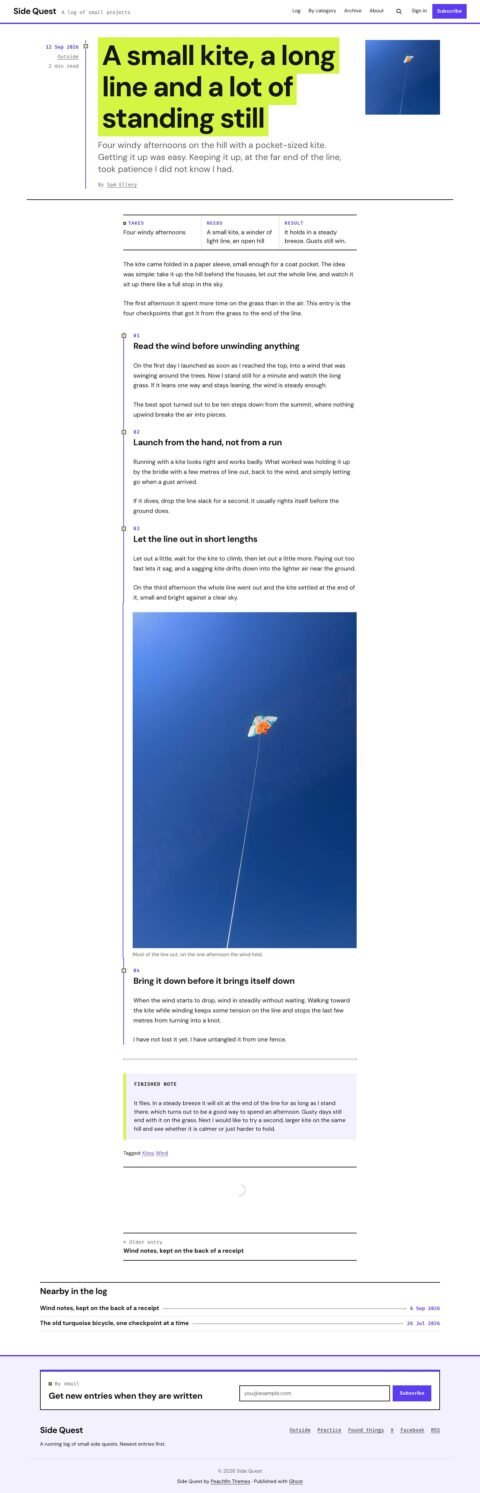
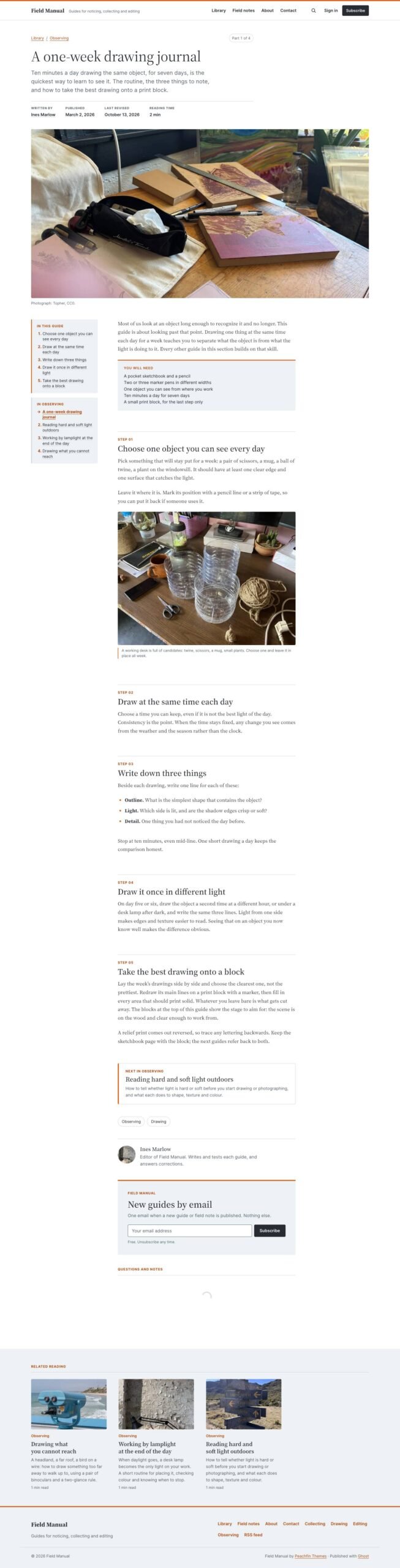
  • Automatic step numbers from guide headings and an “In this guide” list that marks the current step.
  • “You will need” materials box created from a callout card.
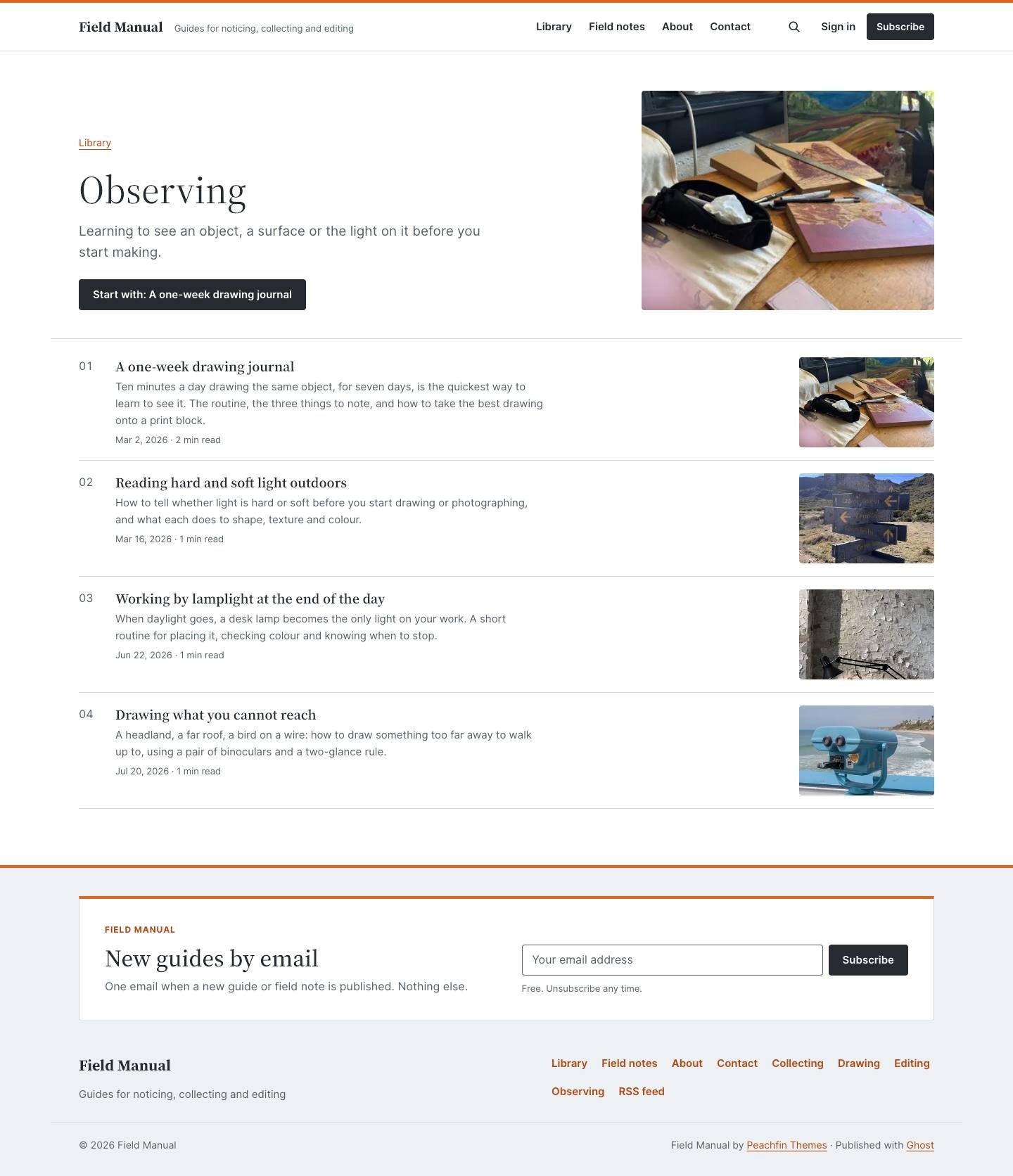
  • Series positions such as “Part 2 of 3”, a list of guides beside the text and a link to the next guide.
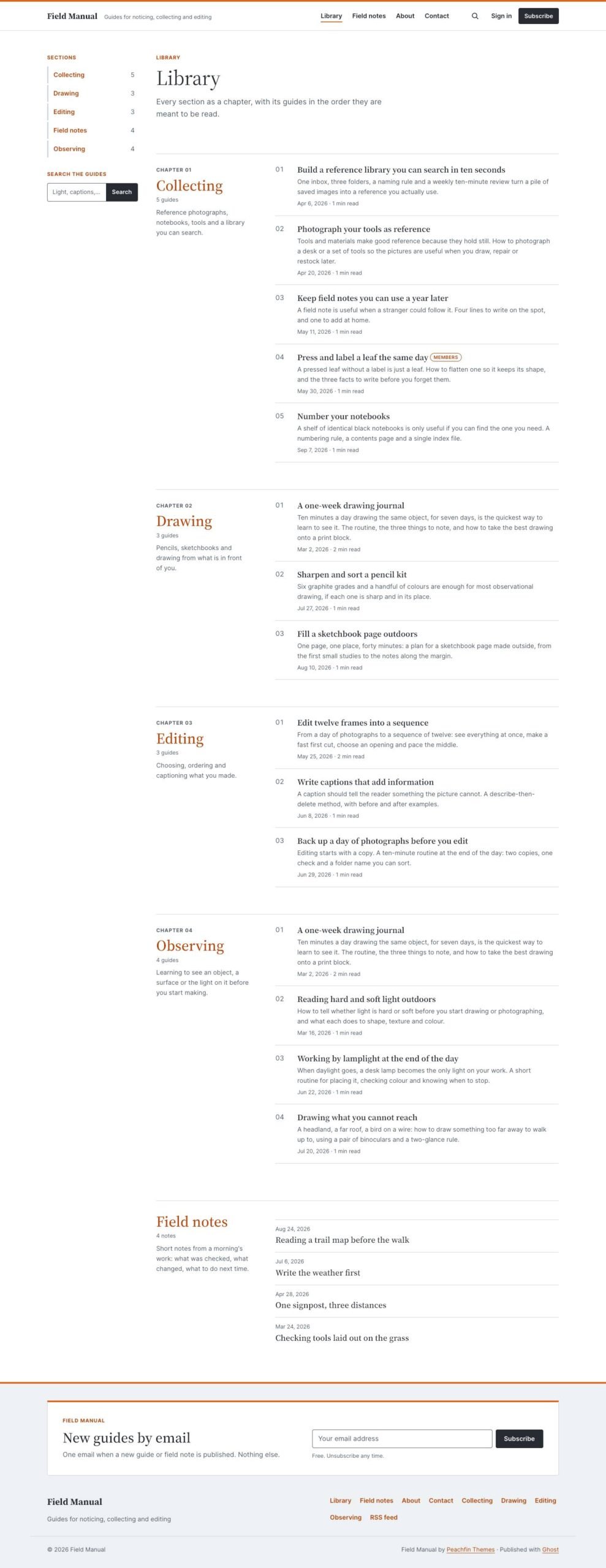
  • Library page listing every section as a numbered chapter, followed by field notes.
  • Article template for reference pages and essays, plus a Field note template and a home panel for recent notes.
  • Eighteen custom settings, including Daylight, Graphite, Blueprint and Follow system palettes, and Guides by section or Latest guides home layouts.
  • Member signup through theme forms and Portal, with sign-in and account links.
  • Members-only, paid and tier-specific posts with access labels and calls to action.
  • Newsletter signup on the home page, within guides and above the footer on other pages.
  • Native Ghost comments that follow the selected palette.
  • Responsive images, styles for every Ghost editor card and a translation file containing every theme string.

What the download includes

  • The package contains Handlebars templates and partials, the theme stylesheet and the guide.js script.
  • Field Manual Serif and Inter font files are bundled with their SIL Open Font License text.
  • English interface strings are supplied in locales/en.json.
  • README.md covers setup, CHANGELOG.md records releases, and LICENSE contains the Peachfin Themes Ghost License.

Setup

  1. Use Ghost 6.0 or later, and open Settings → Design & branding → Change theme → Upload theme in Ghost Admin.
  2. Upload field-manual-1.0.0.zip and click Activate.
  3. Open Settings → Design & branding → Customize to choose your theme settings.
  4. Publish a page named Library with the slug library and the Library template.
  5. Create section tags with descriptions and optional images, then create a tag with the slug field-notes.
  6. Add primary navigation links and secondary links for your sections, then feature the guide new readers should start with.

Field Manual by Peachfin Themes organises guides into sections, with numbered entries in reading order. The home page pairs these lists with a section rail containing guide counts and search, plus a “Start here” panel for the newest featured guide. A second home layout displays the latest guides as photo cards.

Each guide has numbered steps, an “In this guide” list that marks the current step, and a “You will need” materials box. Series navigation shows positions such as “Part 2 of 3”, lists the section’s guides beside the text and links to the next guide. The Library page gathers every section and its guides, followed by field notes.

Eighteen custom settings control palettes, home layouts, cover styles and supporting panels. Article and Field note templates accommodate reference writing and short updates. Ghost membership, Portal signup, newsletter forms, restricted posts with calls to action, built-in search and native comments support publications that teach through guides and series.

Field Manual suits craft and hobby teachers, software and product documentation, course creators, gardening publications, outdoor and repair guides, cooking and recipe series, workshops and studios. Its section lists and step navigation support any publication whose posts are intended to be followed in order.
Similar themes