Pinkline

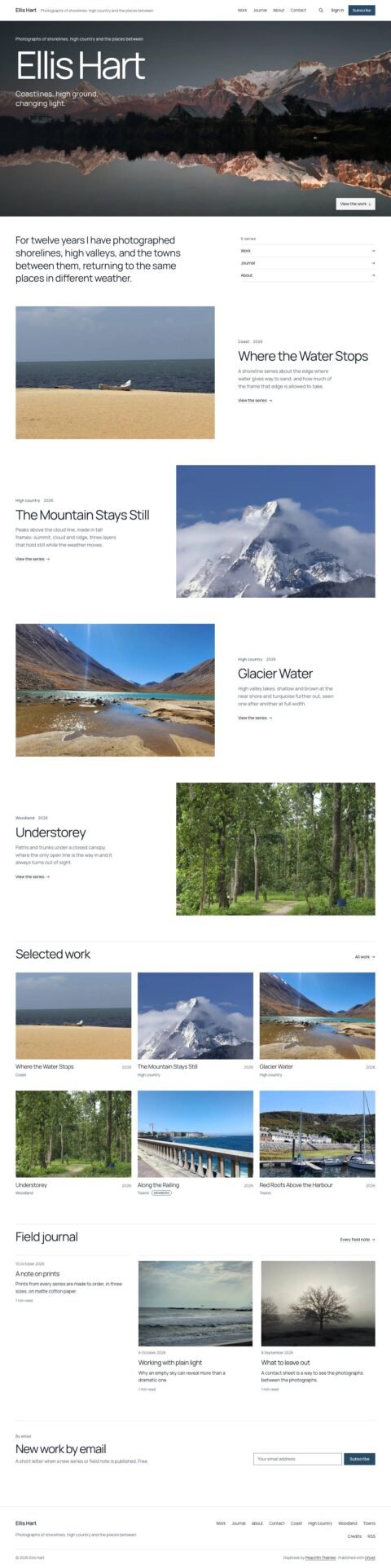
Pinkline is a Ghost theme with a project wall, case studies, service pages and newsletter signup. It suits designers, illustrators, architects, print studios, letterers and makers presenting projects with supporting notes.

$47 USD

Buy now

Secure payment via Stripe

Best for
Designers, illustrators, architects, print studios, letterers, sign makers and textile designers
Platform
Ghost
Status
On sale
Price
$47 USD
Version
1.0.0
License
Ghost edition: Peachfin Themes Ghost License, included as LICENSE
Demo photography is licensed separately from theme code

Page inventory

Home
Home
Case studies and studies
Project
Standard pages
Detail
Work
Work
Services
Detail
About
About
Contact
Contact
Archive
Archive
Discipline pages
Archive
Author pages
Archive
404
Utility
Error
Utility

Design controls

Palette and accents
Choose Blush, White, Ink or Follow system, with magenta accents or your site accent color.
Header and contact
Choose Magenta field or Paper, edit the header label, and set the contact email.
Project wall
Choose Two, Three or Four columns, Square, Portrait or Landscape plates, and Discipline and year or Title only labels.
Home sections
Show or hide discipline chips, the services band and the sheet key.
Newsletter
Edit the signup heading and text, and toggle the signup box at the end of posts.
Related work and credit
Show or hide related project plates and the theme credit.

Features

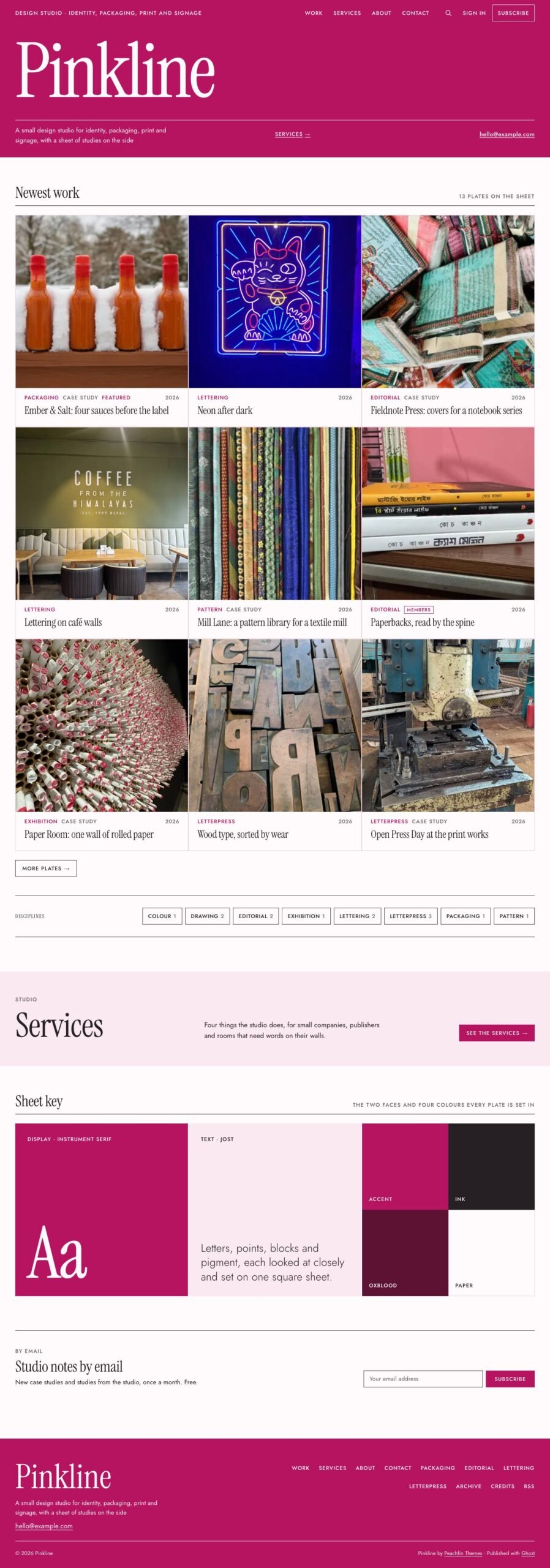
  • Magenta header field with an oversized serif wordmark, description, services link and contact email.
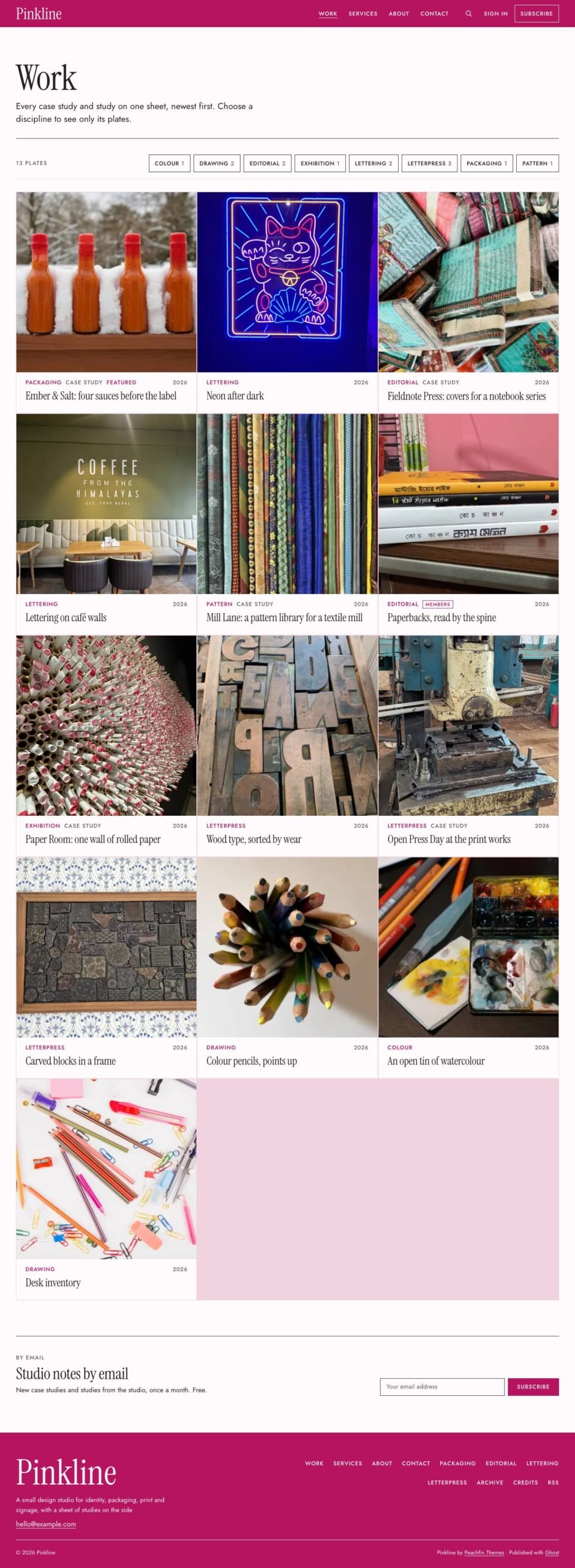
  • A wall of equal project plates with discipline and year labels.
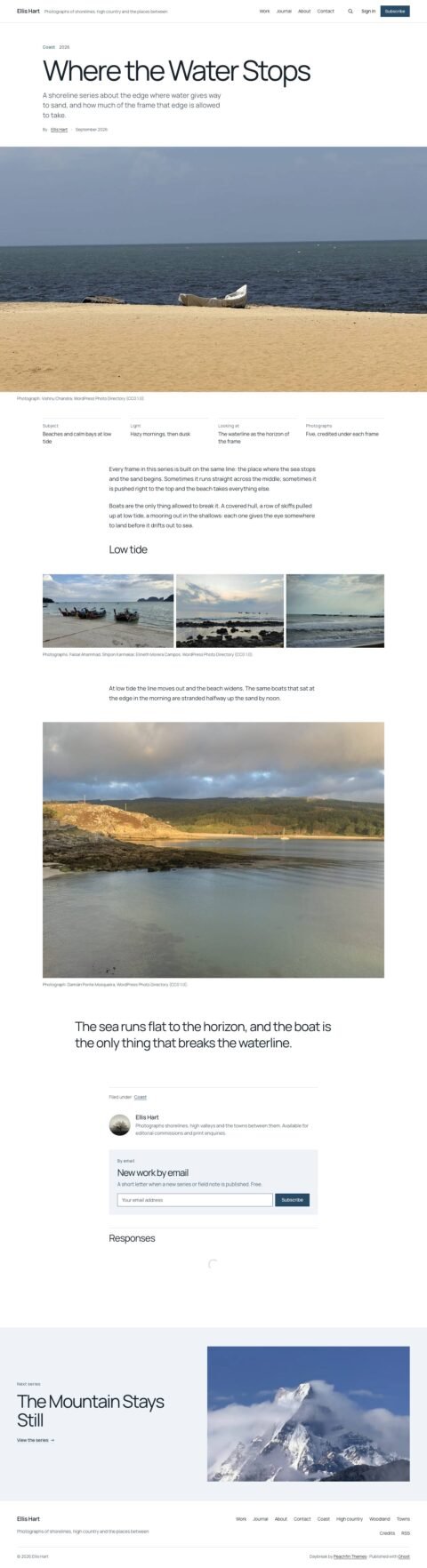
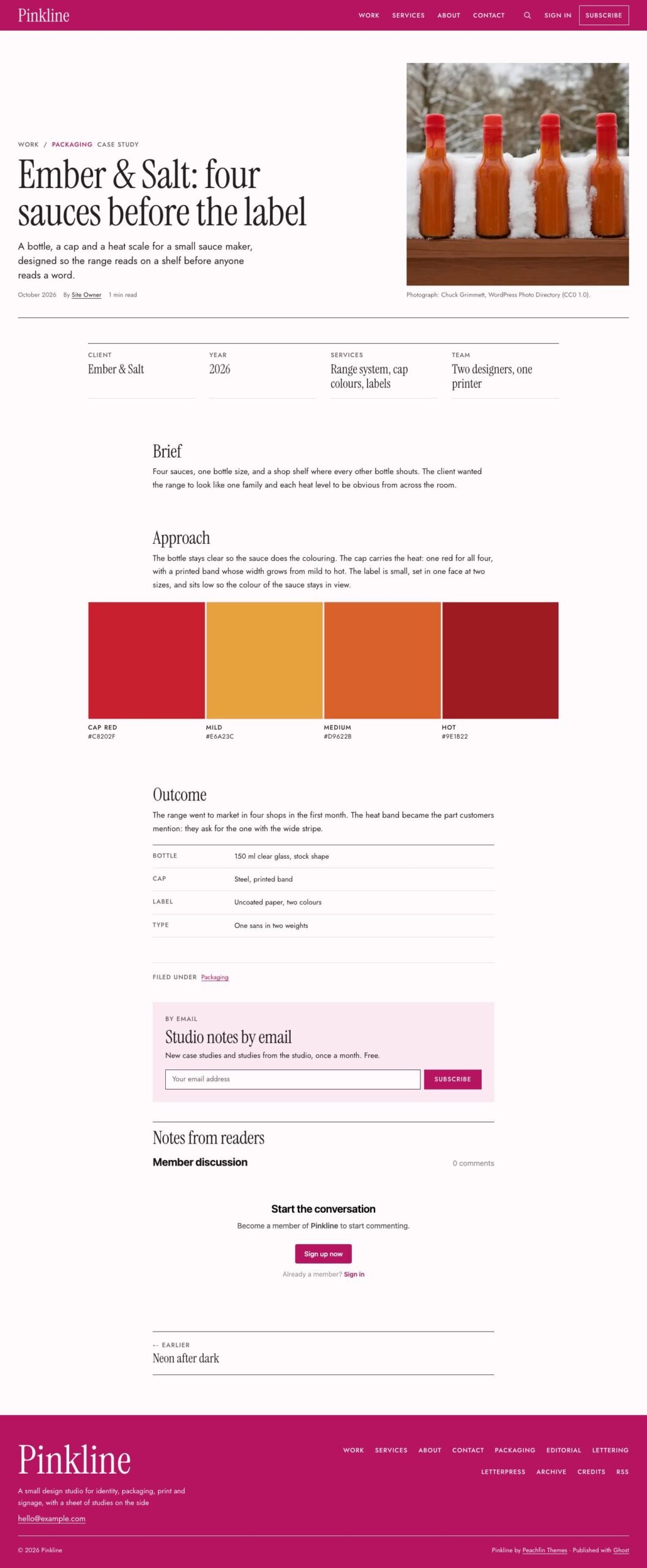
  • Case studies marked on the wall and in post headers using the #case-study tag.
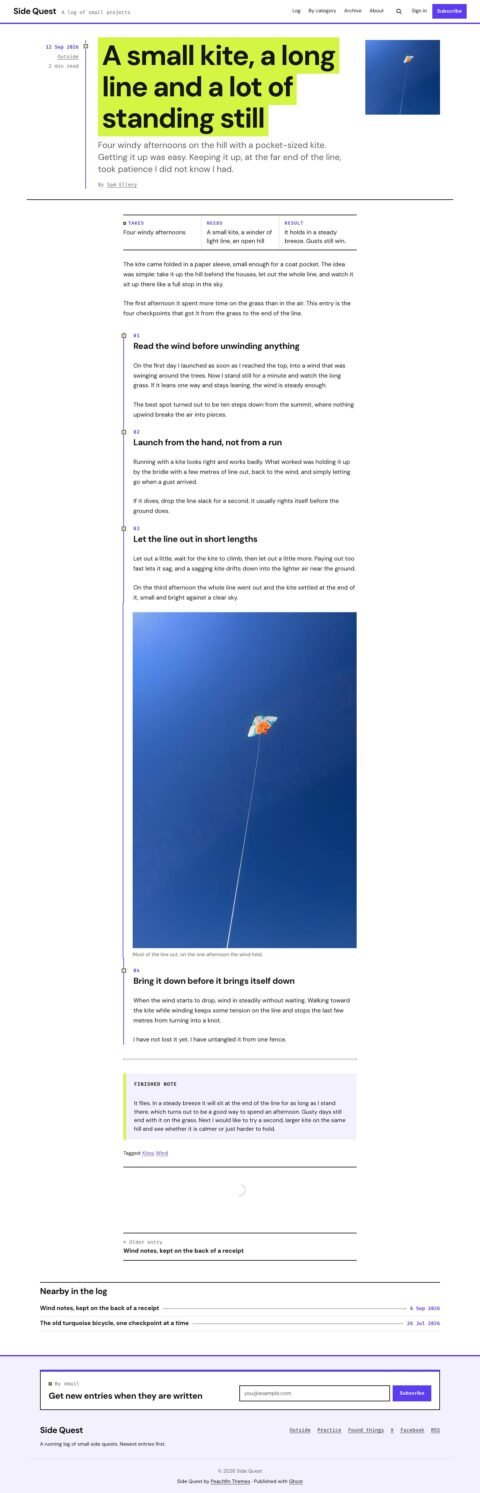
  • Project facts, swatch rows, type samples and colophons added through HTML cards.
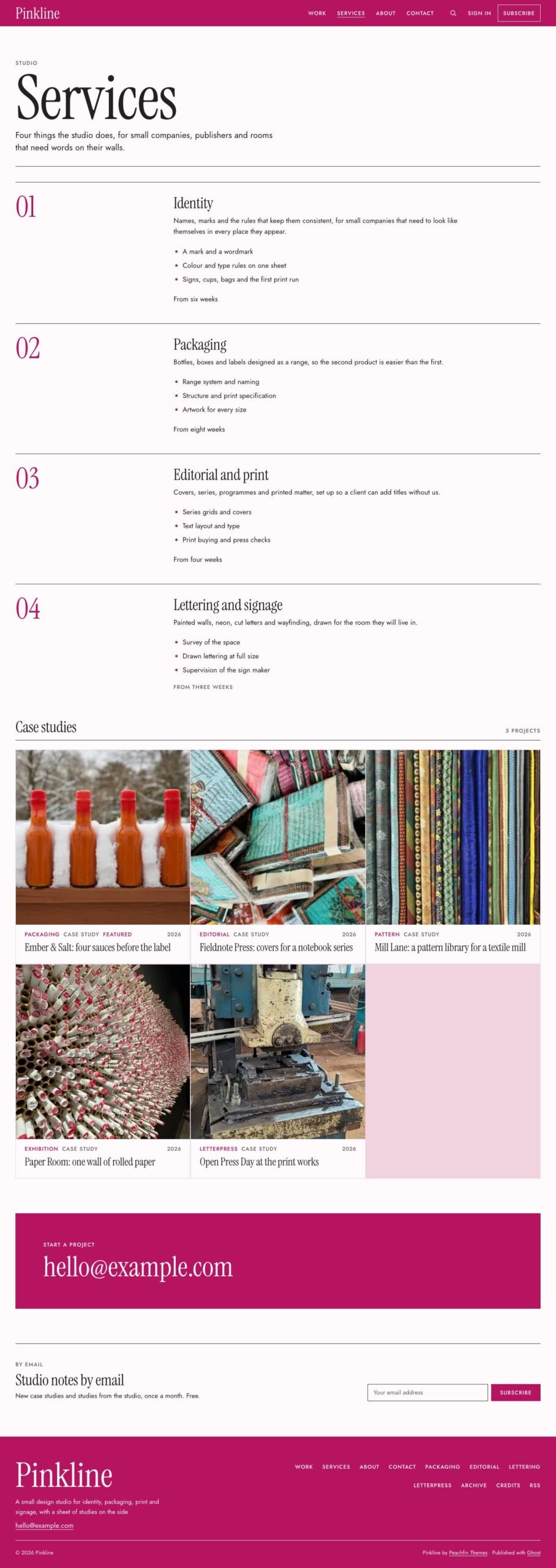
  • Services, Work, About, Contact and Archive page templates, including numbered services and an archive arranged by year.
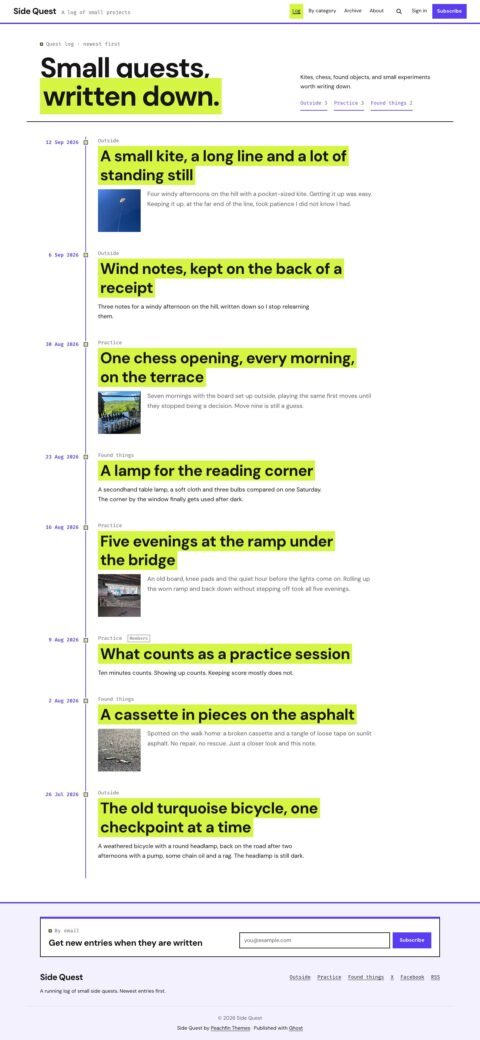
  • Discipline chips with post counts and related project plates from the same discipline.
  • A sheet key displaying the heading typeface, body typeface and colour palette.
  • 16 custom settings, including Blush, White, Ink and Follow system palettes, two header styles, two to four wall columns and three plate shapes.
  • Member signup through theme forms and Portal, with sign-in and account links.
  • Members-only, paid and tier-specific posts with access labels and a call to action for locked content.
  • Newsletter signup on the home page, at the end of posts and above the footer on other pages.
  • Ghost’s built-in search and native comments styled to follow the palette.
  • Responsive images and matching styles for every Ghost editor card.
  • Translatable theme text, locally served Instrument Serif and Jost fonts, one stylesheet and no theme JavaScript.

What the download includes

  • The package contains Handlebars templates and partials and the theme stylesheet.
  • Instrument Serif and Jost font files are bundled with their SIL Open Font License text.
  • English interface strings are supplied in locales/en.json.
  • README.md covers setup, CHANGELOG.md records releases, and LICENSE contains the Peachfin Themes Ghost License.

Setup

  1. Use Ghost 6.0 or later, and open Settings → Design & branding → Change theme → Upload theme in Ghost Admin.
  2. Upload pinkline-1.0.0.zip and click Activate.
  3. Open Settings → Design & branding → Customize to choose your theme settings and enter your contact email.
  4. Create Services at services with the Services template, using a Heading 2, paragraph, list and timing or price line for each service.
  5. Create Work at work, About, Contact and Archive pages, selecting the matching template for each page.
  6. Add Work, Services, About and Contact to primary navigation, and disciplines, Archive and Credits to secondary navigation.

Pinkline opens with a magenta header field and an oversized serif wordmark, followed by a wall of equal project plates labelled by discipline and year. Your description, services link and email address sit beneath the wordmark. Discipline chips, a services band and a sheet key showing the typefaces and colours continue the home page.

Projects pair a large title and summary with a feature image. The #case-study tag marks case studies on the wall and in post headers, while HTML cards let you add project facts, swatch rows, type samples and colophons. Services, Work, About, Contact and Archive page templates provide space for your services, project collection, studio information and contact details.

Made by Peachfin Themes for Ghost 6 and later, Pinkline includes 16 custom settings for its palette, header, project wall and other details. Members, Portal signup, newsletters, built-in search and native comments support publishing alongside your portfolio. The theme supports every Ghost editor card, responsive images and translatable theme text, with no theme JavaScript.

Pinkline suits graphic and brand designers, packaging and editorial designers, letterers and sign makers, print studios and illustrators. Its project wall and case study layout also suit architects and interior designers with a project list, product and textile designers, and any small studio that presents its work as projects with short writing.
Similar themes