Graphic designer and illustrator portfolio themes should make your choice of presentation deliberate. A visual study may need photographs, type samples, and color swatches, while a commissioned project may need a written account of its brief and outcome. Compare the material you already have before deciding which structure will explain it.
Pinkline (WordPress) offers a photographic specimen wall, discipline navigation, typography samples, and project colophons. Folder Office (WordPress) pairs a featured project with an alphabetical index and gives case studies a fact column. These are general design portfolio structures that illustrators can assess against their own work, without assuming illustration-specific tools.
What to look for in a graphic designer portfolio theme
- A specimen wall should give visual studies a clear place within the portfolio’s discipline navigation.
- Typography samples and swatches should appear where they explain actual decisions in the project.
- A case study should distinguish the brief, the approach, and the outcome when a written process matters.
- Project facts should keep scope visible alongside the images and explanation.
- An alphabetical index should offer a direct route to a known project beyond the featured work.
Themes in this collection
The grid below shows Pinkline for WordPress, Folder Office for WordPress, and Pinkline for Astro, each available for $47.
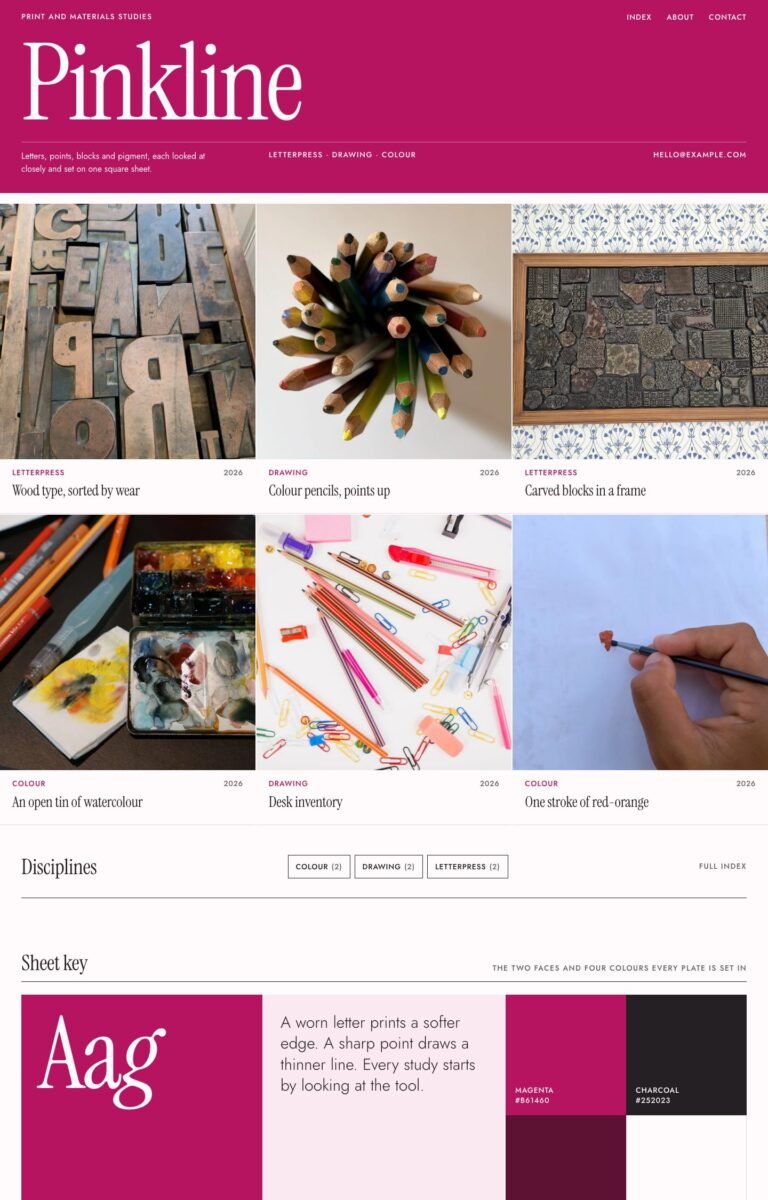 PinklineWordPressGraphic designers, illustrators, textile designers, print studios, creative agencies$47
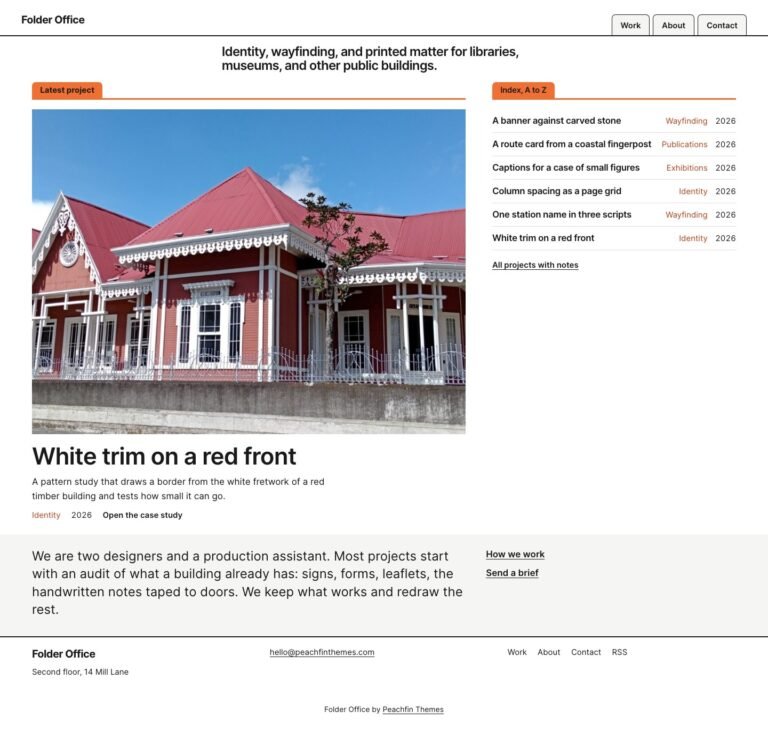 Folder OfficeWordPressDesigners, architects, consultants, creative agencies, research studios$47
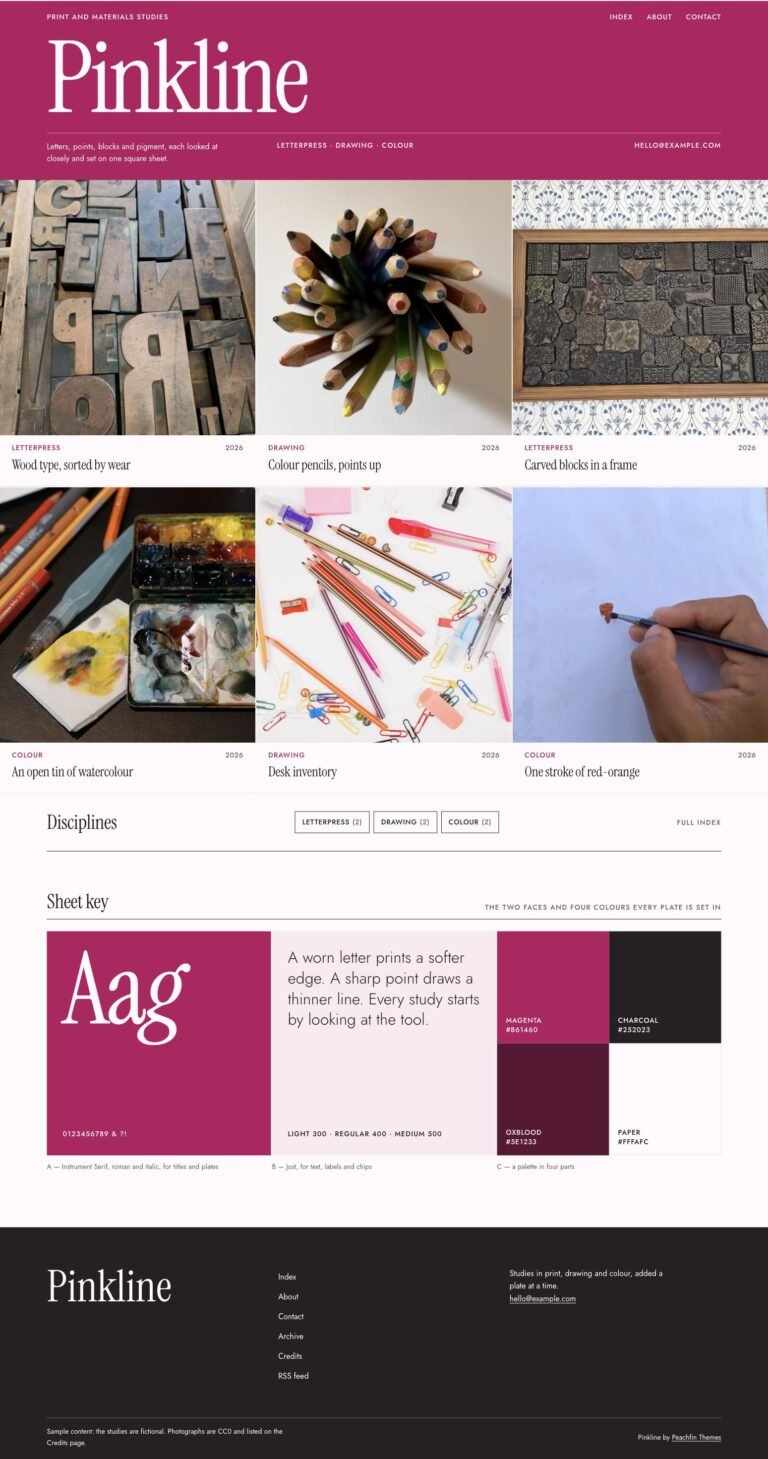 PinklineAstroGraphic designers, illustrators, textile designers, print studios, creative agencies$47
How our graphic designer and illustrator portfolio themes are built
Pinkline uses native WordPress blocks, patterns, and global styles. Folder Office is edited in the native Site Editor and includes reusable index-tab and ruled-drawer block styles. Its project tags record scope in the fact column, and its case study pattern combines structured headings with a gallery.
FAQ
How do graphic designer and illustrator portfolio themes show process?
Folder Office provides a case study pattern with Brief, Approach, and Outcome headings. Pinkline offers typography samples, swatches, and colophons when the project is better explained through visual and material studies.
Does this collection include tools made specifically for illustration?
The listed features concern design portfolios, photographic studies, and case studies. Choose an edition for those stated layouts rather than expecting additional illustration-specific functionality.
Can visitors keep project details in view while reading?
Folder Office’s case study fact column stays in view on wide screens. Tags supply project scope within that column, giving the written account a nearby set of project details.
How can I feature one project without hiding the others?
Folder Office pairs the latest or a sticky project with an A–Z project index on its home page. Its separate Work page presents editorial project rows, so the featured project is one route into a larger body of work.