Tincture

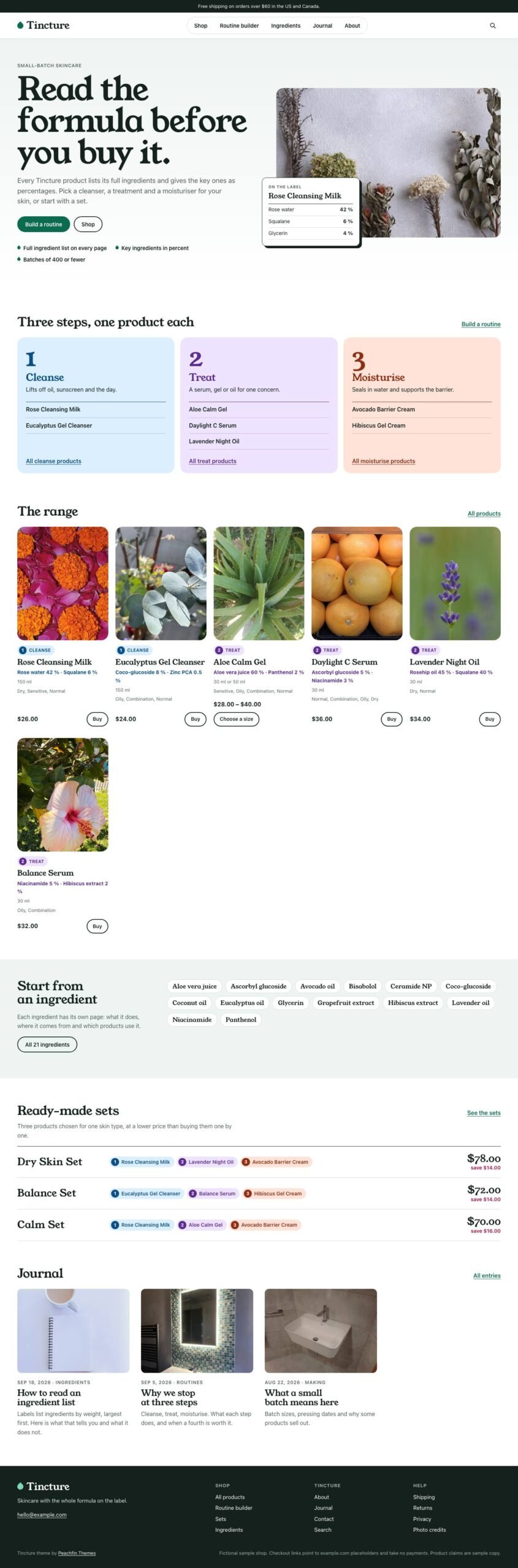
Tincture gives beauty, skincare, wellness and personal-care brands product pages with ingredient details, a filterable shop and a three-step routine builder.

$67 USD

Buy now

Secure payment via Stripe

Live preview ↗
Best for
Best for beauty, skincare, wellness and personal-care brands selling products with ingredient lists and usage routines
Platform
Astro
Status
On sale
Price
$67 USD
Version
1.0.0
License
Astro edition: Peachfin Themes Astro License (LICENSE in the download). Photographs CC0 1.0 (ASSETS.json). Bundled font SIL OFL 1.1 (public/fonts/OFL.txt).
Demo photography is licensed separately from theme code

Page inventory

Home
Home
Shop
Shop
category pages
Archive
product and routine-set pages
Product
Routine builder
Utility
Ingredient glossary
Archive
ingredient pages
Detail
Journal
Journal
journal entries
Post
tag pages
Archive
About
About
Contact
Contact
Shipping
Utility
Returns
Utility
Privacy
Utility
Search
Utility
Photo credits
Utility
404
Utility
Cart and order confirmation (optional cart)
Utility

Design controls

Site identity
identity sets the shop name and description, while nav and the footer columns define navigation.
Colors and typography
theme.colors sets the palette and routine-step colors, and theme.fonts sets the heading and body fonts.
Home content
home sets the lead photograph, headings, text and product and journal counts.
Optional extras
features in src/site.config.ts switches off the routine builder, ingredient percentages, ingredient glossary or home step colors.
Footer text
footer.attribution controls the editable credit and its visibility, and footer.note holds the demo notice.

Features

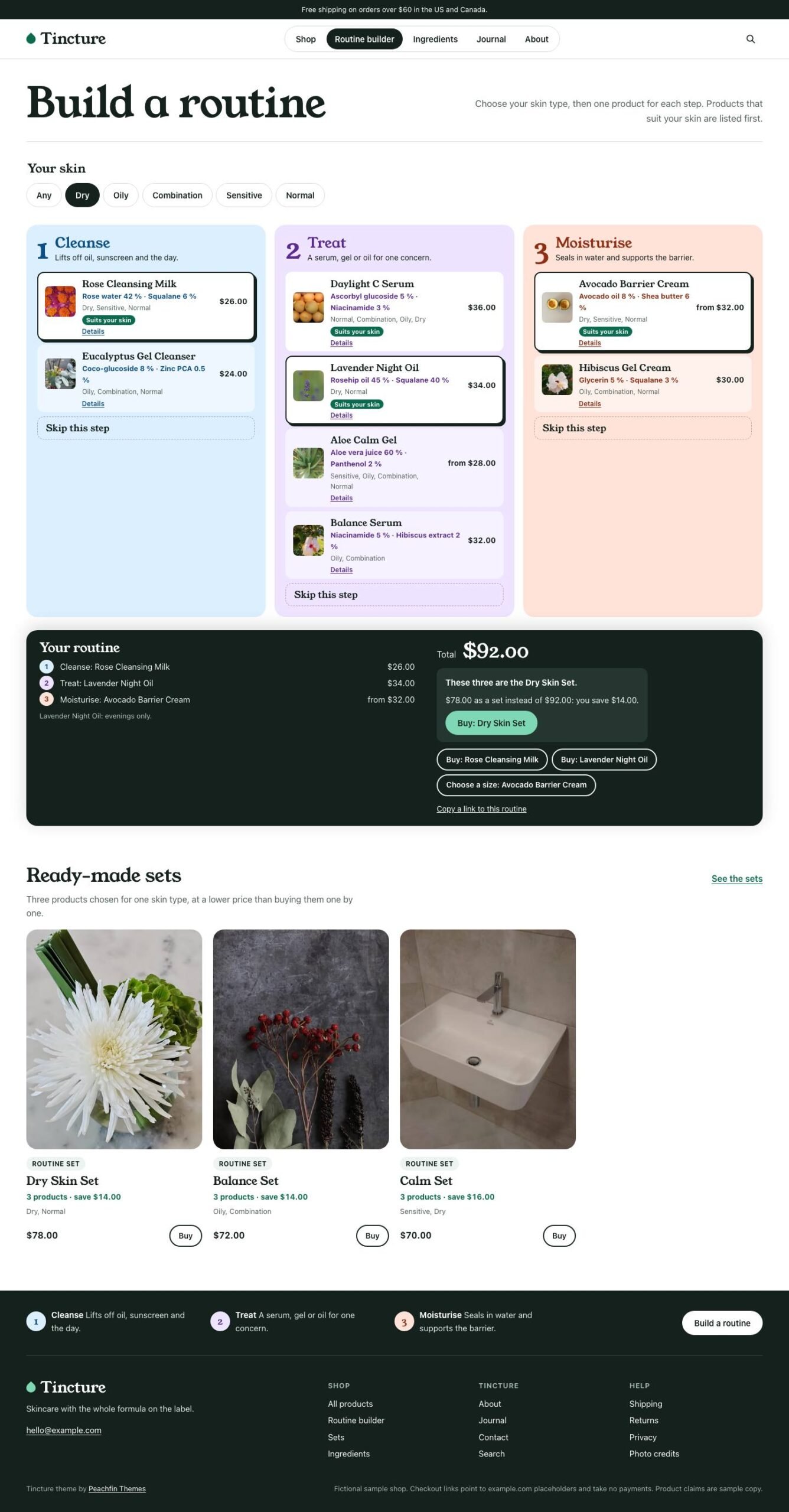
  • The routine builder lets shoppers choose a product for each of three steps, see the total and share their choices as a link.
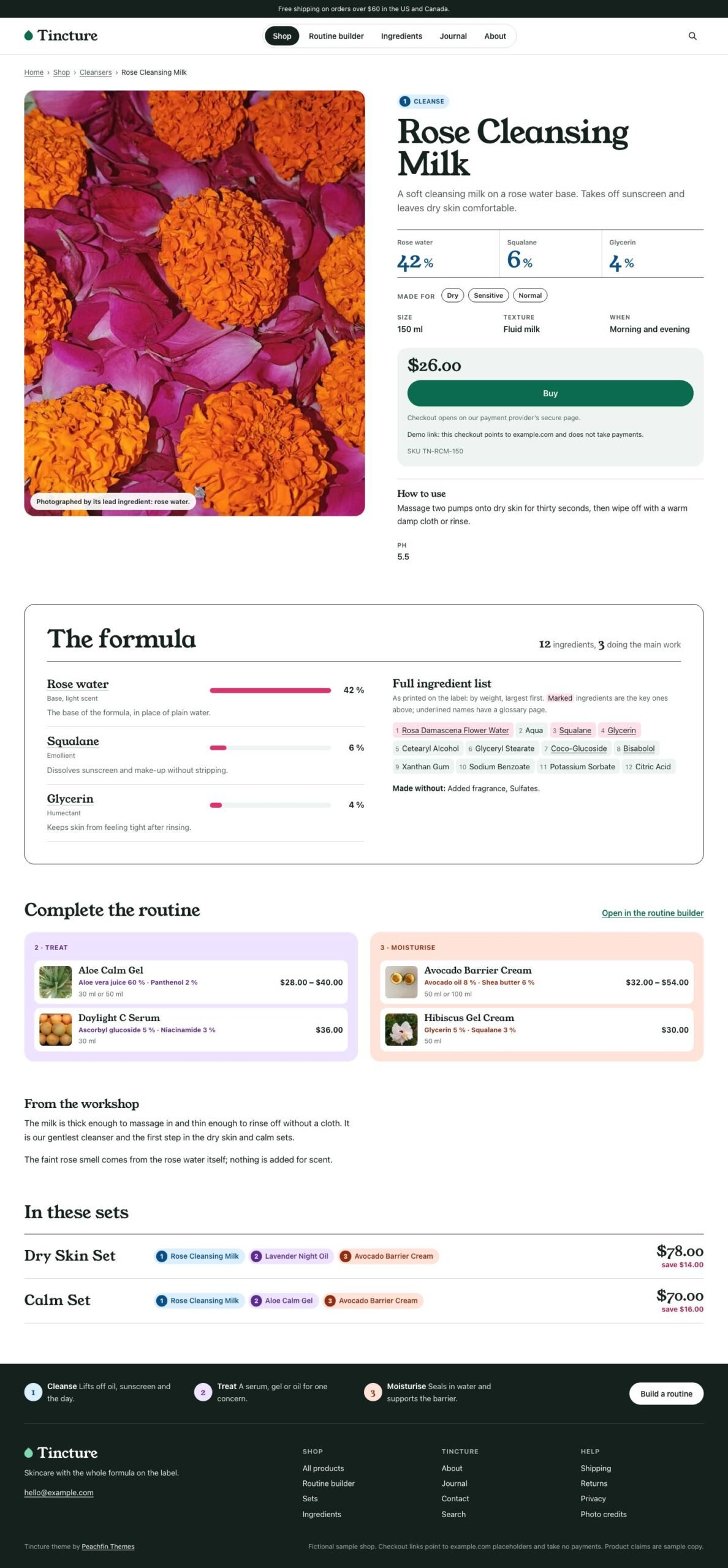
  • Product pages show ingredient percentages, formula bars, full ingredient lists and directions for use.
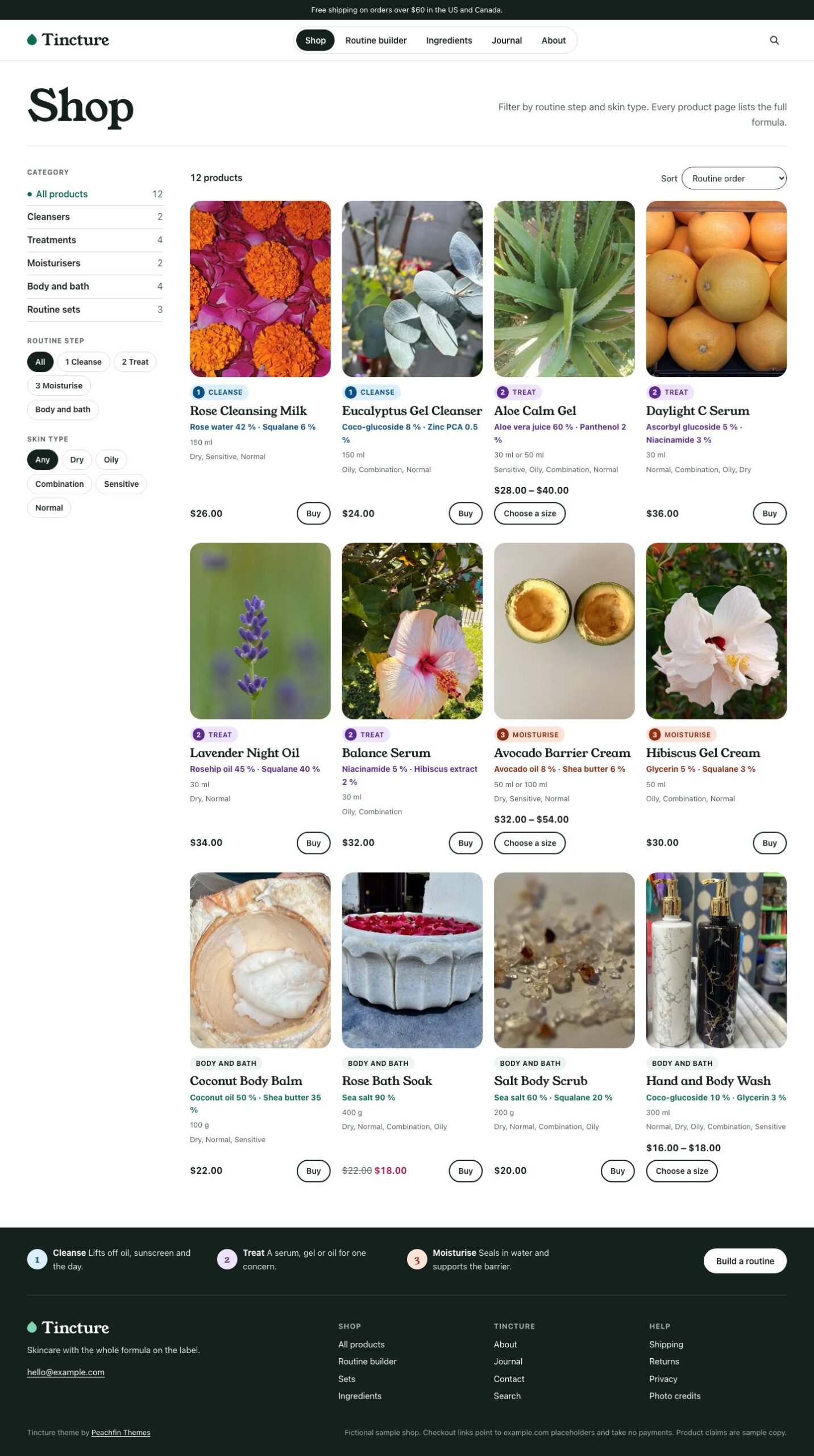
  • Shoppers can filter the shop by category, routine step and skin type, then sort the products.
  • Each product or variant can have a checkout link from Stripe Payment Links, Polar, Lemon Squeezy or Shopify.
  • An optional Stripe Checkout cart requires a server adapter and your own Stripe secret key.
  • The optional EmDash edition runs on Node.js or Cloudflare and provides editing for menus and site settings.

What the download includes

  • Tincture 1.0.0 includes Astro source and typed Markdown content collections for products, categories, ingredients, journal entries and pages.
  • The source includes 18 CC0 photographs with credits and provenance in ASSETS.json.
  • Young Serif is bundled for headings with its OFL license; body text uses system fonts.
  • README, GETTING-STARTED, CUSTOMIZE.md and AGENTS.md explain setup, customization and editing with any coding agent.

Setup

  1. Use Node 24 LTS or Node 22 LTS at version 22.19.0 or later to install the source.
  2. Install dependencies with npm ci, start npm run dev and visit the address shown in the terminal.
  3. Set your identity and feature switches in src/site.config.ts, then replace the sample content and photographs.
  4. Create checkout links and check them in the provider's test mode; the optional cart also needs a server adapter and your Stripe key.
  5. For the optional EmDash edition, switch with npm run emdash:setup and use Node.js or Cloudflare hosting.
  6. Check your changes with npm run check, npm test and npm run build, then publish dist/ at your domain root or deploy the required server build.

Read the full setup guide

Tincture is an Astro store template for beauty, skincare, wellness and personal-care brands that explain their ingredients and how to use their products. Product pages combine ingredient details, directions and purchase options, while the shop offers category, routine-step and skin-type filters. The demo uses the fictional small-batch skincare shop Tincture as example content you replace with your own products, photographs and verified ingredient information. Version 1.0.0 costs $67 USD one-time.

The signature feature is a three-step routine builder. Shoppers select a skin type and choose one product per step, or skip a step. The summary shows the order of use, morning and evening notes and the total; when the choices match a routine set, it shows the set price and saving. The choices stay in a shareable link. You can switch off the builder and extras such as ingredient percentages, the ingredient glossary and home step colors in src/site.config.ts. The three step names and descriptions are editable; adding a fourth step requires code changes.

Assign checkout links per product or variant using Stripe Payment Links, Polar, Lemon Squeezy or Shopify. The purchase button sends the shopper to the provider’s checkout. The optional Stripe Checkout cart needs a server adapter and your own Stripe secret key. Tincture’s cart tests used mocked Stripe only; the cart has not been tested with a server adapter or an actual Stripe payment. Set up prices, shipping, taxes and order handling with your provider and test your checkout before publishing.

Edit products, ingredients, categories, journal entries and pages in Markdown, with site identity, wording and appearance in src/site.config.ts. CUSTOMIZE.md explains the controls, and AGENTS.md provides instructions for editing with any coding agent. For the optional EmDash edition, switch with npm run emdash:setup on Node.js or Cloudflare; menus and site settings are edited in EmDash. Replace the fictional formulas, percentages, product claims and sample policies with your own verified content before publication.
Similar themes