
Choose Bolt if you want to build in the browser while keeping flexibility over your JavaScript project and its starting files. Choose Lovable if you want a guided route from an idea to a web app, with hosting and backend services closely connected to the builder.
Both can produce a public website or an application with saved data. The useful question is what happens after the first screen appears: how will you change it, test it, pay for it and maintain it?
A product homepage and a customer portal have different needs. Decide which you are building before judging either tool by its first generated design.
What Bolt is best at
Bolt brings prompts, a running preview and project files into a browser workspace. Its documented scope includes JavaScript frontend frameworks and Node.js backends. You can bring an existing GitHub repository into the builder, which matters if you already have a site, a starter project or a purchased template.
That makes Bolt a sensible choice when the files you start with matter. For a product launch, you could preserve an existing page structure and ask for new screenshots, revised pricing copy and a different navigation. You can inspect the resulting code as the site develops. Direct Code view editing has browser restrictions, so a desktop Chromium browser is the safer choice for that workflow.
Bolt Cloud provides hosting and databases, and Supabase is another documented database option. You can keep code in GitHub and continue working elsewhere. Moving a working app still requires checking its database, secrets and external services; a repository alone does not contain everything an application uses.
The tradeoff is that more project freedom brings more technical decisions. An imported dependency can fail, a build command may need adjusting, and a generated feature can behave differently from what its preview suggests. Bolt’s supported backend scope also excludes Python and PHP.
Bolt meters AI work with tokens. Its pricing page explains that project size affects how much context each message consumes. Team plans add administration and billing controls, with token allowances assigned to members. A short prompt can still involve substantial work across a large project.
What Lovable is best at
Lovable is a strong fit for a new web app whose features can be described as user actions: create an account, save a record, upload a file, review a dashboard. Its built-in Cloud backend includes a database, authentication, storage and functions, alongside app hosting.
For a small client portal, that puts many early setup decisions in one place. You still need to define who can see each record and what happens when an action fails. Generating a login page is only one part of getting permissions right.
Lovable also offers direct interaction with the preview. You can select elements, annotate a layout and edit text inline. That is useful when pointing at a confusing section is easier than naming the underlying component.
You own the code you create, subject to third-party rights, and can sync it to GitHub. However, Lovable’s official documentation says you cannot start a project by importing an existing repository. New apps use its chosen TanStack Start stack; older apps may use React and Vite. It does not offer an arbitrary framework choice.
That distinction is important for an Astro project. Code export gives you a route out, but it does not establish a route for bringing an Astro theme in.
Lovable uses credits, with consumption varying by task and feature. Its current pricing describes a balance that can cover building, Cloud usage and AI features inside deployed apps. Workspaces share credits, so inviting collaborators and budgeting their usage are related decisions.
Bolt and Lovable compared
| Question | Bolt | Lovable |
|---|---|---|
| What you get | Browser development workspace and AI builder | Guided website and web app builder |
| How you edit | Prompts, preview, visual tools and Code view | Prompts, preview selection, annotations and inline text |
| Code ownership and export | Source can live in your GitHub repository | User-owned code with Git sync; third-party rights apply |
| Hosting | Bolt hosting, with external deployment options | Managed hosting, with documented self-hosting paths |
| Backend | Bolt databases or Supabase; JavaScript backend scope | Cloud database, authentication, storage and functions |
| Pricing model | Token allowances; team subscriptions | Shared workspace credits and usage |
| Existing projects | GitHub repository import | No existing repository import |
| Best for | Building around existing files or a chosen JavaScript stack | Starting a new app in an integrated environment |
Which should you pick?
Pick Bolt when you already have source files worth preserving. It is also the more natural option here if keeping Astro is a requirement. Confirm that the project’s dependencies and hosting needs fit before committing to a larger build.
Pick Lovable when you are starting a new application and want its managed backend workflow. A booking dashboard or private resource library is a reasonable use case, provided you test access rules and the full user journey.
For a team, compare how people will review work. One person should check the actual behavior of a feature, while someone else can review copy and layout. A shared workspace helps collaboration, but it cannot settle an unclear product decision.
To compare costs, give both tools the same small brief and record the usage required to reach an accepted result. Include corrections and a deployment check. Token and credit totals cannot be compared directly, and neither is a reliable fixed price for a website.
Start from an Astro template
A finished template can be a fire starter for the public site. It gives the AI existing layouts, content structure and responsive behavior to customize. That can mean fewer prompts and fewer tokens or credits spent rebuilding layout, accessibility and mobile basics. It is a practical advantage to test, rather than a guaranteed saving.
In Bolt, put the Astro project in your own private GitHub repository and import it. Ask the tool to preserve Astro and the theme’s components, then change one section at a time. Check keyboard navigation, contrast and mobile layouts again after edits.
With Lovable, treat the Astro site as a separate path, or as the public website alongside a Lovable app. This adds a second deployment to maintain, so it makes sense only when the separation serves the project.
For product sites, Spec, Pocket and Soon offer different starting points. Signal suits a service business. These supply site designs; a product landing page does not supply the application behind it.
Each Peachfin theme supports Markdown and an optional EmDash CMS, so you can update content later without prompting AI again. The Astro Pass includes 40 Astro themes for $99 as a one-time payment, with no subscription, unlimited client sites and optional EmDash CMS. Hosting and AI tool usage are separate.
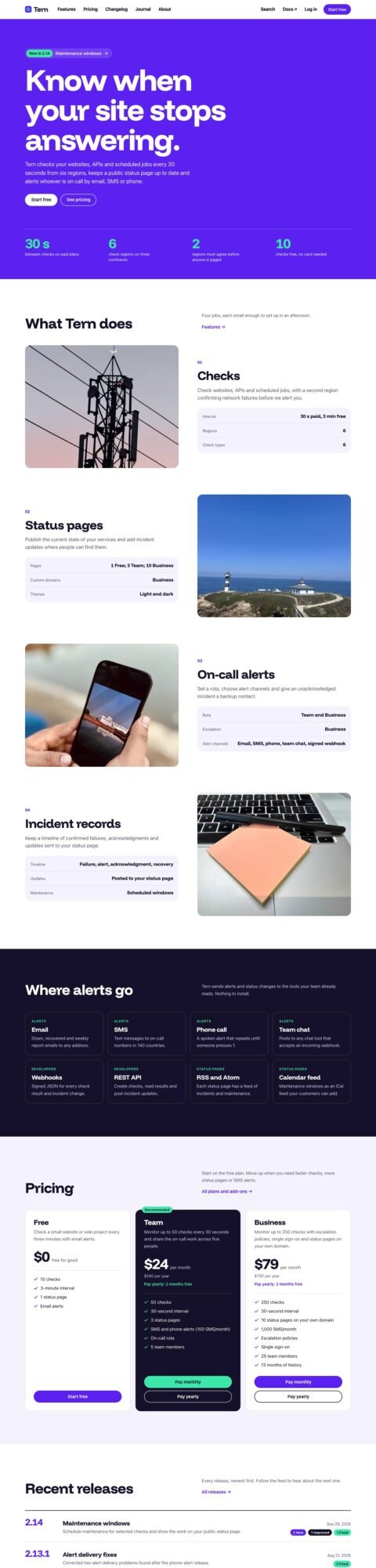 SpecProduct sites with features and plans
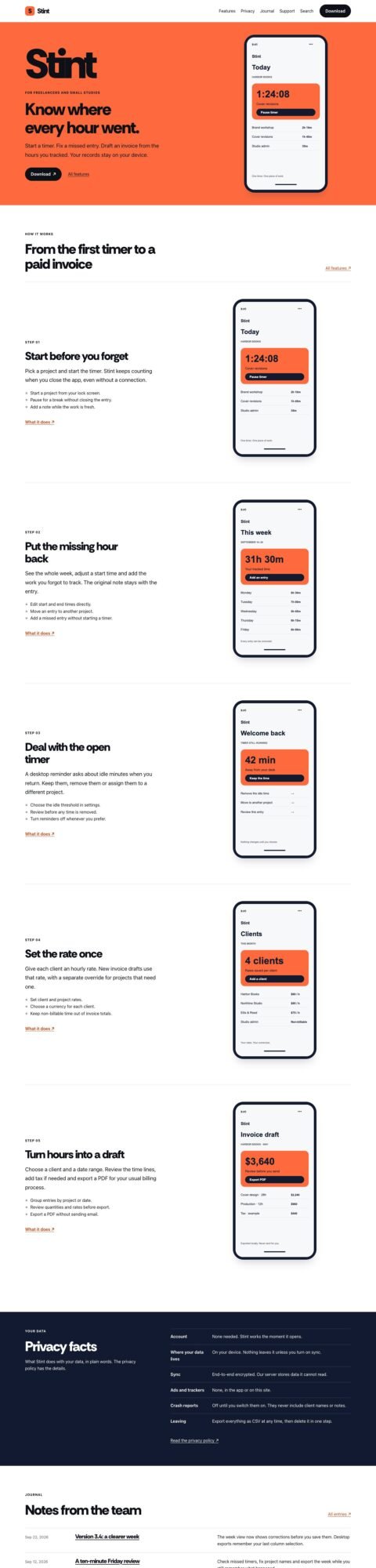 PocketApp landing pages with device tours
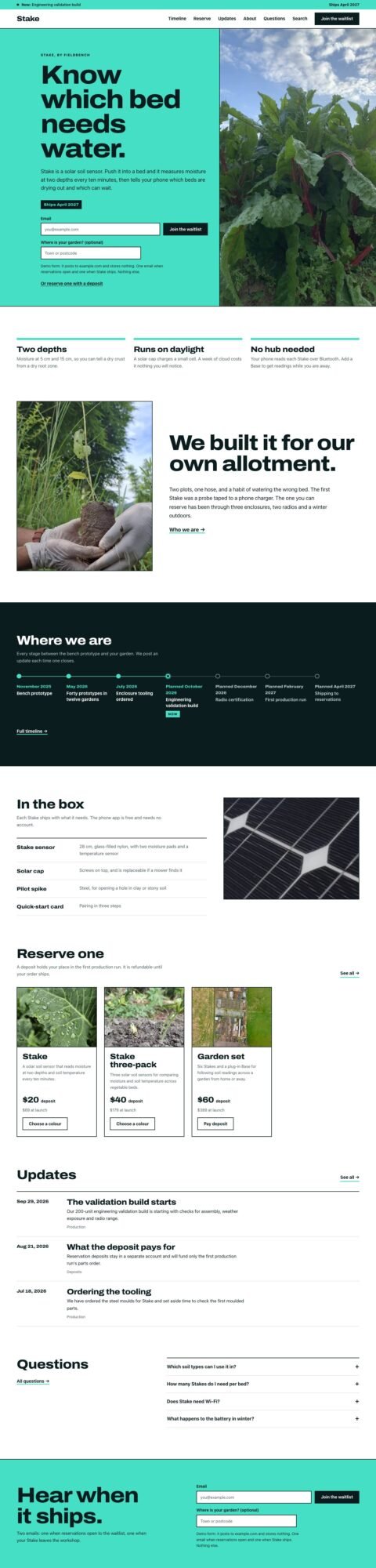 SoonProduct launch pages with waitlists
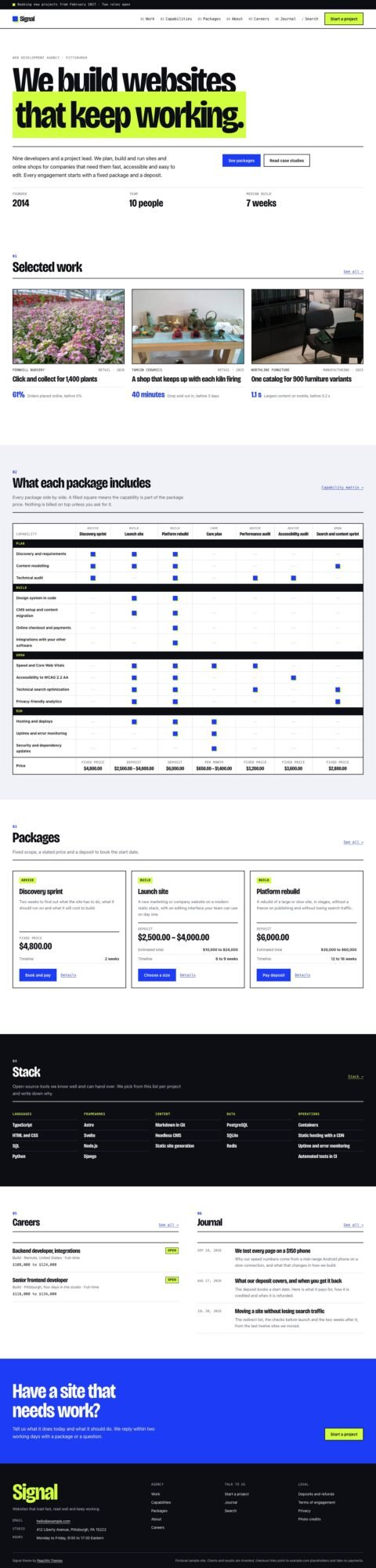 SignalAgency sites with service packages
FAQ
Is Bolt or Lovable easier for a beginner?
Lovable is a good starting point for a new app with managed services. Bolt suits beginners willing to learn about project files, especially when they already have a working starter.
Can I move my website away later?
Both provide access to source through GitHub. Moving an app also involves its database, uploaded files, secrets and services. Test that migration before relying on it.
Can I use an Astro template in Lovable?
There is no documented existing-repository import workflow. Use an Astro-capable coding tool for the template, or keep the Astro site separate from the Lovable application.
Peachfin is not affiliated with Bolt or Lovable.