Bolt and v0 both turn prompts into editable web projects. Bolt is a good candidate when you want a browser workspace for an existing JavaScript project. v0 is especially worth considering when your team expects to build with Next.js and use Vercel for previews and deployment.
The difference is less about whether either tool can produce a homepage and more about the project you intend to keep. Your framework, existing files and deployment workflow should help decide the winner.
For a straightforward marketing site, also consider how much code generation you actually need. A finished template may already cover most of the pages on your list.
What Bolt is best at
Bolt is useful when you want to move between conversation, preview and project files in one workspace. Its GitHub integration accepts existing repositories, so the starting point can be a working project with design decisions already made.
That suits a founder who has a product site to extend or an agency adapting a reusable starter. You can ask for a specific change, inspect the result and keep the source available outside the builder. GitHub also gives collaborators a place to review the history.
The supported stack covers JavaScript frontend technologies and Node.js backends. Bolt Cloud provides a hosting and database path, with Supabase available as another database option. Those services make it possible to go beyond a static page without assembling every part independently.
The limits are worth understanding early. A repository import does not guarantee that every dependency will run unchanged. Browser differences also affect direct Code view editing. If your project has an unusual build process, test that before spending time on visual refinements.
Bolt’s token model rewards attention to project scope. Broad requests can require the tool to examine and change many files. Give it a clear task, such as adding a comparison section using the existing styles, then check the result before extending the brief.
What v0 is best at
v0 fits teams working on web interfaces that are likely to become part of a Next.js application. Its documentation says Next.js is the default and provides its most reliable full-stack results. It can also work with other frameworks, so describing v0 as only a component generator would miss its current scope.
For a SaaS product, you can start with an interface and then add persistence, backend endpoints and database connections. The documented integrations include services such as Supabase, Neon and Upstash. A generated screen can therefore become part of a working application, provided the underlying behavior is reviewed.
Design mode gives you another way to refine an interface. Select an element, adjust properties such as spacing or typography, and apply the change back to the source. Structural changes can still be described in words. This helps when a small visual correction is easier to point at than explain.
v0 also supports importing existing GitHub repositories. Its GitHub workflow includes branches and pull requests, which can fit a team that already reviews changes before merging. Exporting code and deploying elsewhere is documented, although Vercel provides the most connected preview and deployment experience.
The tradeoff is ecosystem fit. If your team wants a different framework or hosting arrangement, confirm how the project behaves there. An available import button does not mean every framework receives equally reliable assistance, or that a connected service moves with the code.
Bolt and v0 compared
| Question | Bolt | v0 |
|---|---|---|
| What you get | Browser workspace for AI-assisted web development | AI web development with a close Vercel workflow |
| How you edit | Prompts, preview, visual tools and Code view | Prompts, source access and Design mode |
| Code ownership and export | Keep source in GitHub and work elsewhere | GitHub source and documented code export |
| Hosting | Bolt hosting and external deployment options | Connected Vercel deployment; external hosting possible |
| Full-stack features | JavaScript backend scope and database options | Next.js backend generation and service integrations |
| Pricing model | Token-based plans; team member allowances | Plans with credits and model-based consumption |
| Team workflow | Shared work and GitHub history | Shared chats, branches and pull requests |
| Best for | Existing JavaScript projects and flexible starting files | Next.js interfaces and Vercel-oriented teams |
Which should you pick?
Pick Bolt if you have a working starter and want to preserve its framework while customizing it in the browser. Give the initial trial a narrow goal: get the unchanged project running, then update one page. This separates environment problems from design problems.
Pick v0 if you expect the work to feed into a Next.js codebase and your team is comfortable reviewing GitHub changes. For an interactive product interface, its full-stack direction may reduce the distance between the first screen and the application you intend to maintain.
For design quality, test with real content. Ask each tool to handle a long customer name, an empty state and a phone-sized layout. A neat screenshot with sample text tells you little about how the interface will behave under those conditions.
For costs, distinguish AI generation from running the finished site. Bolt meters tokens. v0’s plans use credits with published model token rates, and its paid collaboration plans are priced per user. Hosting and connected services have their own terms and allowances. Compare the total cost of an accepted feature and its ongoing operation.
Neither tool should get an automatic win because its first draft looks closer to a popular design style. The better fit is the one your team can revise, review and maintain with fewer unresolved decisions.
Start from an Astro template
A real Astro template can supply the public pages before you begin prompting. Navigation, page layouts, responsive structure and accessibility basics give the AI something concrete to preserve. That can reduce prompts and credit or token usage spent rebuilding common website sections, although large template changes can still be expensive.
Bolt’s repository import is a practical route for opening an Astro project. Confirm its dependencies run, then ask for focused edits that retain the existing framework.
v0’s Git import also supports bringing in a repository, but its own guidance favors Next.js for the most reliable results. Treat Astro preview, build and editing compatibility as something to verify with your actual theme. There is little benefit in rewriting a working Astro site solely to fit a tool’s preferred stack.
For a product audience, Spec provides feature and plan layouts, Pocket an app landing page, and Soon a launch page. Brief suits agencies presenting detailed case studies. These are starting points for public sites, not completed SaaS backends.
Each Peachfin theme supports Markdown and an optional EmDash CMS, allowing content updates later without another AI prompt. Review mobile behavior and accessibility after customization, and choose hosting appropriate to the features you enable.
The Astro Pass contains 40 Astro themes for $99 as a one-time payment, with no subscription, unlimited client sites and optional EmDash CMS. AI tools and hosting are separate purchases where required.
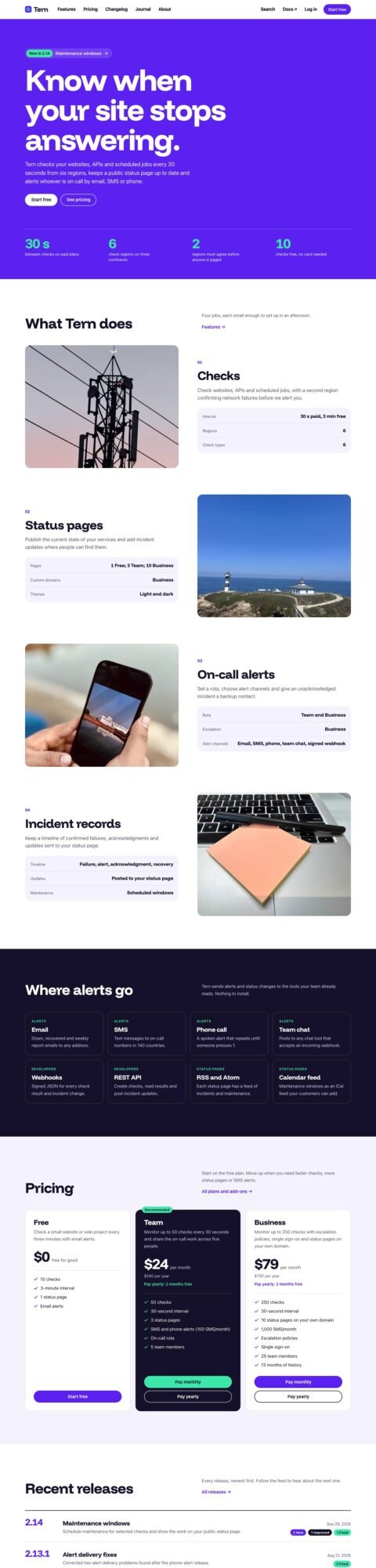 SpecProduct sites with features and plans
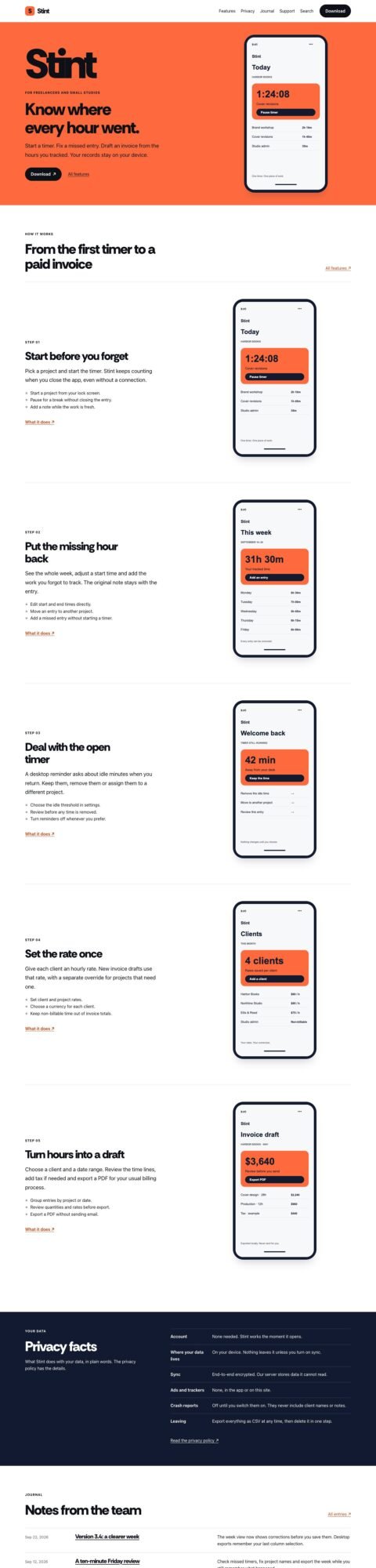 PocketApp landing pages with device tours
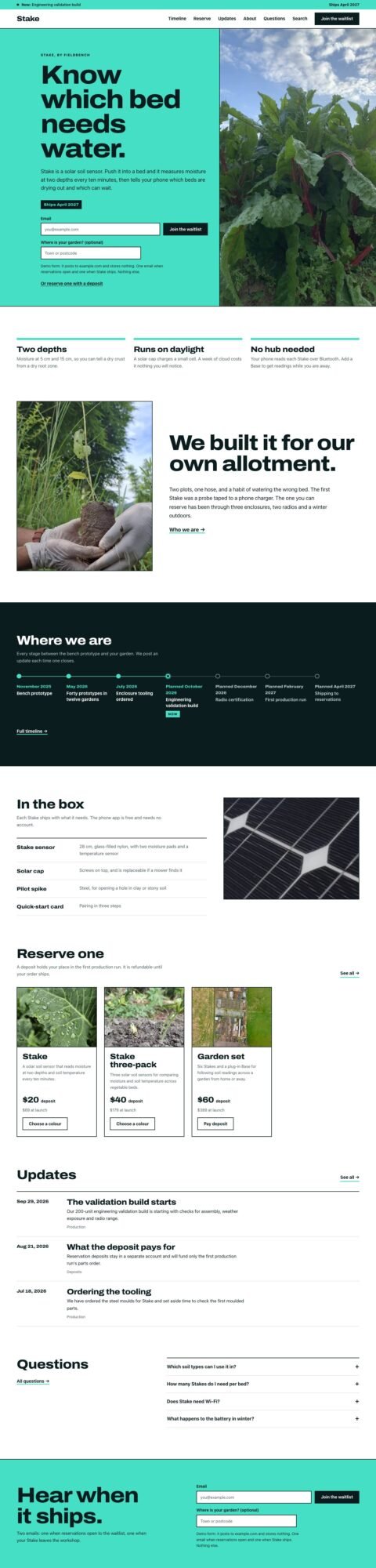 SoonProduct launch pages with waitlists
 BriefAgency sites with detailed case studies
FAQ
Is v0 only for generating UI components?
No. Its current documentation covers full-stack apps, database integrations and existing repository imports. Next.js remains its recommended framework for the most reliable full-stack results.
Can Bolt and v0 work with an existing website?
Both document GitHub imports. Whether your particular project runs successfully depends on its framework, dependencies, environment settings and external services.
Which is better for an Astro marketing site?
Bolt is a reasonable first candidate for the browser-based workflow described here. v0 can import repositories, but verify its handling of your Astro project before adopting it.
Peachfin is not affiliated with Bolt, v0 or Vercel.