
Lovable is the stronger starting point for a website that needs application behavior, such as user accounts and saved private data. Framer is a strong choice when the work centers on page design, publishing and keeping website content current.
Both use AI, and both let you refine what appears on screen. The bigger difference is where the project lives after generation. Lovable produces an application codebase with connected services. Framer gives you a visual website environment with its own CMS and hosting.
Start by describing what visitors must do. Reading case studies, signing up for updates and managing a private account call for different systems.
What Lovable is best at
Lovable fits projects that involve a sequence of actions and stored information. Think of a client signing in, uploading a document and checking the status of a request. Its Cloud services provide the database, authentication, storage and functions that such a workflow needs.
The value is having those pieces close to the builder. You can describe a feature, review the generated interface and refine the behavior without first assembling several separate development tools. You still have to explain the rules. Should a client see only their own documents? Can a staff member delete a request? Those are product decisions that require explicit testing.
Design changes do not have to happen entirely through long prompts. Lovable’s preview toolbar supports element selection, annotations, comments and inline text editing. That helps a founder give precise feedback on a screen without knowing its component names.
The code can be kept in your own repository. Lovable documents options for hosting the frontend elsewhere and moving backend services, although a full migration takes more work than exporting files.
Its limitations matter most when you arrive with an existing project. Lovable does not support starting from an external repository, and its app framework is prescribed. A purchased Astro theme therefore does not become an editable Lovable project through GitHub sync.
What Framer is best at
Framer puts visual control at the center of website work. Its canvas lets you adjust typography, spacing, components, breakpoints and effects directly. AI-generated pages remain editable there, so a designer can continue refining the same layout after the initial generation.
That is useful for a portfolio, agency site or product marketing page where the final composition needs careful attention. If a heading wraps awkwardly beside a photograph, you can inspect the relevant breakpoint and change the layout yourself.
Framer also has a CMS for repeatable content such as articles, projects and resource pages. You design the page template and let entries populate it. A colleague can add a case study without generating another page through AI. Framer’s AI tools also work with site content, but prompting is optional for ordinary editorial updates.
Hosting is part of the platform, and publishing stays close to the design workflow. Collaboration, editor roles and review features are useful for teams; availability depends on the plan. This can reduce the amount of deployment work a designer must coordinate separately.
The main tradeoff is portability. Framer’s official help page says it does not offer HTML export for self-hosting. Custom code components extend a site, but they do not turn the whole project into an Astro repository. For a private application with complex data rules, assess the required external services before choosing Framer on design appeal alone.
Lovable and Framer compared
| Question | Lovable | Framer |
|---|---|---|
| What you get | AI application builder with managed services | Visual website platform with AI, CMS and publishing |
| How you edit | Conversation and preview-based feedback | Canvas controls plus AI assistance |
| Code ownership and export | User-owned code with repository sync | No official HTML export for self-hosting |
| Hosting | Managed app hosting; external options documented | Integrated Framer hosting |
| Content and data | App database, authentication and storage | Website CMS collections and page templates |
| Pricing model | Workspace credits covering several usage types | Site subscription, AI credits, editors and add-ons |
| Team workflow | Shared projects and workspace usage | Visual collaboration and content/design roles |
| Best for | Apps with user actions and saved data | Portfolios, marketing sites and content publishing |
Which should you pick?
Pick Lovable for an internal tool, customer portal or other app where a successful session involves changing data. Make the first test a complete task, including signing out and returning later. A convincing dashboard is not enough evidence that the workflow works.
Pick Framer when the people maintaining the site want to work visually. A designer adjusting campaign pages and a marketer updating project descriptions can benefit from keeping design and content in the same platform.
For a business that needs both, separating the public site from the application can be reasonable. The cost is maintaining two environments, checking navigation between them and keeping the brand consistent. A single platform may be simpler for a small project.
Budget for the way you will use each product. Lovable’s pricing describes credits for building, Cloud and app AI features, shared across a workspace. Framer combines site plans with AI credits and potential editor or add-on charges. Neither bill is fully described by the cost of generating the homepage.
Before deciding, ask the person who will own weekly updates to make one real change. Replacing a project image and publishing an article can reveal more about long-term fit than another round of AI generation.
Start from an Astro template
An Astro template offers another starting point for the public website. A finished design can reduce prompts and credits spent recreating layouts, accessibility details and responsive basics. The saving depends on how much you preserve and how well the template matches the content.
This is an alternative workflow to Framer and Lovable. Framer does not import an Astro project into its visual canvas, and Lovable does not accept an existing repository as a starting project. Open the theme with an Astro-capable coding tool, customize its files and choose suitable hosting.
Monograph and Daybreak suit portfolios with substantial imagery. Fitting Room provides a fashion store design, while Pocket gives an app a public landing page. Check the store theme’s checkout requirements separately from its appearance.
Each Peachfin theme includes Markdown support and an optional EmDash CMS. Once configured, content can be updated without prompting AI again. The template supplies a foundation; you still review contrast, keyboard behavior and mobile layouts after customization.
The Astro Pass includes 40 Astro themes for $99 as a one-time payment, no subscription, unlimited client sites and optional EmDash CMS. Your hosting, integrations and AI usage have their own costs.
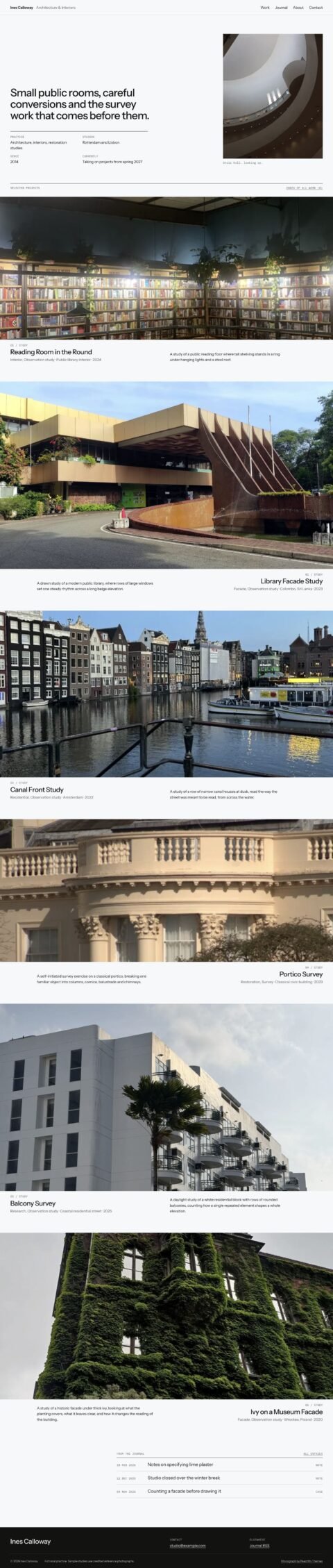 MonographDesign portfolios with a photographic project index
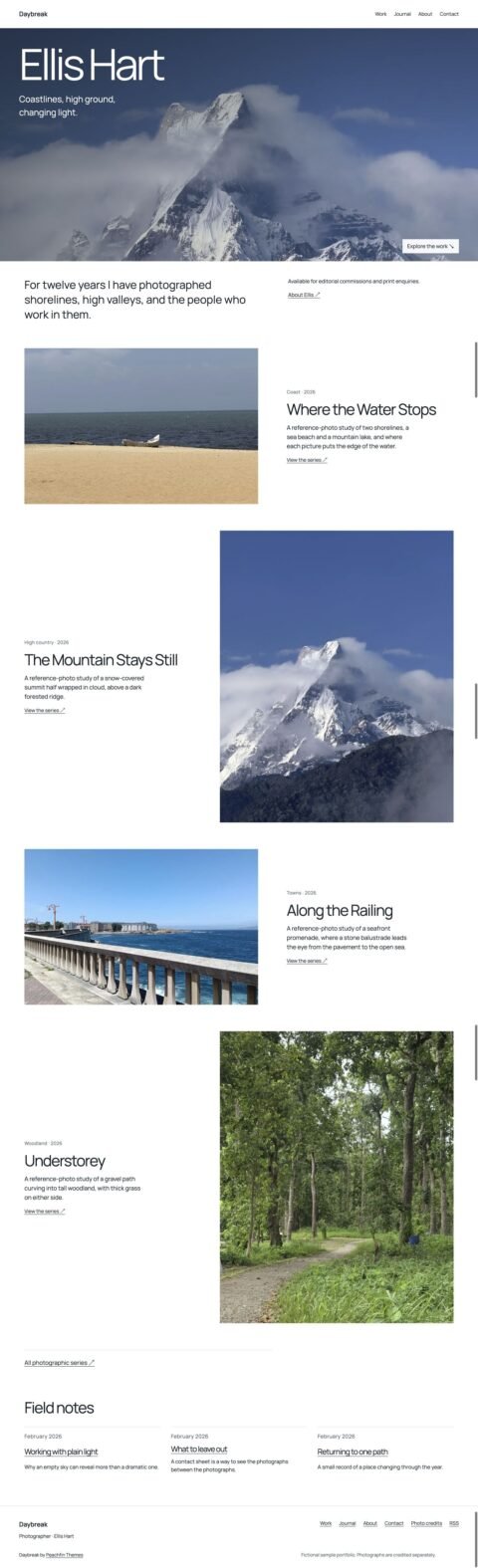 DaybreakPhotography portfolios with image series
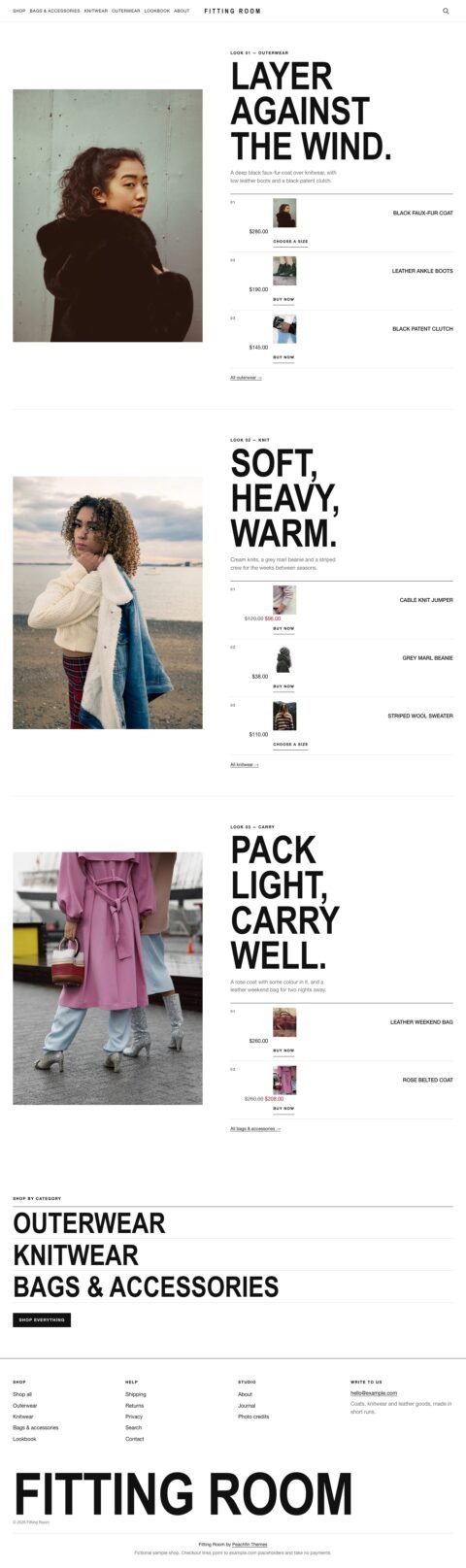 Fitting RoomFashion shops with portrait lookbooks
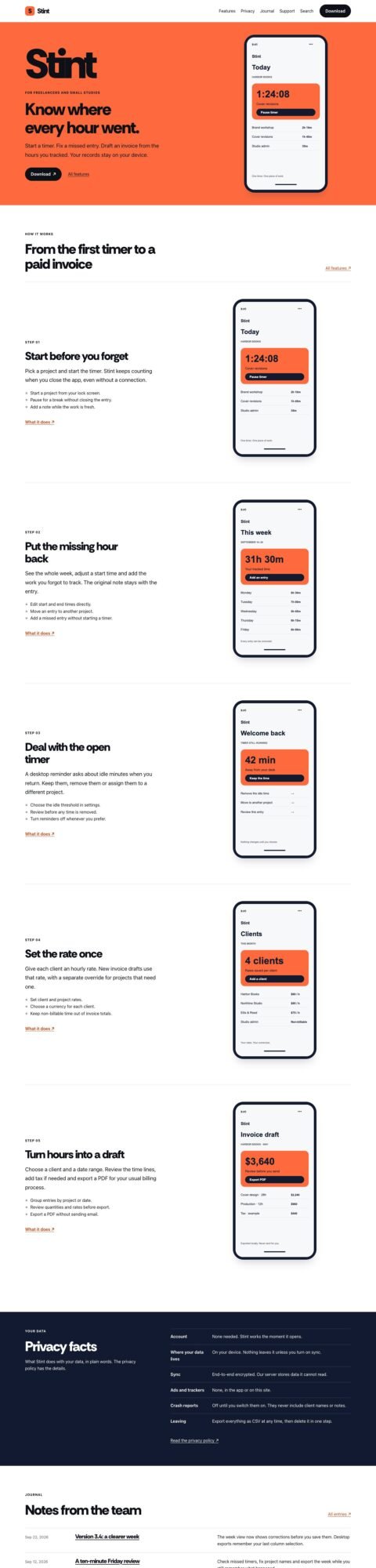 PocketApp landing pages with device tours
FAQ
Is Lovable better than Framer for a portfolio?
Framer is usually the more natural fit when visual layout and easy content updates are the main requirements. Lovable becomes more relevant when the portfolio includes custom application behavior.
Can Framer build a website with a blog?
Yes. Framer’s CMS supports collection-based pages, including articles. Check the chosen plan’s content limits and editing permissions against your publishing needs.
Can I export a Framer site and keep editing it as Astro?
Framer does not offer official HTML export for self-hosting. Moving to Astro requires a separate implementation; it is not a normal project export.
Peachfin is not affiliated with Lovable or Framer.