
Updated 16 October 2026.
Choose WordPress for a broad selection of ready-made features and visual site editing. Choose EmDash when you want an Astro website with an integrated CMS and have someone to build and maintain it. WordPress’s Site Editor lets editors change the wider design with a block theme. EmDash gives editors an admin panel while developers control the site’s layout through Astro pages and components.
Our video, WordPress or EmDash? Side-by-Side Comparison (2026), shows the two publishing experiences alongside each other.
Peachfin sells WordPress themes and Astro themes with EmDash editions. Choose by the site’s requirements and the people maintaining it. A reliable WordPress site does not need a new CMS simply because one has appeared.
EmDash and WordPress compared
| Area | WordPress | EmDash |
|---|---|---|
| Project and license | A community-developed project, started in 2003, under GPLv2 or later. | Developed by Cloudflare and open-source contributors, under the MIT license. |
| Language and architecture | PHP with a MySQL or MariaDB database. | TypeScript inside an Astro application. The admin and public website share a runtime, database and media storage. |
| Hosting | A server meeting WordPress’s PHP, database and HTTPS requirements. | Cloudflare Workers with D1 and R2, or Node.js with SQLite and persistent media storage. Other supported database adapters are available. |
| Editing | The block editor handles content. With a block theme, the Site Editor changes templates, headers, footers and styles. | Collection-based content editing, media, menus and revisions. Version 1.3.0 adds readable revision comparisons and improves visual rich-text editing. |
| Themes | The official directory advertises over 15,000 free themes. | Themes are complete Astro projects. WordPress themes require rebuilding for Astro. |
| Plugin catalog | WordPress.org advertises over 75,000 free plugins. | The public registry contains 88 packages from 46 publisher identities. |
| Plugin execution | PHP plugins and hooks extend the application. | Registry plugins use a configured sandbox and declared capabilities. Native plugins run in the server process. |
| E-commerce | WooCommerce supports physical and digital products, with extensions for subscriptions and memberships. | Commerce needs its own implementation. Peachfin’s store themes offer an optional Stripe cart supplied by the theme, separate from EmDash core. |
| Multilingual publishing | The multilingual documentation describes plugin and multisite approaches. | Translations have independent slugs, publication states and revisions, with Astro locale routing to configure. |
| Migration | Tools → Export produces a WXR content export. | The WordPress importer accepts WXR or a connection through the EmDash Exporter plugin. |
| Software cost | Free open-source software. Budget separately for hosting, paid products and maintenance. | Free open-source software. Budget separately for hosting, development and maintenance; sandboxed plugins on Workers require its Paid plan. |
How editing and themes differ
WordPress combines content editing with design controls when a block theme is active. Editors can change templates and site-wide styles through the Site Editor. That is a practical advantage when the people publishing the site also need to adjust its layout without editing project files.
EmDash keeps familiar concepts such as posts, pages, categories, menus and revisions. Editors manage collections and fields in its admin. Developers write the Astro routes and components that display them. Its WordPress developer guide maps WordPress post types to collections and PHP template files to Astro routes.
Content lives in the database. Server-rendered pages can show a published edit on their next request, subject to caching; prerendered pages need another build. EmDash therefore needs a running application for its admin and APIs, even if some public pages are prerendered.
EmDash 1.3.0 adds revision views with highlighted additions and removals. It also improves the visual-editing toolbar and image picker. These are content-editing tools: Astro components still determine the site’s structure and design. EmDash is not a general visual page builder.
What the ecosystem numbers tell you
On 16 October 2026, WordPress.org advertises over 75,000 free plugins, while EmDash’s public registry contains 88 packages from 46 publisher identities. These measure catalog availability, not active installations, customer numbers or every private extension.
WordPress gives you a much larger pool of existing products to evaluate for specialist requirements. A listing still needs checks for compatibility, maintenance and suitability. With EmDash, establish whether each essential feature exists, can be implemented in the theme or needs custom development before committing to a rebuild.
Multilingual publishing needs planning on both platforms. WordPress’s plugin and multisite approaches differ from EmDash’s translated entries and Astro routing. Check translated URLs, navigation and the editorial workflow as well as whether authors can enter translated text.
Plugins and security
EmDash distinguishes sandboxed plugins from native plugins. Sandboxed plugins request capabilities such as reading content, changing redirects or contacting allowed network hosts. Native plugins run with the host application’s access. A sandbox limits what a plugin can do, but a permission you grant still authorizes that operation.
Registry installs require an administrator with plugins:manage, storage for downloaded bundles and an available sandbox runner. EmDash checks signed publisher records and the downloaded bundle, and presents permissions for consent. Review the publisher and requested access before installing.
On Cloudflare Workers, the runner needs the Workers Paid plan, a Worker Loader binding and the PluginBridge export. On Node.js, it needs the sandbox runner package and workerd. The resource limits differ: both enforce wall time, while the Workers runner also enforces CPU and subrequest limits. Do not assume every EmDash extension has the same isolation.
For an EmDash publication, our free Auto Unpublish Posts plugin can unpublish, trash or retag dated content, with collection defaults and email alerts. Its Pro version adds rules, bulk scheduling and CSV, from $49 a year. Our free Comment Spam Protection plugin applies rules for blocked words, links, language, duplicates and rate limits on your site, with a reason for each decision. Pro starts at $29 a year.
Hosting, cost and performance
Both CMSs are free software; neither removes the cost of operating a website. Include hosting, backups, theme or plugin purchases and the person responsible for fixes in your budget.
EmDash’s documented deployment choices include Workers with D1 for content and R2 for media, or Node.js with SQLite and local uploads. Node.js requires version 22.16 or later. Persistent database and media storage matter across deployments. The team also owns backups, upgrades and the Astro application. For WordPress, arrange hosting that meets its PHP and database requirements and ongoing maintenance for the installed theme and plugins.
Performance depends on the implementation, hosting and caching. EmDash 1.2 introduced startup and query improvements. Version 1.3.0 reduces a comment list to one query when all approved comments fit on one page and removes unnecessary preloading in specific D1 configurations. Test equivalent pages with your images, plugins and cache settings before making speed the deciding factor.
Maturity and support
WordPress began in 2003 and has established documentation and community support forums. Commercial theme and plugin support depends on the seller.
EmDash’s package releases include 1.0.1 on 28 September 2026, 1.1.0 on 1 October, 1.2.0 on 6 October and 1.3.0 on 15 October. It is a much younger ecosystem. The project’s community channels include documentation, Discord and GitHub. Decide who will handle upgrades and deployment problems rather than treating community support as a maintenance contract.
Choose WordPress if
- Your editors need to change templates and site-wide design through the block-theme Site Editor.
- An existing commerce, membership or publishing workflow meets your requirements.
- You want a large plugin catalog and can arrange maintenance for the products you select.
- Your current WordPress site is reliable and a rebuild would not solve a specific problem.
In these cases, improving content or design may be enough. Our WordPress block themes offer that route without a CMS migration. For an established WooCommerce shop, keep the working commerce system unless a separately tested replacement justifies the move.
Choose EmDash if
- You want an Astro website with its CMS in the same application and deployment.
- Editors need an admin panel while a developer maintains layouts, hosting and integrations.
- You have established how the site will provide every required plugin and commerce feature.
- You can trial the publishing workflow and a representative import before moving.
Our 40 Astro themes with EmDash editions cover blogs, portfolios, businesses and stores. They ship with Markdown content by default and optional EmDash support. The Astro Pass costs $99 once for all 38, plus future Astro themes released while the pass is sold, and includes six months of email support.
EmDash is a poor fit if you expect to reuse WordPress themes and plugins unchanged or have nobody to maintain the Astro application. A theme purchase does not remove that operational work.
How to move from WordPress
Back up the WordPress database and uploads, then inventory URLs, content types, custom fields and plugin behavior. Try the official importer on a separate site with the intended database and media storage.
- Choose an import route. Upload WXR from Tools → Export, or install EmDash Exporter on WordPress and connect it. Exporter 1.2.0 or later supports migration keys and importing comments, menus, the logo and favicon. Entering a URL without the exporter only probes public content.
- Map the content. Review collections, fields and authors. WXR does not copy every arbitrary custom field. The Exporter route supports custom meta and ACF values with matching fields.
- Inspect the result. EmDash 1.3.0 improves ACF imports, including structured values stored as JSON. Those values can retain WordPress IDs and media references, so review relationships and templates. Inspect complex blocks, shortcodes and page-builder content separately.
- Finish media and URL work. WXR contains attachment URLs rather than file bytes. Keep WordPress reachable while media downloads. Check publication states, authors, translations, menus and redirects before cutover.
A content import does not rebuild the design or establish that a shop’s orders, customers and subscriptions will transfer. Our WordPress-to-EmDash migration guide covers content, media, redirects and launch checks.
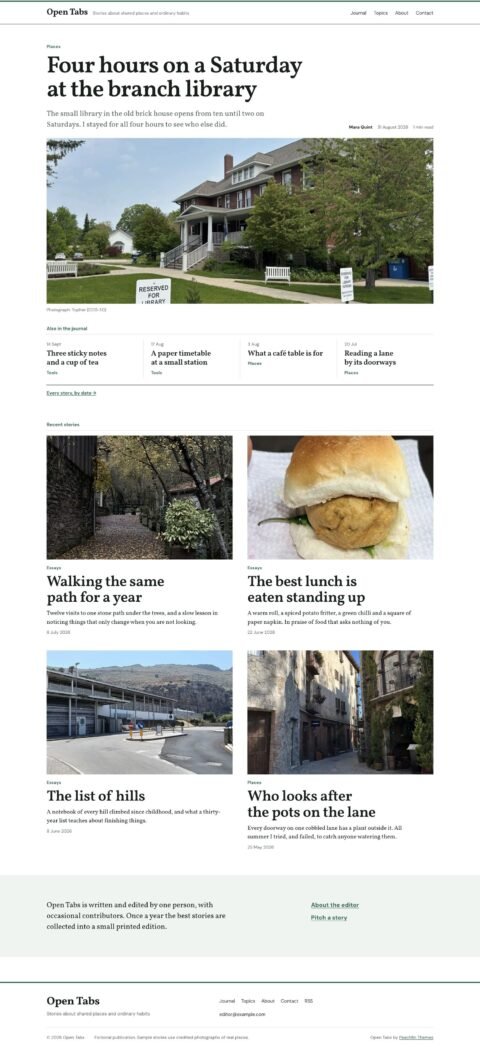 Open TabsEditorial journals with panoramic lead stories
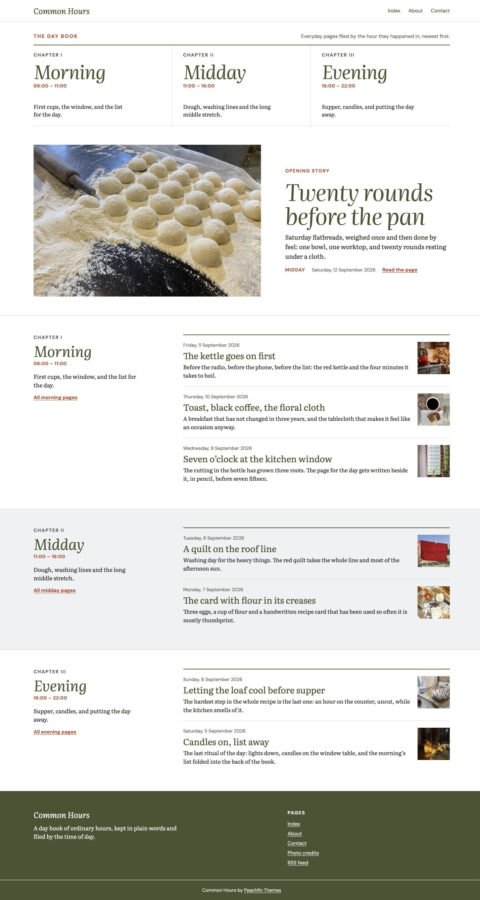 Common HoursPersonal blogs with chapter indexes
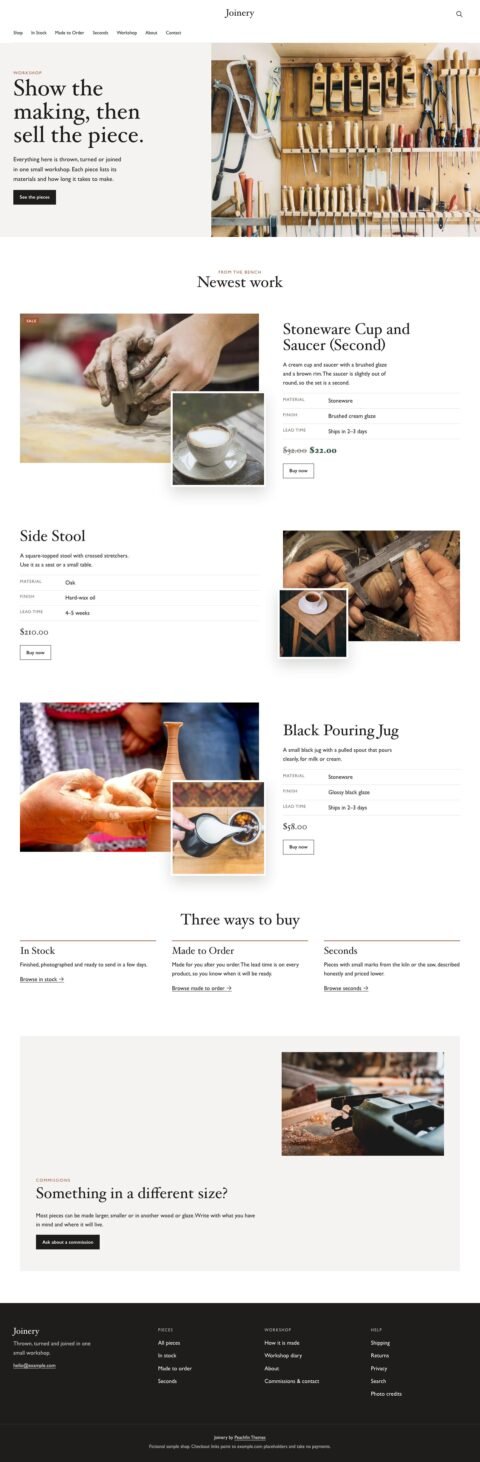 JoineryFurniture shops with detailed product stories
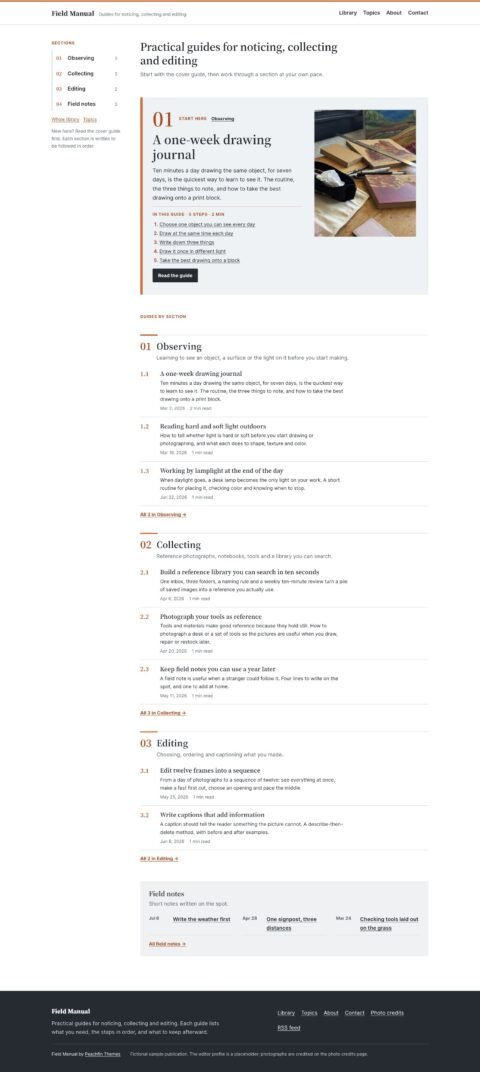 Field ManualGuidebooks with clear step by step articles
Browse all 40 themes with EmDash editions, or use our WordPress-to-EmDash migration service, from $990. The $990 blog move covers up to 100 posts and pages onto one of our Astro themes.
Frequently asked questions
Is EmDash a replacement for WordPress?
It can be an alternative for a new site or a planned rebuild. EmDash runs on TypeScript and Astro and does not run PHP, WordPress themes or WordPress plugins. Moving an existing site requires content migration, an Astro theme and replacements for required plugin behavior.
Is EmDash faster than WordPress?
Performance depends on the site, hosting and cache configuration. EmDash 1.3.0 reduces database queries in specific circumstances, including comment lists that fit on one page. Test equivalent pages and publishing workflows before choosing either platform for speed.
Can I keep my WordPress plugins?
Plan replacements or redevelopment. WordPress plugins use its PHP APIs and hooks. EmDash uses its own plugin interfaces, with sandboxed plugins limited by granted capabilities and native plugins running with the host application’s access.
Which platform would you choose for an existing WooCommerce shop?
We would keep it on WordPress unless a separately tested commerce migration justified the work. Importing articles does not establish that products, orders, customer accounts and subscriptions will transfer correctly.