Astro CMS: which should you choose?
Choose EmDash for a CMS inside your Astro application, Sanity or Storyblok for a hosted content service, and Decap CMS, Keystatic or TinaCMS for editing backed by files and Git. The best fit depends on who edits the site, where the content should live and who will maintain the infrastructure.
Astro CMS options at a glance
Astro’s CMS guides cover all six options. Peachfin’s themes ship with optional EmDash, so that is the integrated route for our customers. The other systems suit different workflows and require their own integration.
| CMS | Type and storage | Best fit | Free and paid options |
|---|---|---|---|
| EmDash | Built-in to the Astro app; SQL database and media storage | A site with its own publishing admin | Free MIT software; bring hosting |
| Sanity | API-based headless; hosted Content Lake | Structured content shared across channels | Free; Growth $15 per seat/month |
| Decap CMS | Git-based; files in your repository | A browser editor for a static content site | Free MIT software; optional Turbo Free or Pro at €19/month |
| Keystatic | File/Git-based; local files or GitHub | Typed content models alongside code | Free MIT software; Cloud Free or Pro from $10/month |
| TinaCMS | Git-backed headless; repository files and a data layer | Visual editing with Git-owned content | Cloud Free; Team $290/year per project |
| Storyblok | API-based headless; hosted stories and assets | Visual page composition from reusable blocks | Starter Free; Growth $99/month |
A free software license and a free hosted plan are different things. Self-hosted software still needs deployment and maintenance; hosted plans have limits on users, content or usage.
EmDash: a CMS inside the Astro application
EmDash runs the public site and CMS admin in one application. Content, users and settings live in a SQL database; uploaded media uses a storage adapter. Editors work in a browser admin with a block editor, drafts and publishing tools. It is an added integration, rather than a CMS bundled into Astro itself.
The Astro integration guide uses the emdash package, React for the admin and live content collections for page queries. Hosting needs server rendering, a database and persistent media. The documented choices include Cloudflare Workers with D1 and R2, or Node.js with SQLite or supported remote storage.
Cost and license, 8 October 2026: EmDash is MIT-licensed software with no license fee. Hosting is separate, rather than an EmDash per-seat subscription. See EmDash hosting for free allowances, paid infrastructure and plugin requirements.
Choose it for: an Astro site whose editors need a publishing admin and whose developer can maintain the application and its data. A managed headless service may suit you better if you want the vendor to run the content backend. Read what EmDash does and the Peachfin EmDash theme setup guide before choosing the hosting.
Sanity: structured content in a hosted service
Sanity stores JSON documents and assets in its hosted Content Lake. Editors use the customizable Sanity Studio. The official Astro integration, @sanity/astro, supports content queries, an embedded Studio and visual editing. You host the Astro frontend; Sanity runs the content service. Choose static builds or server rendering to suit publication and preview needs.
Cost, 8 October 2026: Free includes 20 seats and 10,000 documents. Growth costs $15 per seat per month, with up to 50 seats and 25,000 documents included. Enterprise has custom pricing. Growth adds roles such as Editor and Developer; Free has Administrator and Viewer roles. Usage and add-ons can increase the bill.
License: Sanity Studio is MIT-licensed. The hosted Content Lake is a separate service, not a self-hosted database included by that license.
Choose it for: reusable, structured content feeding a site and other channels, with a developer shaping the schema and editing interface. It can be more setup than a small file-based blog needs. Astro also links the integration from its Sanity guide.
Decap CMS: a browser editor that commits to Git
Decap CMS provides structured fields, rich-text editing and previews while keeping content files in your repository. Its editorial workflow can support draft, review and publication. Astro’s Decap guide describes adding an admin route and connecting it to the site’s content.
The public Astro site and admin assets can use static hosting, but editing also needs a configured Git backend and authentication. Decap’s backend documentation covers Git providers and options such as an OAuth proxy. Plan the build triggered by a content commit as part of publishing.
Cost and license, 8 October 2026: the CMS is free and MIT-licensed. Optional Decap Turbo manages supporting services such as authentication and Git request proxying. Turbo Free includes one site and one seat; Pro is €19/month for one site and five seats, with additional sites at €10/month and seats at €6/month. Prices are EUR, billed monthly, tax included. Enterprise is custom-priced. The optional public-preview Pro trial runs free until 15 October 2026.
Choose it for: a static publication where editors want forms and previews while developers retain repository history. Budget for configuring authentication and previews; a Git-backed editor does not remove those tasks.
Keystatic: edit local files or GitHub content
Keystatic makes Markdown, JSON and YAML content editable through an admin UI, with Markdoc and MDX support. Content stays in local files or GitHub, and a TypeScript configuration defines collections and fields. Its core file-based workflow does not require a content database.
The official Astro setup uses @keystatic/core and @keystatic/astro. Local editing runs alongside development. A deployed Keystatic admin requires an Astro adapter for its server-side code and Node.js APIs. GitHub or Cloud mode provides the remote editing connection. Astro has a separate Keystatic guide.
Cost and license, 8 October 2026: the core is free and MIT-licensed. Optional Keystatic Cloud handles GitHub authentication, including access for editors without GitHub accounts. Its free plan allows three users per team. Pro starts at $10/month, with $5/month for each user beyond three. Pro applies to one team and offers optional image hosting and experimental multiplayer editing.
Choose it for: a developer-owned Astro project with file-based content and a small editing team. A hosted API CMS is a better starting point when you want content managed independently of the site’s repository.
TinaCMS: Git-backed content with visual editing
TinaCMS keeps content in repository files and uses a data layer for querying and editing. Local mode edits project files; production can use TinaCloud or a self-hosted data layer. Editors get an admin interface, with visual editing when the site has been wired for it.
Tina’s current Astro setup guide uses @tinacms/astro. Its visual editing integration needs a server adapter to refresh editable regions. Static public pages can coexist with these server endpoints. Plan both frontend hosting and the hosted or self-managed data layer.
Cost, 8 October 2026: TinaCloud Free includes two users. Annual project prices are $290 for Team with three users, $490 for Team Plus with five, and $2,990 for Business with 20. The pricing page displays rounded monthly equivalents of $24, $41 and $249 respectively when billed annually. Extra seats cost more; Enterprise has custom organization pricing.
License: the TinaCMS repository uses Apache 2.0. TinaCloud is a separate hosted service.
Choose it for: a team that wants contextual editing while retaining Git-owned content. Include preview integration and server endpoints in the implementation budget rather than assuming visual editing appears automatically.
Storyblok: visual editing with reusable content blocks
Storyblok is a hosted headless CMS. Content lives in stories and reusable blocks in a Storyblok space, with assets managed by the service. Editors arrange the blocks in a visual editor; developers map those blocks to Astro components. The Astro guide explains that mapping, while the official @storyblok/astro SDK handles integration and the editing bridge.
You host the Astro frontend and configure a preview URL and content fetching. Storyblok runs the CMS backend. Static sites need a rebuild to incorporate newly fetched content; request-time rendering needs suitable frontend hosting.
Cost, 8 October 2026: Starter is free with one included seat, 100,000 API requests and 100GB traffic per month. Growth costs $99/month when billed monthly, or $90.75/month with annual billing, and includes five seats. Growth Plus is $349/month monthly or $319.91/month annually, with 15 seats. Premium and Elite use custom pricing. Extra usage and options can add cost.
License: the CMS is a proprietary hosted service. The SDK repository is MIT-licensed; this does not provide a self-hostable Storyblok CMS.
Choose it for: marketing teams composing pages from a developer-defined component library. For a small publication with a fixed article layout, file-based content can be simpler to maintain.
No CMS: Markdown and MDX content collections
Astro’s content collections can load local Markdown and MDX files, validate their shape and make them available to templates. Editors work in files and the build produces the public pages. This avoids a separate CMS account, admin deployment or content database.
Choose this for a portfolio, documentation project or blog maintained by people comfortable with files and Git. A browser editor becomes useful when that workflow slows the people responsible for publishing. Our Markdown publishing guide shows the file-editing approach.
How to choose a CMS for Astro
- Start with the editor’s task. Try creating an article, adding an image, correcting a slug and previewing a draft. For a marketing site, also try rearranging a page.
- Choose where content belongs. Repository files suit a Git workflow. A hosted API suits shared content across applications. An integrated database suits a site with its own publishing system.
- Decide who operates it. Include authentication, backups, media storage, previews and upgrades in the decision. Free software still needs someone responsible for these.
- Price the actual team. Count editing seats, roles, projects, API use and media. Compare the billing period as well as the headline price.
- Check the publication path. Work out whether edits need a build, appear through server queries or wait for a cache refresh. Test the workflow on your intended hosting.
For a Peachfin design, EmDash is the CMS we ship and document. Our Astro themes, including Syllabus for course outlines, also work with Markdown. The Astro Pass includes the collection. Choose another CMS when its workflow fits your team better, allowing for the integration work.
 Open TabsEditorial journals with panoramic lead stories
 DaybreakPhotography portfolios with image series
 Fitting RoomFashion shops with portrait lookbooks
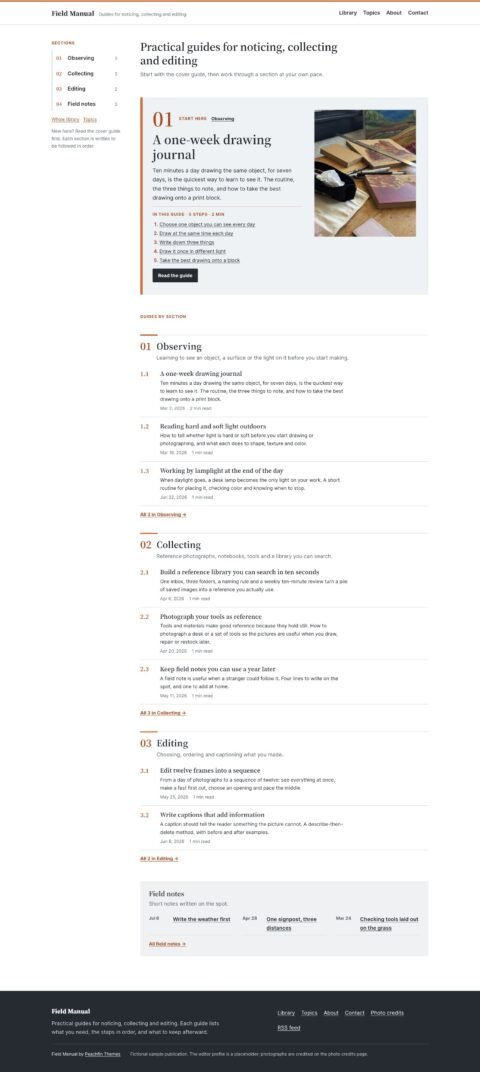 Field ManualGuidebooks with clear step by step articles
See all 40 EmDash themes · WordPress to EmDash migration, from $990
Frequently asked questions
Does Astro need a CMS?
No. Astro content collections can load Markdown and MDX files directly. A CMS adds an editing workflow for people who prefer a browser interface or need content services beyond local files.
Which CMS comes with Peachfin Astro themes?
Peachfin Astro themes ship with Markdown by default and optional EmDash. Sanity, Decap CMS, Keystatic, TinaCMS and Storyblok require their own integration.
Which Astro CMS keeps content in Git?
Decap CMS, Keystatic in GitHub or Cloud mode, and TinaCMS support repository-backed content. Keystatic and TinaCMS also support local editing workflows.
Can a free CMS still cost money to run?
Yes. Hosting, authentication, media storage, build services and maintenance can have costs. Hosted CMS free plans also have limits, and extra seats or usage may require a paid plan.