
Updated 8 October 2026.
EmDash is a free, open-source content management system for Astro websites, developed by Cloudflare and community contributors. It provides a browser-based admin for managing content inside an Astro project. The software is released under the MIT license, so there is no software license fee to use it. See the official introduction, community contribution account and EmDash license.
You write and organize the material in the admin; the site’s Astro pages determine how it appears. That division suits an editor who wants familiar publishing tools and a developer who wants control over the website’s design. The architecture documentation explains how both use the same application.
How does EmDash work?
EmDash runs inside your Astro website. Its database stores entries, content types, users and settings, while a separate storage adapter holds uploaded files. The admin saves changes through the EmDash runtime, and your Astro pages query that runtime to display content. You deploy the public site and CMS together. These are the parts described in the official architecture guide.
Content types and the admin
A collection is a kind of content, such as Posts or Projects. Fields describe what each entry contains: a title, an excerpt, an image or a body of text. Administrators can manage this model under Content Types, and the editor uses those fields to build its forms. The content model guide explains the distinction between a collection, a field and an entry.
For ordinary publishing, EmDash offers drafts, revisions, previews and scheduling. Its rich text uses Portable Text, a structured JSON representation rendered by the site’s components. You do not need to edit that JSON to write a post. The product overview shows the workflow; the 1.2 release notes describe the redesigned editor and video blocks.
Themes are Astro websites
An EmDash theme is a complete Astro project containing routes, components and configuration, with an optional seed for its starting content model. It is not a theme package you swap in the admin. Once created, the project files belong to your site and can be edited directly, as the theme documentation explains.
For example, our Side Quest theme organizes a journal around dated timelines and checkpoint articles. Our EmDash theme setup guide explains which content becomes editable in the CMS and which design settings stay in the project files.
Plugins and their sandbox
Plugins installed through the admin run through a sandbox runner. On Cloudflare that uses Dynamic Workers; on Node.js it uses a workerd child process. Permissions restrict what a sandboxed plugin can access. Native plugins registered in the project run in the server process and do not receive that isolation. Read the sandbox documentation before treating every EmDash extension as equally restricted.
This is a useful security boundary, rather than a reason to stop reviewing extensions. Check the permissions and maintenance of any plugin you install. Our EmDash plugin directory is a starting point for finding additions.
Where can you host EmDash?
The documented Cloudflare deployment uses Workers for the application, D1 for the database and R2 for uploaded media. The Node.js guide starts with SQLite and local file storage on persistent disk. Both need server rendering: a static file host alone cannot run the CMS. See the official Cloudflare, Node.js and architecture guides.
Our EmDash hosting comparison covers the storage requirements, free-tier limits and additional setup for registry plugins.
What does EmDash cost?
The MIT-licensed software is free. Budget separately for hosting, a domain, any paid theme or extension, and the time needed to build and maintain the site. Cloudflare has a free Workers plan, but running EmDash’s sandboxed plugins there requires Workers Paid, with a minimum account charge of $5 USD per month. Usage above the included allowances and other services can add to the bill. Sources: EmDash sandbox requirements and Workers pricing, 8 October 2026.
A paid design is optional. If you want several of ours, the Astro Pass costs $99 USD once for 40 Astro themes, with unlimited personal, commercial and client sites and six months of email support. Choose a theme for the content you actually need to publish.
How does EmDash relate to WordPress?
EmDash borrows familiar CMS ideas, including posts, pages, media and menus, but it is its own TypeScript application built on Astro. WordPress uses PHP and a MySQL-compatible database. Their themes and plugins are different kinds of software. Sources: the EmDash overview, WordPress requirements and EmDash theme documentation.
EmDash’s importer accepts WordPress XML exports or a connection through the EmDash Exporter plugin. Moving content still requires checking the new routes, rendering and feature replacements; it does not turn an existing WordPress design into an Astro site. Read the official migration guide, our EmDash vs WordPress comparison and our migration walkthrough.
Who should use EmDash, and who should wait?
We would shortlist EmDash for an Astro-based publication, portfolio or business site whose team can own the code and deployment. Try a representative article, image upload and publishing workflow before committing. A developer-led rebuild is a better starting point than assuming every existing feature will have an equivalent.
We would stay with WordPress when a site already works well, its editors rely on visual design controls, or its business depends on integrations that have not been proved on the replacement. WordPress’s Site Editor works with block themes, and WooCommerce provides a developed commerce option. A CMS change needs a concrete benefit that justifies rebuilding those workflows.
How to start with EmDash
- Try the admin through the playground linked from the official site.
- Follow Getting Started to create a project with
npm create emdash@latest. That tutorial requires Node.js 22.16 or later and starts with SQLite and local storage. - Choose a design and check its content types. Browse our Astro themes if you want a prepared starting point.
- Use our website setup walkthrough and theme-specific instructions to configure and check the site before launch.
What is the current EmDash version?
As of 8 October 2026, the current stable core version is 1.2.0. The npm package metadata records its publication on 6 October; the announcement is dated 7 October. It includes the editor redesign, video blocks and a domain-move workflow. Our EmDash release tracker keeps release and announcement dates separate.
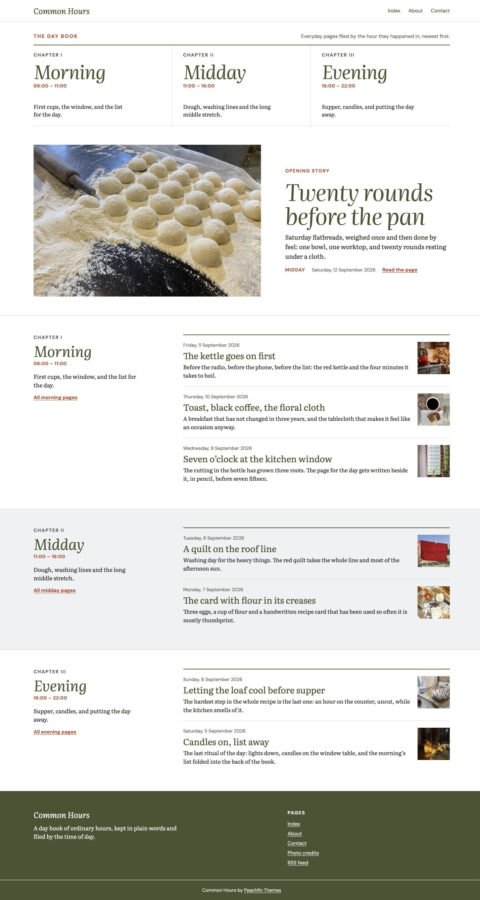 Common HoursPersonal blogs with chapter indexes
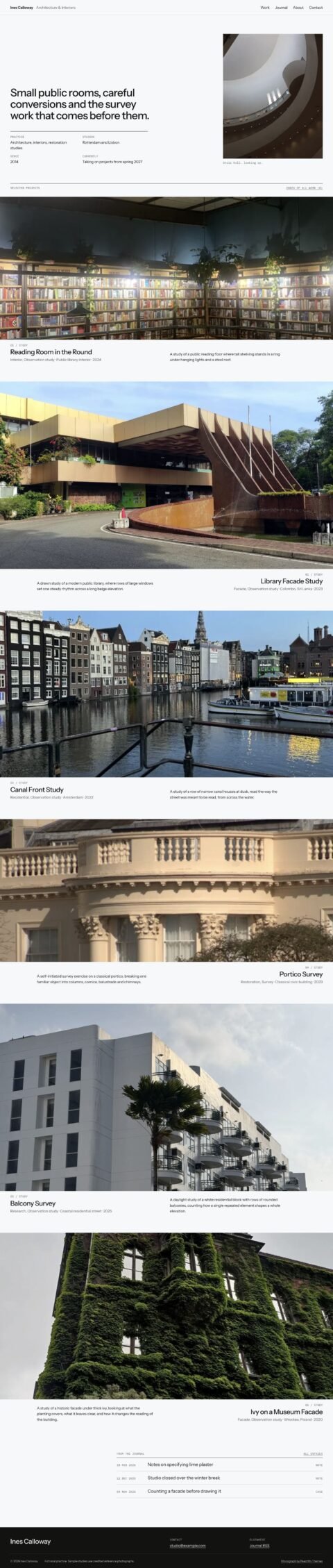 MonographDesign portfolios with a photographic project index
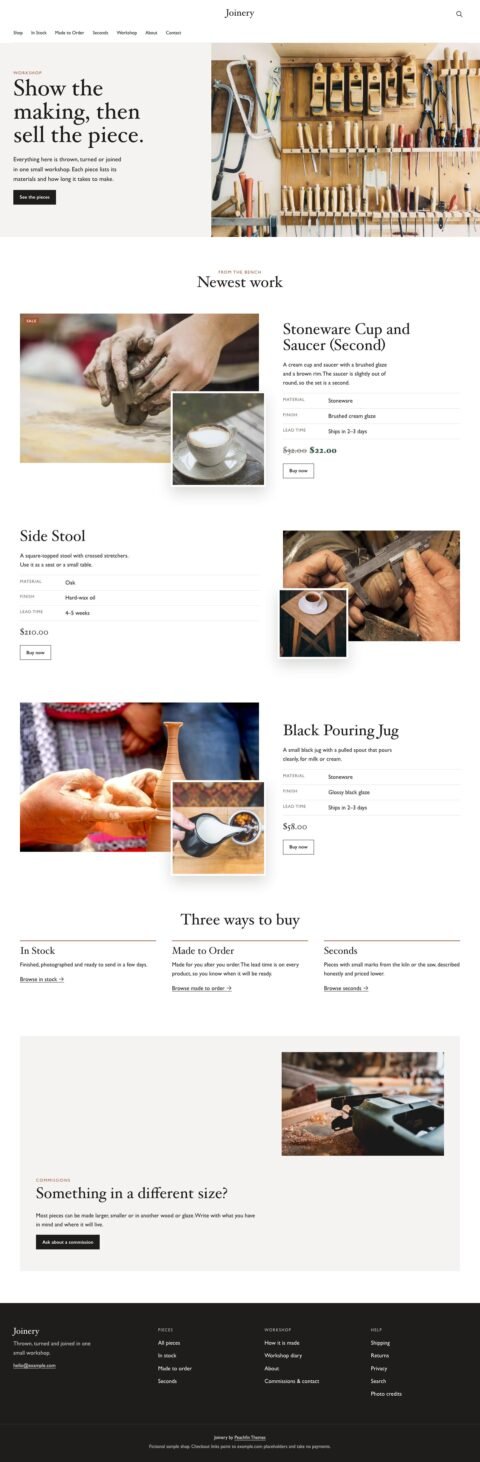 JoineryFurniture shops with detailed product stories
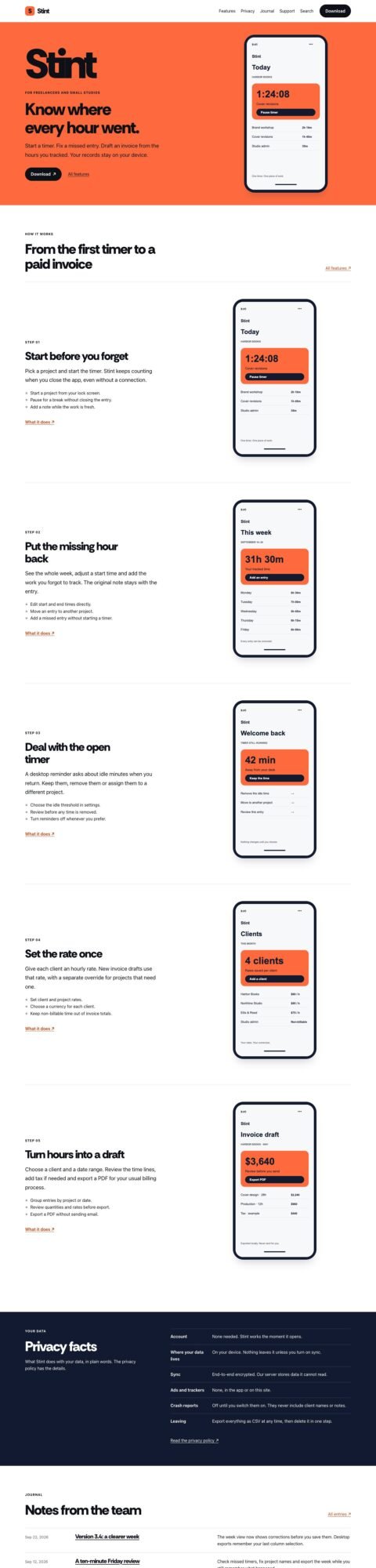 PocketApp landing pages with device tours
See all 40 EmDash themes · WordPress to EmDash migration, from $990
Frequently asked questions
Is EmDash free?
Yes. EmDash’s MIT license permits use without a software license fee. Hosting, a domain and optional paid additions are separate costs.
Source: EmDash license.
Do I have to host EmDash on Cloudflare?
No. The official documentation also supports Node.js hosting, including SQLite with persistent local storage.
Source: Node.js deployment guide.
Can I use a WordPress theme with EmDash?
An EmDash theme is an Astro project. Plan to choose an Astro design or rebuild the WordPress design instead of uploading its theme to EmDash.
Source: EmDash themes overview.
Do I need AI to use EmDash?
No. You can manage content through the admin. Connecting an AI tool is optional.
Source: EmDash FAQ.